
Setup
Administrator Information
It is recommended to change the administrator User ID and password to prevent the settings from being changed and to maintain security.
Refer
Refer to “User's Manual” for the default administrator ID and password.
- Log in to Administrator Mode.
- Tap on
 on the Home screen.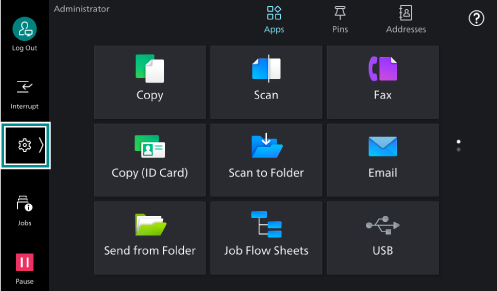
- Tap on [Device].
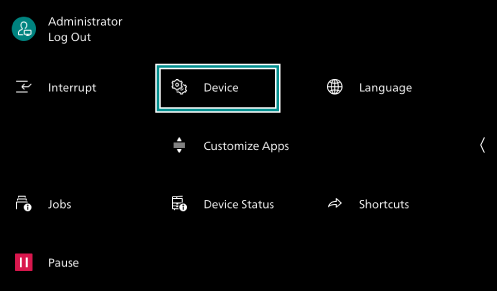
- Tap on [Authentication/
Accounting ].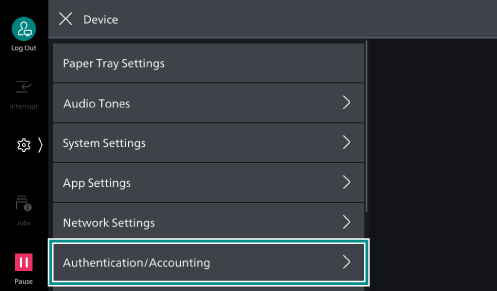
- Tap on [Authentication/
Security Settings ].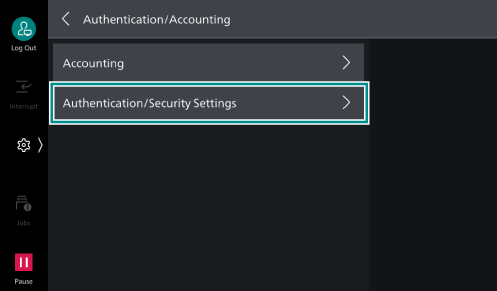
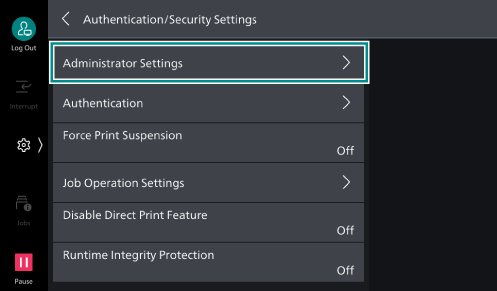
- Tap on [Administrator Settings].
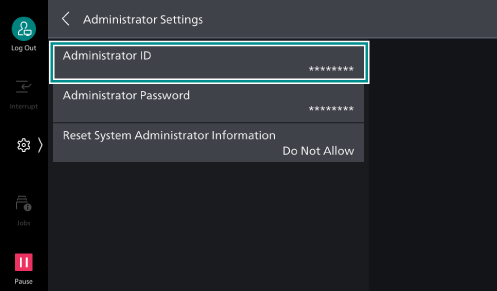
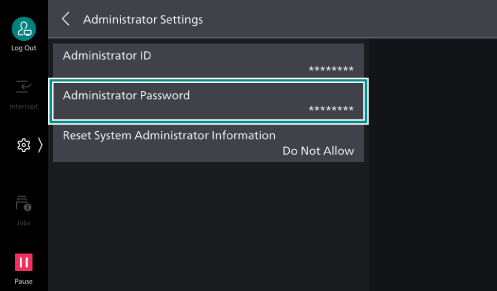
- Tap on [Administrator ID].
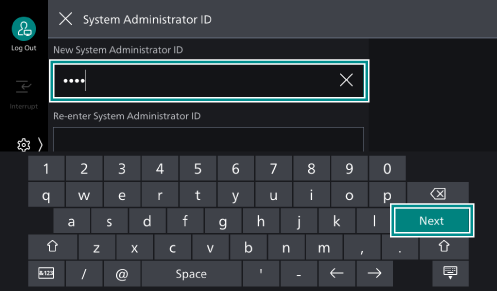
- Enter [New System Administrator ID] and tap on [Next].
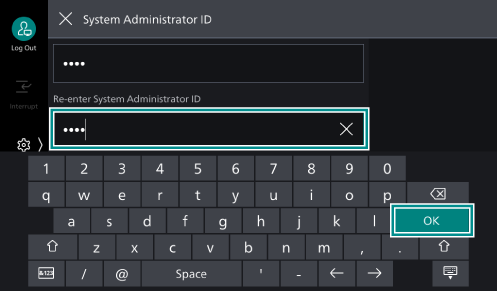
- Enter [Re-enter System Administrator ID] and tap on [OK].
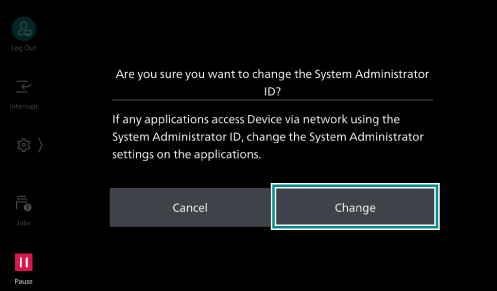
- Tap on [Change].
Note
The password can be changed in the same way as the ID.
- Press the <Home> button.
- Tap on [Restart Now].
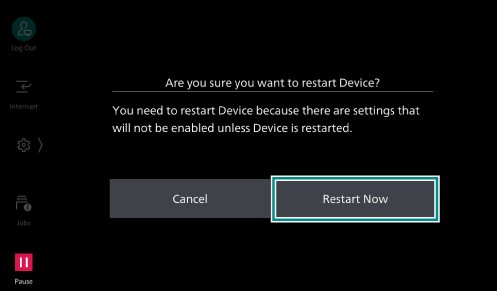
The machine restarts and then the settings are enabled.