
Printable Area
Image Loss Width
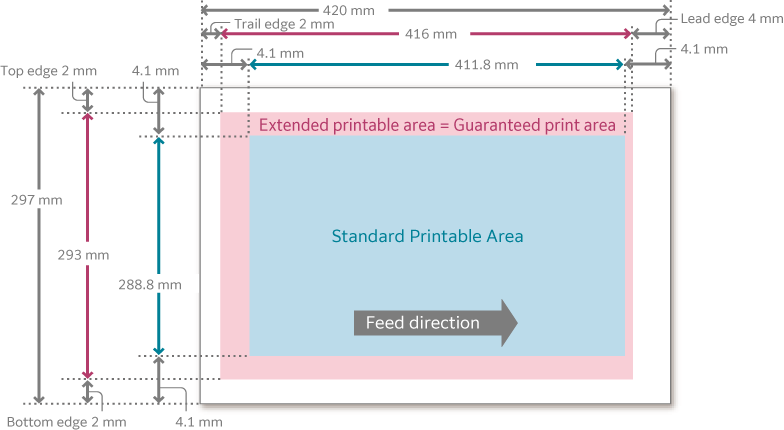
Paper has the area where you cannot print (image loss width) on the four edges of front, back, upper and lower.
The image loss widths are 4.0 mm at the front edge, 2.0 mm at the rear edge, 2.0 mm at the top edge, and 2.0 mm at the bottom edge.
Guaranteed Printable Area
In this printable area, we ensure image quality.
A3 or smaller |
The area excluding the image loss width on all four edges of paper |
|
Larger than A3 |
Copy |
Maximum: 289 x 423.4 mm |
Maximum: 289 x 423.4 mm |
||
Standard Printable Area
The area excluding the 4.1 mm margins on all four edges of paper.
Extended Printable Area
If changing the settings of the printable area, you can print even on the 4.1 mm margins exceeding the standard printable area.
A3 or smaller |
The area excluding the image loss width on all four edges of paper |
|
Larger than A3 |
Copy |
Maximum: 291 x 425.8 mm |
Maximum: 291 x 476.6 mm |
||
Long paper |
Maximum: 291 x 1,194 mm |
|
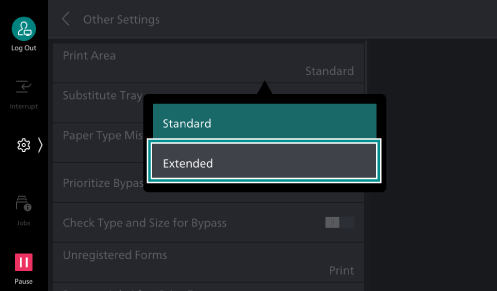
Changing to the Extended Printable Area
Note
You can change the area also in the [Tray /
Output ] tab > [Edge Erase /Print Position ] > [Margins] of the printer driver.
- Log in to Administrator Mode.
- Tap on
 on the Home screen.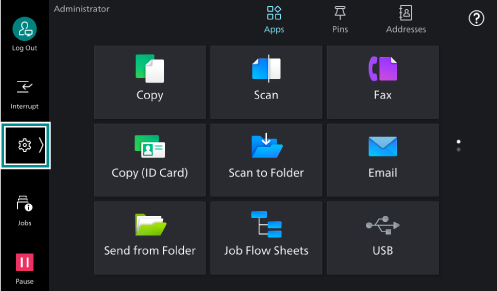
- Tap on [Device].
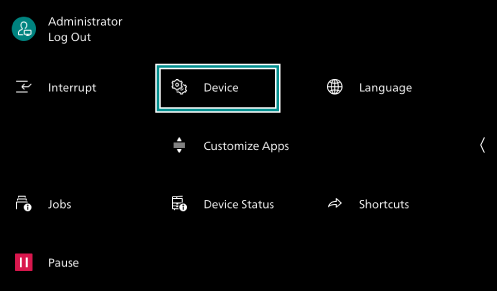
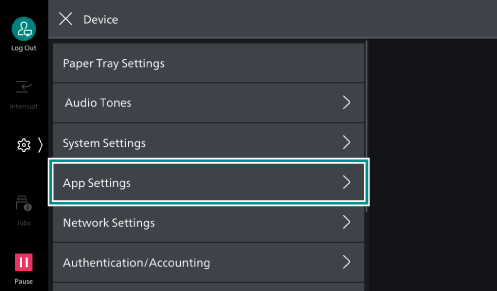
- Tap on [App Settings].
- Tap on [Print Settings].
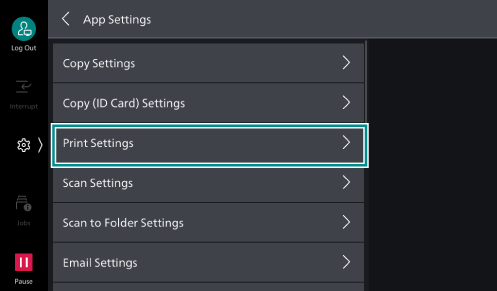
- Tap on [Other Settings].
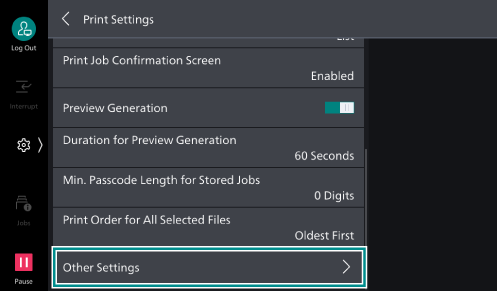
- Tap on [Print Area].
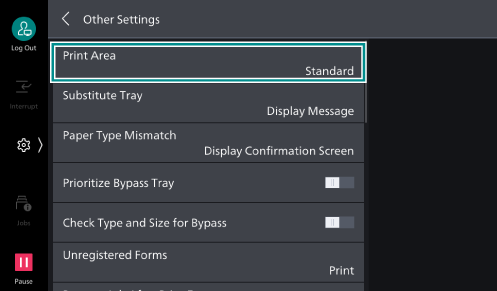
- Tap on [Extended].
Example of A3 size (Printing)
Note
When the paper size is A3 or smaller, “extended printable area” = “guaranteed print area”.
When the paper size is larger than A3, our company does not guarantee the image quality for the portion of the “extended printable area” that exceeds the “guaranteed print area”.