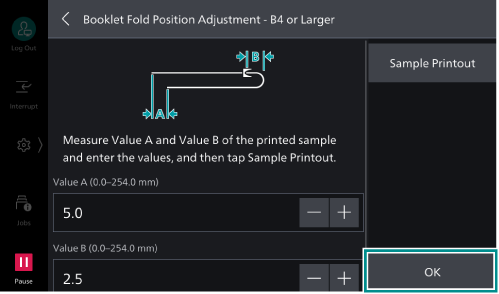
To Adjust the Booklet Fold Position
Folding position for booklets can be adjusted when using Finisher Type B4/B5.
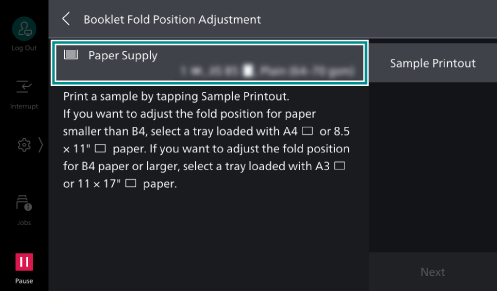
The size of paper you should use for the booklet fold position adjustment depends on whether the output size is smaller than JIS B4, or JIS B4 or larger.
Note
When making adjustment on paper whose size is smaller than JIS B4, use A4
 or Letter sized paper.
When making adjustment on paper whose size is JIS B4 or larger, use A3
or 11 x 17″ sized paper.
- Load paper with which to make fold position adjustment in the tray.
- Log in to Administrator Mode.
- Tap on
 on the Home screen.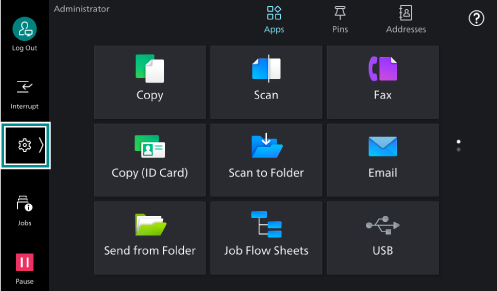
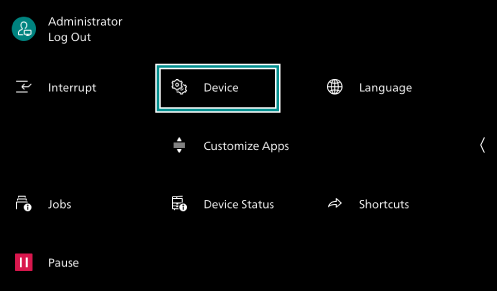
- Tap on [Device].
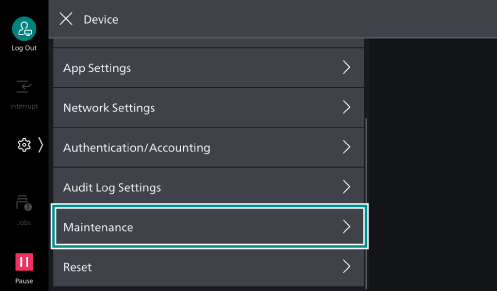
- Tap on [Maintenance].
- Tap on [Adjust Finisher].
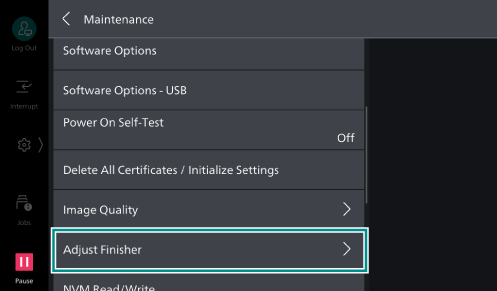
- Tap on [Booklet Fold Position Adjustment].
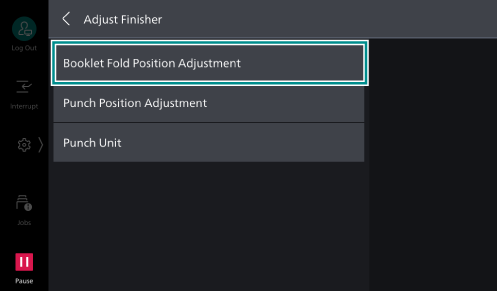
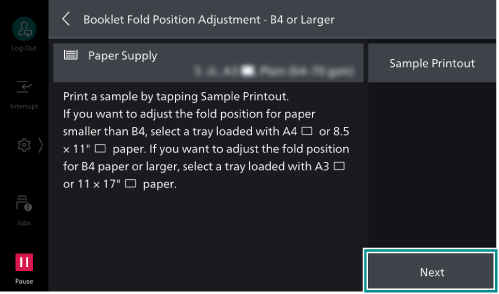
- Tap on [Paper Supply], and select paper with which to make adjustment.
- Tap on [Sample Printout].
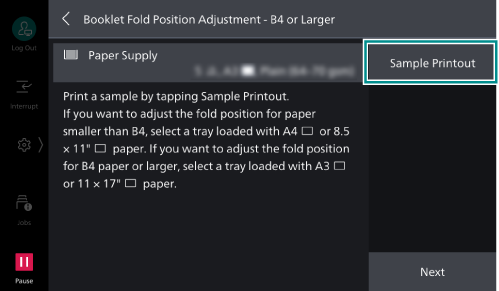
- Tap on [Next].
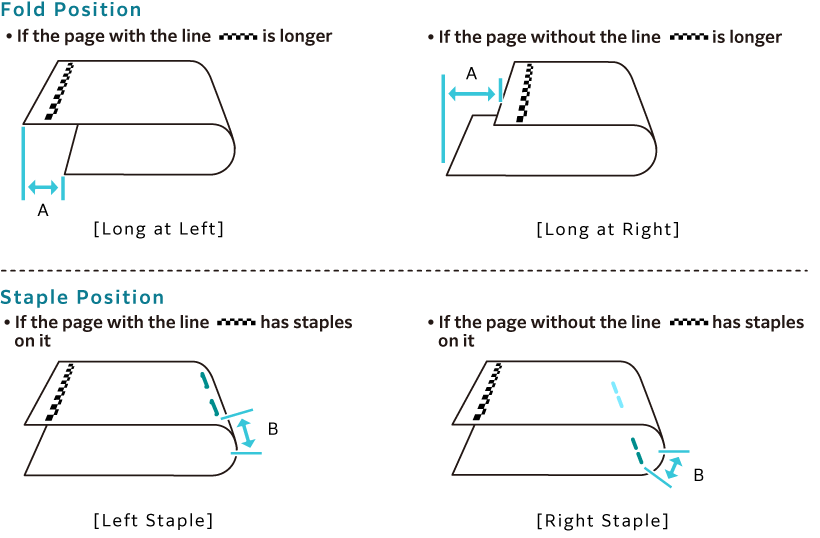
- Check the fold and staple positions on the printed sample.
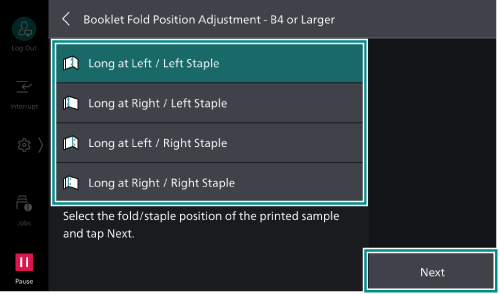
- Select the same item as the check results, and tap on [Next].
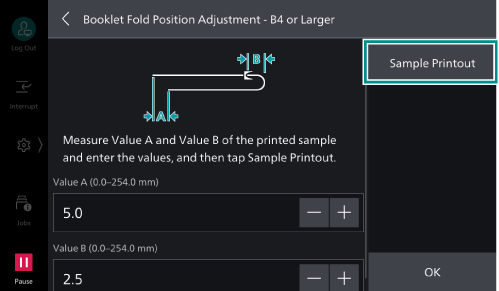
- On the printed sample, measure the length corresponding to “A” and “B” shown in the displayed diagram, and enter the values.
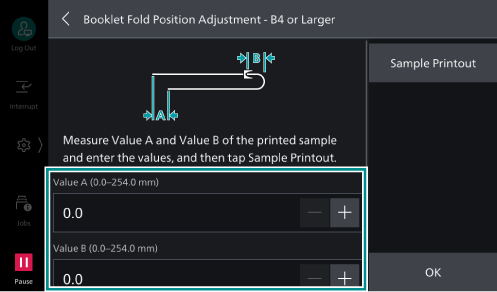
- Tap on [Sample Printout].
- Check the fold and staple positions on the printed sample, and if you satisfy with the results, tap on [OK].