Setting up Fax
Connect the telephone line correctly to the machine, and set the initial settings of fax on the control panel of the machine.
Note
Before using the feature, make sure that
 > [Device] > [System Settings] > [Other Settings] > [Country/
Region ] is set correctly.
Setting Your Local Terminal Information
Sets settings relating to local terminal such as local name and fax name.
- Log in to Administrator Mode.
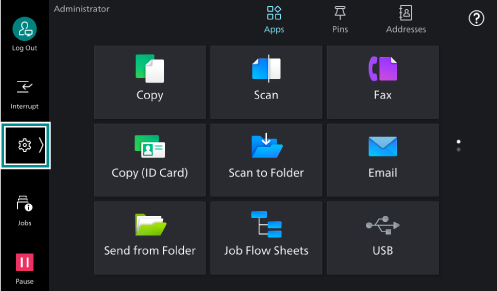
- Tap on on the Home screen.
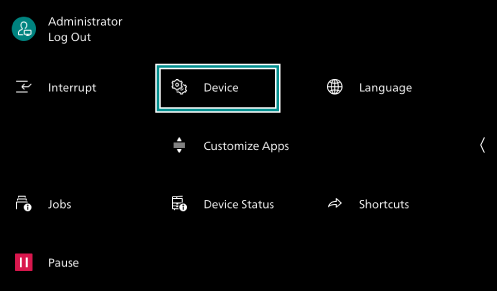
- Tap on [Device].
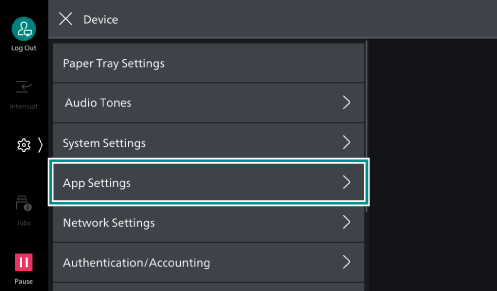
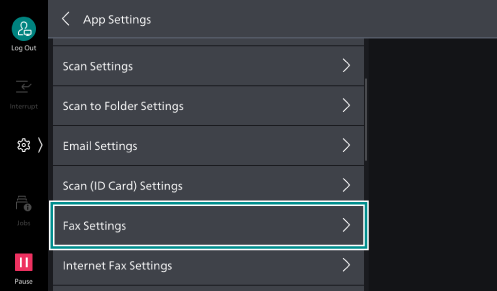
- Tap on [App Settings].
- Tap on [Fax Settings].
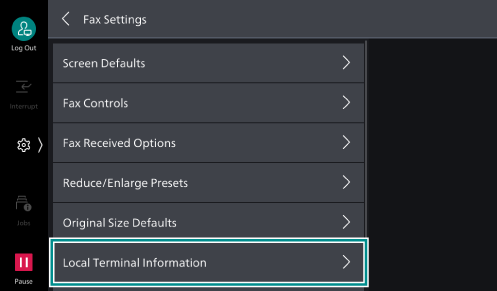
- Tap on [Local Terminal Information].
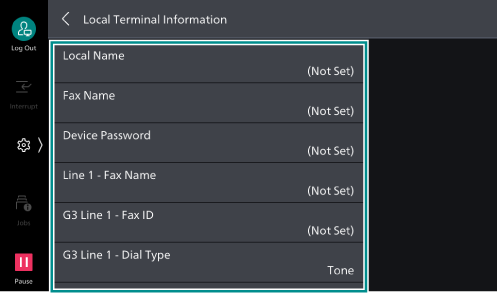
- Set each item.
Item
Description
[Local Name]
Sets local terminal name as local name.
The local name is displayed on the remote terminal’s display or in activity reports.
However, in some cases it may not be displayed, depending on the remote terminal machine.
[Fax Name]
Sets name of fax. The fax name is the name of the local terminal where items like transmission header and cover page are printed.
[Device Password]
Set a device password when limiting the other parties who send in faxes.
When a device password is set, receiving and polling are only received from other parties who send in by specifying the correct device password with an F code. This makes it impossible to receive from equipment such as faxes without an F code feature.
[Line 1 - Fax Name] to [Line 3 - Fax Name]
Sets name of fax for lines 1 to 3. The fax name is the name of the local terminal where items like transmission header and cover page are printed.
[G3 Line 1 - Fax ID] to [G3 Line 3 - Fax ID]
Sets the G3 IDs for G3 communication of lines 1 to 3. Normally, the fax number of the local terminal is set for the G3 ID.
[G3 Line 1 - Dial Type] to [G3 Line 3 - Dial Type]
Sets dial type for lines 1 to 3.
[G3 Line 1 Transmission] to [G3 Line 3 Transmission]
Sets transmission for lines 1 to 3.
Note
This is set to [Detect Tone] at factory shipment. Normally, this should not be changed.
[Detect Tone]
Set when sending with PBX.
Select if you are using an ordinary telephone line, private branch exchange line, etc., and want to originate a call when a dial tone is detected.
[Do Not Detect Tone]
Select if transmission is impossible with PBX settings.
[Line 2 - Send/
Receive Option ]/[Line 3 - Send/Receive Option ]If you use multiple line, set whether to limit the way of using the second and third lines.
[SIP Line - Fax Name]
Sets name of fax for IP fax (SIP). The fax name is the name of the local terminal where items like transmission header and cover page are printed.
[G3 SIP Line - ID]
Sets G3 ID for sending to remote terminal when performing IP fax (SIP).
- After you have configured the settings, press the <Home> button.
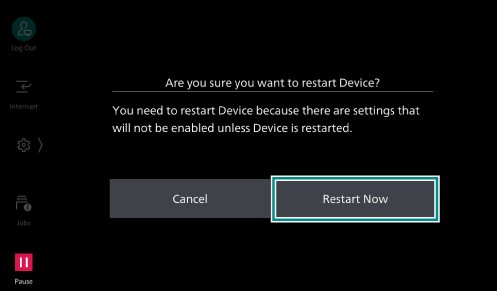
- Tap on [Restart Now].