Initial Setup Screen
This screen is displayed by clicking [Print Tool] from the Start menu of Windows.
It enables you to configure settings for uploading files to FUJIFILM IWpro Print using the standard print function of Windows.
- The number of displayed items differs according to the user type and whether approval is required.
- If you are not logged in, log in to Print Tool. For information on logging in, see Logging In in "Getting Started with FUJIFILM IWpro".
- Users belonging to multiple tenants should select the tenant to use when logging in. To switch tenants, please log in again.
When you click on the username at the top right of the screen, the name and ID of the tenant being used will be displayed.
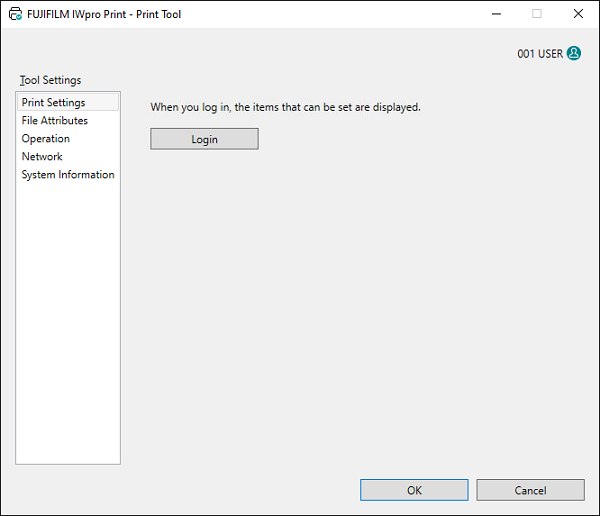
[Print Settings]
Displays the [Print Settings] screen.
[File Attributes]
Displays the [File Attributes] screen.
[Operation]
Displays the [Operation] screen.
[Network]
Displays the [Network] screen.
[System Information]
Displays the version of the application and the operating system, and the language.
[OK]
Saves the configured settings and closes the Print Tool.