[File Attributes] Screen
This screen is displayed by clicking [File Attributes] on the initial setup screen.
It enables you to configure settings such as the disclosure range for the file to print and the print reference number.
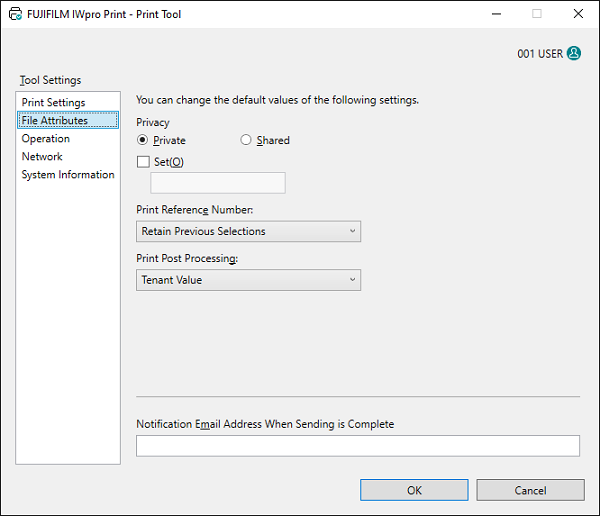
[Privacy]
Configures the default value of the disclosure range for the file.
[Set Password]
Select this check box to set a password for the file. Enter the four digit password using single-byte numbers.
[Print Reference Number]
Selects whether to issue a print reference number.
[Print Post Processing]
Configures the process to perform after printing.
[Notification Email Address When Sending is Complete]
Enter the e-mail address to set as the default destination when displaying the e-mail editing screen containing the send results when the send process is complete.
[OK]
Saves the configured settings and closes the Print Tool.