[Network] Screen
This screen is displayed by clicking [Network] on the initial setup screen.
It enables you to configure proxy server settings.
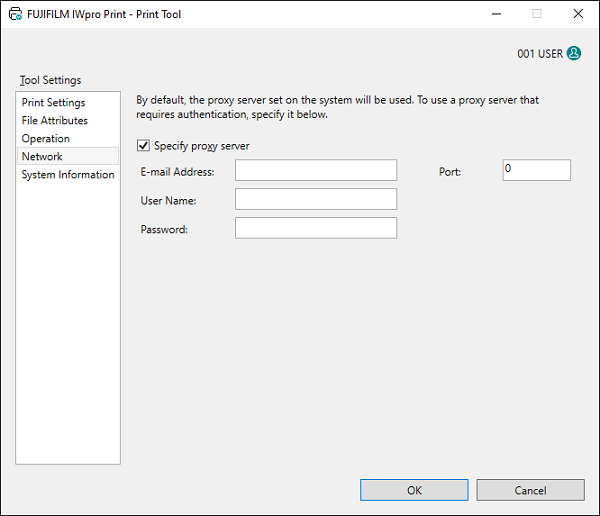
[Specify proxy server]
Select this check box to use a proxy server that requires authentication.
[IP Address]
Enter the host name of the proxy server.
[Port]
Enter the port number of the proxy server.
[User Name]
Enter the user name for proxy authentication.
[Password]
Enter the password for proxy authentication.
[OK]
Saves the configured settings and closes the Print Tool.