[Print Settings] Screen
This screen is displayed by clicking [Print Settings] on the initial setup screen.
It enables you to configure the default print settings.
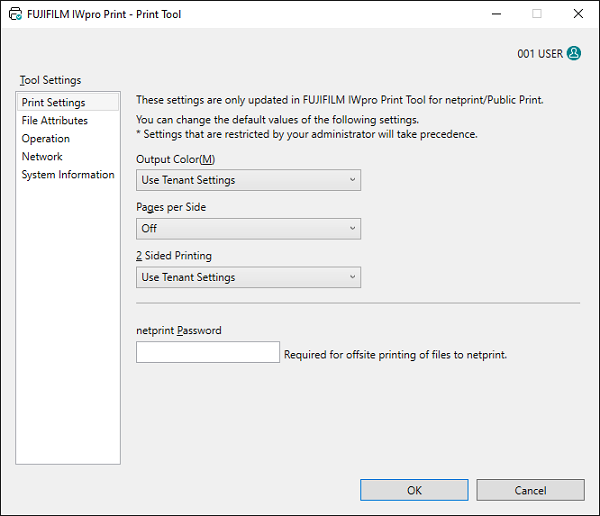
[Output Color]
Configures the default color mode to use when printing.
[Pages per Side]
Configures the default settings for printing multiple pages of a file on a single sheet.
[2 Sided Printing]
Configures the default number of sides to print on.
[netprint Password]
Enter the password to use when transferring files to netprint for printing.
[netprint Notification Email Address]
Enter the e-mail address to notify when file sending is complete.
[OK]
Saves the configured settings and closes the Print Tool.