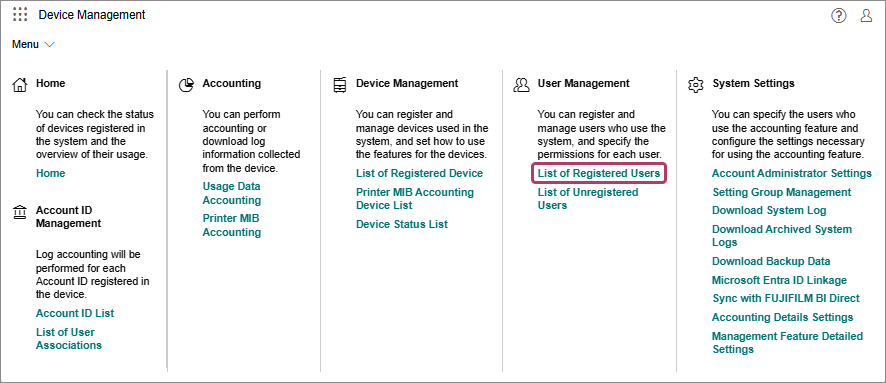
Perform the following operations.When Changing User Information
- On the [List of Registered Users] screen, select the check mark of the user to change the user information for and click [Properties], or click [
 ] for the user to change the user information for.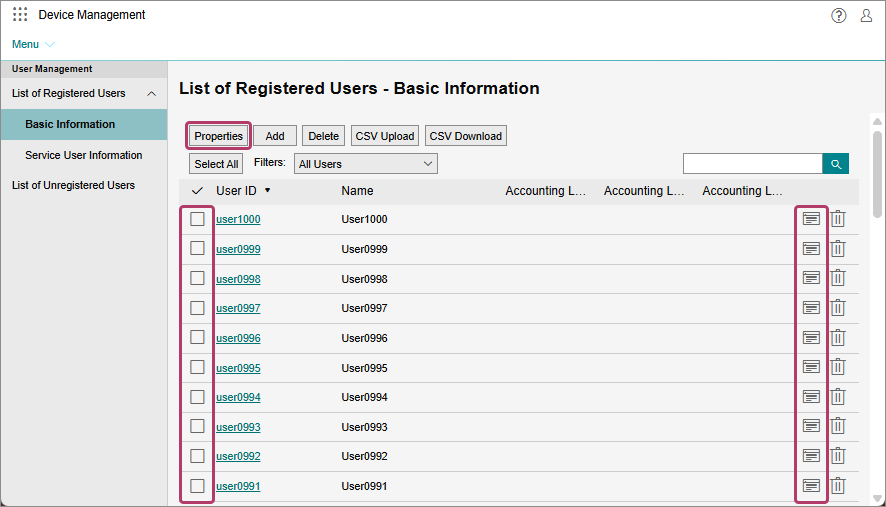
- You can also select multiple users and click [Properties] to change user information for multiple users at the same time. In that case, you can only change the accounting labels of the selected users.
- On the [Properties] screen for a user, change the settings of each item as required, then click [OK].
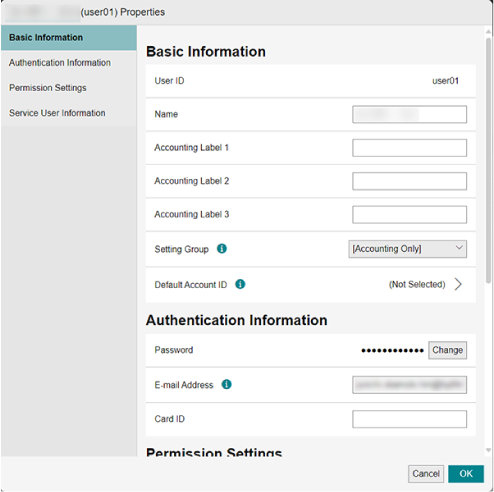
- If you change [Setting Group], the process for reflecting setting information to devices is paused. To resume the process, click [Resume Update Reception for All Devices] on the [List of Registered Device] screen.
When Deleting a User
- On the [List of Registered Users] screen, select the check mark of the user to delete and click [Delete], or click [
 ] for the user to delete.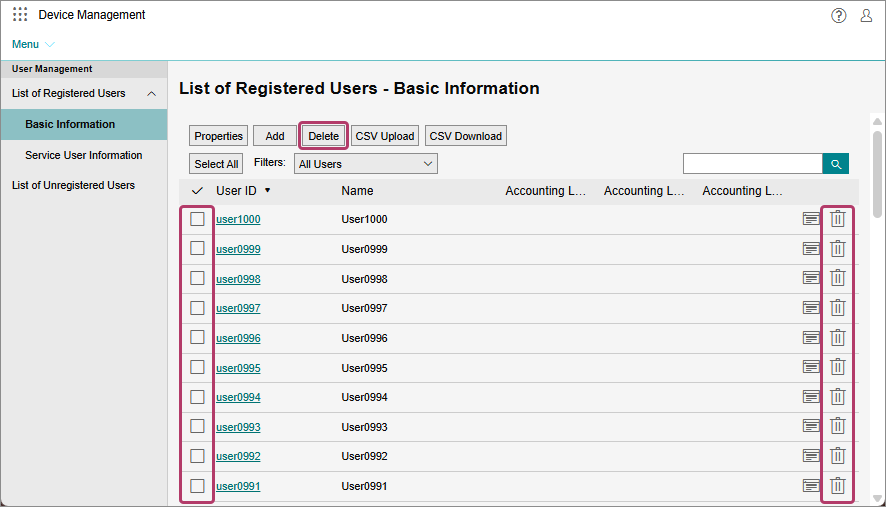
- You can also select multiple users and click [Delete] to delete multiple users at the same time.
- On the displayed confirmation screen, click [OK].