Registering Candidate Strings for File Names
This screen enables you to register candidate strings for file names used when uploading documents scanned on a device to FUJIFILM IWpro. The registered strings are displayed as candidate strings for file names on the [File Name] screen and can be used as part of a file name.
- With a Print license, the function for displaying suggested file names when scanning cannot be used.
- To display the registered strings on the [File Name] screen, enable [Use user-defined string in the file name] on the [Admin Menu] screen of the device.
- To use a registered string, log in as a registered user.
Register strings in a CSV file or TSV file. Prepare a CSV file or TSV file with strings registered vertically, as indicated below.
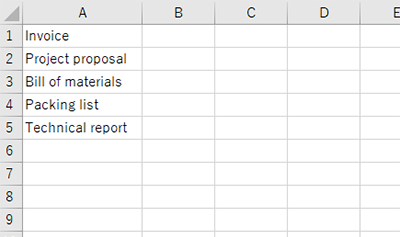
- The maximum file size that can be registered is 1 MB.
- You can register up to 200 strings.
- If any of the following characters are included in a string, they are replaced with an underscore (_).
- Back slashes (\), forward slashes (/), colons (:), question marks (?), asterisks (*), double quotation marks ("), angle brackets (< and >), and pipes (|)
- Control characters such as line breaks
- If the end contains a period (.) or a half-width space, it will be removed before registration.
- The available character encoding and line break codes for CSV files are indicated below.
- Character encoding: UTF-8 (without OBM), UTF-8 (with BOM), or Shift-JIS
- Line break code: LF or CRLF
- Log in to FUJIFILM IWpro.
- For information on logging in, see Logging In in "Getting Started with FUJIFILM IWpro".
- In the launcher menu, click [Import Document].
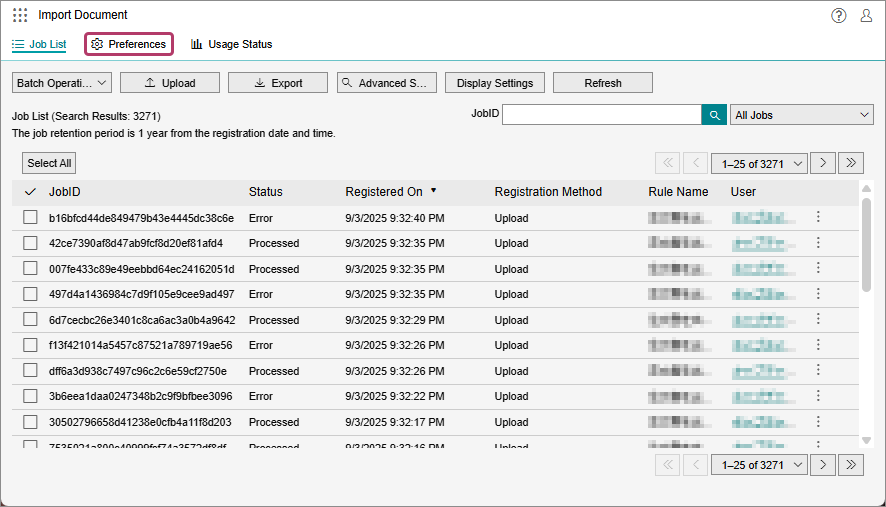
- On the [Import Document] screen, click [Preferences].
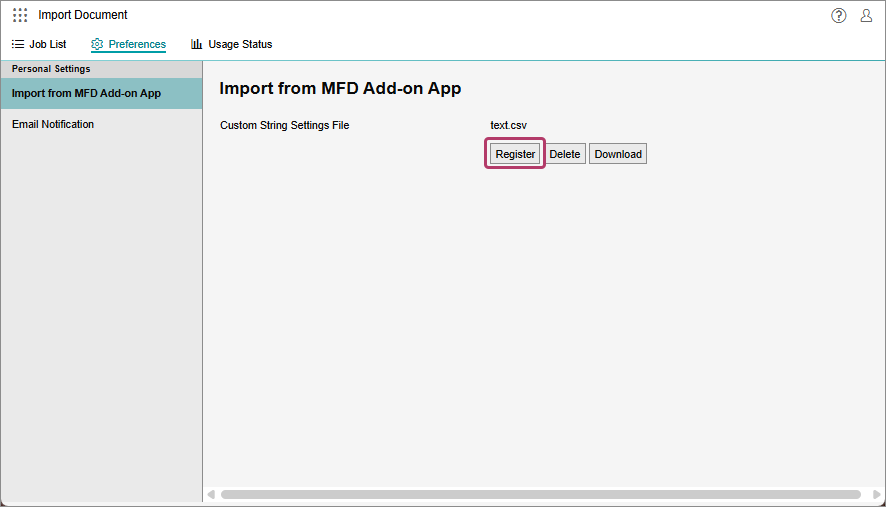
- On the [Import from MFD Add-on App] screen, click [Register].
- On the [Custom String Settings File] screen, click [Select], then select the prepared CSV file or drag and drop the CSV file to the specified box.
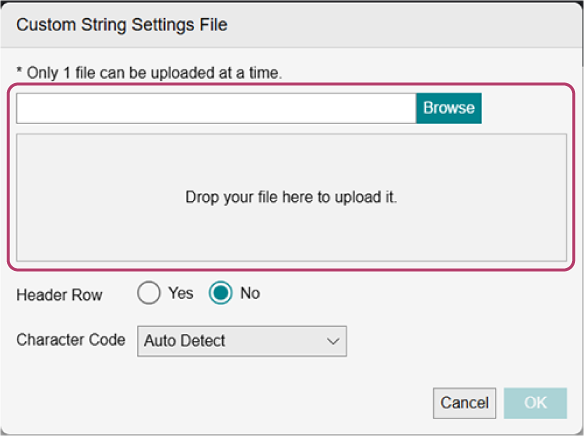
- If you select [Yes] for [Header Row], the first row of the CSV file is not registered as a string.
- You can specify the character encoding in [Character Code].
- Click [OK].