Uploading Individual Files
- Open the file to upload and execute printing.
- When the print settings screen is displayed, select [FUJIFILM IWpro Print Tool] from the names in [Printer].
- Settings such as the paper orientation and paper size are configured in [Printer properties].
- Click [OK] or [Print], etc.
- Log in to Print Tool.
- For information on logging in, see Logging In in "Getting Started with FUJIFILM IWpro".
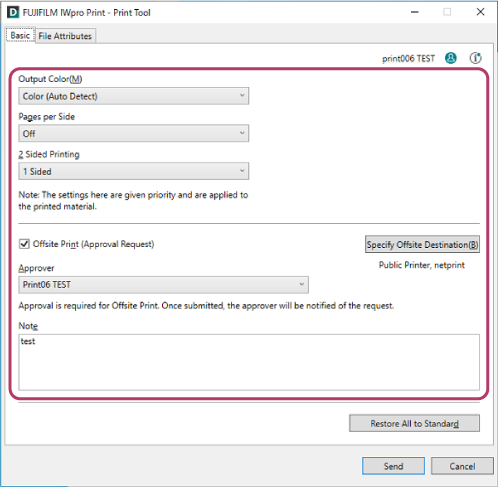
- On the [Basic] screen, configure the various items as required.
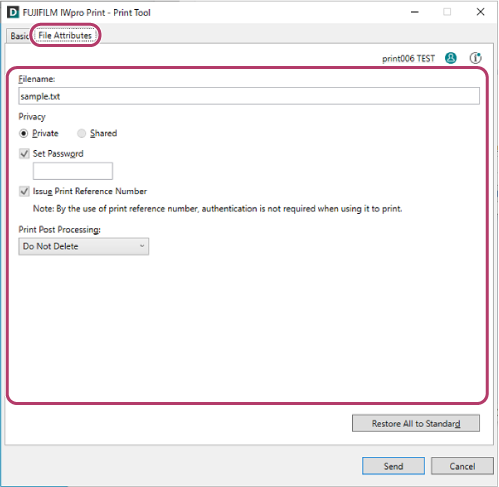
- Click the [File Attributes] tab, and configure each item on the [File Attributes] screen as required.
- When the settings are complete, click [Send].To stop sending, click [Cancel].When the file upload is complete, the screen indicating that sending is complete is displayed.To send information such as the print reference number via e-mail, click [Send Message Content by Email].To download and check the uploaded file, click [Check Print Job].
- [Check Print Job] is displayed when you are using the "FUJIFILM IWpro Print Tool for netprint/Public Print".