[Basic] Screen
This screen is displayed by selecting the Print Tool and printing.
It enables you to configure print settings and offsite print settings when uploading files to FUJIFILM IWpro Print.
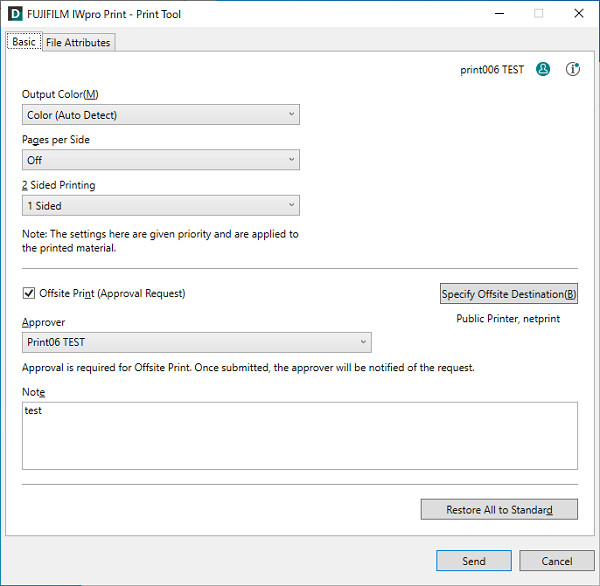
[Output Color]
Sets the color mode for printing.
[Pages per Side]
Enables you to print multiple pages of a file on a single sheet.
[2 Sided Printing]
Selects the sides to print on.
[Offsite Print/Offsite Print (Approval Request)]
Configures whether to use offsite printing.
[Specify Offsite Destination]
Displays the [Specify Offsite Destination] screen.
[Approver]
Displays the approver for offsite printing.
[Notes]
Enter information to convey to the approver for offsite printing, as required.
[Restore All to Standard]
Restores all the default settings.
[Send]
Starts uploading the file.