Reconfiguring a Device (Using a Computer)
Reconfigure a device in the following cases.
- When upgrading the functions installed to the device
- When adding/deleting functions installed to the device
- Do not perform other operations on the device until the procedure on this page is complete. Also note the following.
- Do not touch the control panel or power supply of the device.
- Do not access Internet Services. If you are logged in, log off and wait about 40 seconds before starting the procedure.
- Do not perform operations such as printing.
- Do not receive faxes.
- If you are using Smart WelcomEyes, do not approach the device. Also make sure to temporarily disable Smart WelcomEyes.
- Double-click "FUJIFILMIWproDeviceSetup.exe".
- Select [Authentication by FUJIFILM BI Direct User], then click [Next].
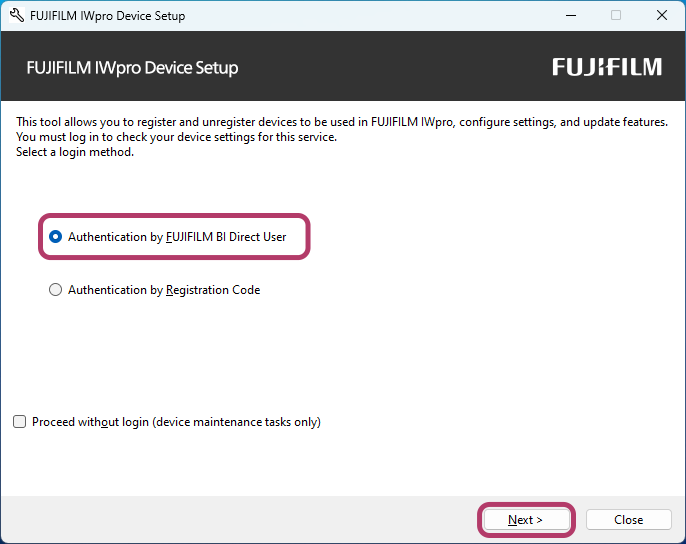
- Perform the following operations.
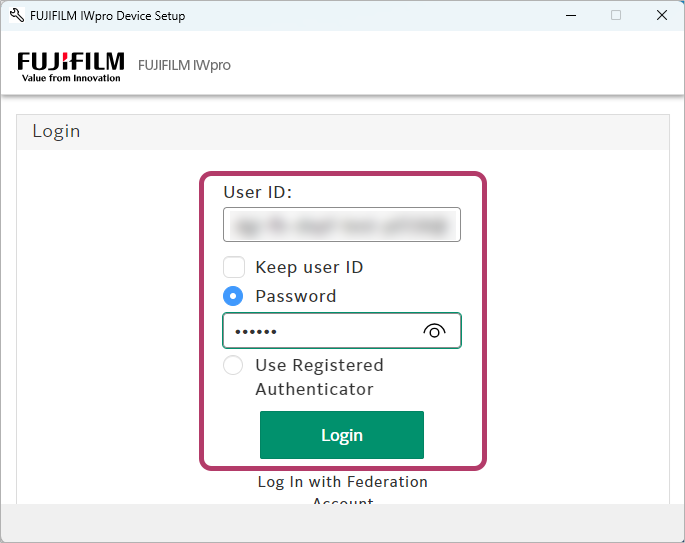 To log in as a FUJIFILM IWpro administrator
- Click [Continue].
- Log in using the user ID and password of a FUJIFILM IWpro administrator.
If you are already logged in as a FUJIFILM IWpro administrator- Click [Continue].
If you are logged in as a user other than a FUJIFILM IWpro administrator- Log out from FUJIFILM BI Direct.
- Click [Continue].
- Log in using the user ID and password of a FUJIFILM IWpro administrator.
- If you are logged in as a user other than a FUJIFILM IWpro administrator, an error message is displayed. Return to step 2.
- If you clicked [Cancel], return to step 2.
- [Authentication by Registration Code] is also available as a method for registering devices without using the user ID and password of an administrator.
Select [Authentication by Registration Code] in step 2 and log in by entering the registration code included in the e-mail sent when you made a contract for FUJIFILM IWpro. - There is an expiration date for the registration code.
- When logging in with a registration code, RSS notification cannot be configured for device usage status in the Device function.
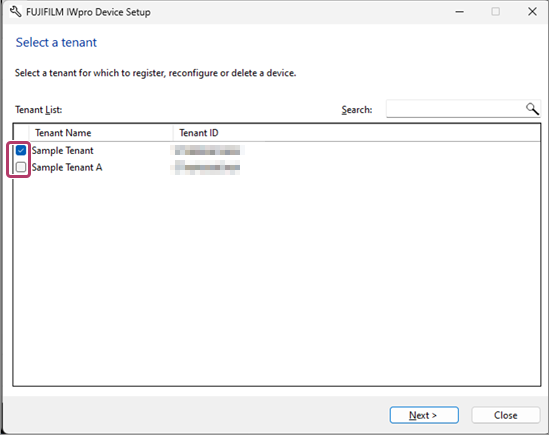
- Select the tenant of the device to configure, then click [Next].
- The tenant selection screen is only displayed when the user to log in with belongs to multiple tenants.
- Select [Set Device Again], then click [Next].
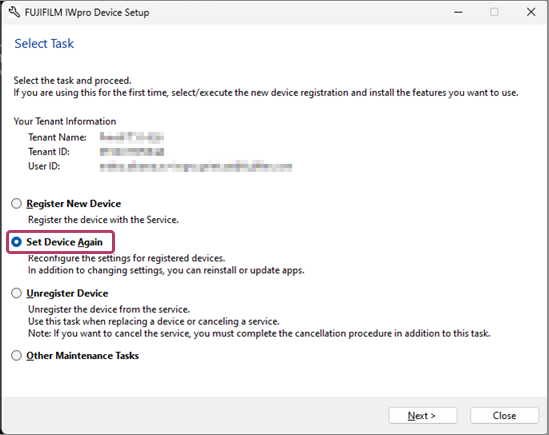
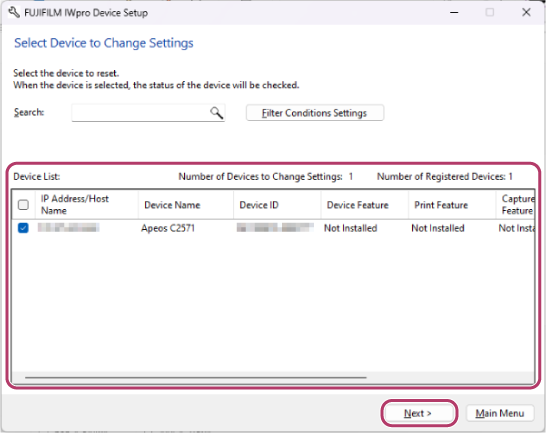
- On the device reconfiguration screen, select the device to reconfigure.
- Select the check box of the device to reconfigure.
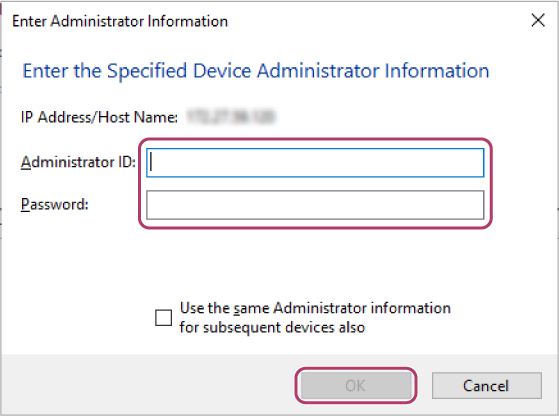
- Enter the ID and password of the device system administrator, then click [OK].
The check box of the selected device is selected in the device list.
- Select the check box of the device to reconfigure.
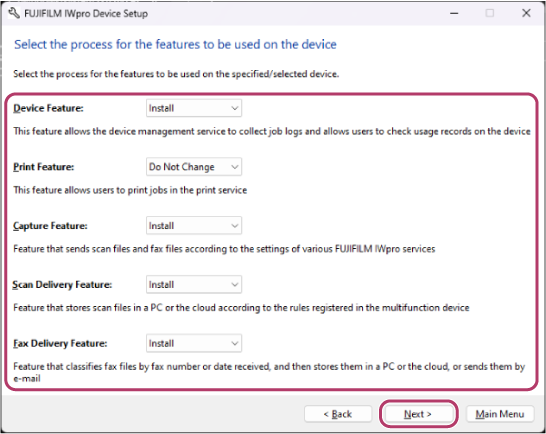
- Select the process for the function to change the usage settings for, then click [Next].The following function processes are available.
- Do Not Change: Do not change the usage settings.
- Install: Install the target function. If the function is already installed, it will be overwritten.
- Do Not Install: Delete the target function.
- Configure the various items on the following screens according to the function to use, and click [Next].
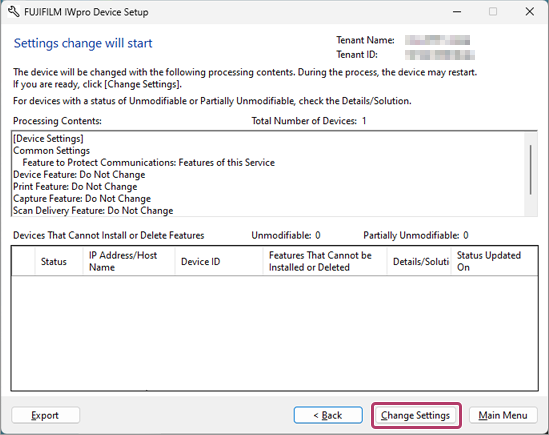
- On the process confirmation screen, confirm the process, then click [Change Settings].
- If a device cannot be reconfigured, it is displayed in [Devices That Cannot Install or Delete Features]. Click [Browse] for the [Details/Solution] field, and confirm the displayed information.
- Click [Close] to exit FUJIFILM IWpro Device Setup.
- To configure RSS reception, see step 8 of "Registering a Device (Using a Computer)".
- If [Close] is not displayed, click [Main Menu] to return to the menu screen.
- Log out from FUJIFILM BI Direct.