[Linked Tenant Settings] Screen
This screen is displayed by clicking [Linked Tenant Settings] in [System Settings] in the [Print] menu.
It enables you to configure the tenant to link and the print method.
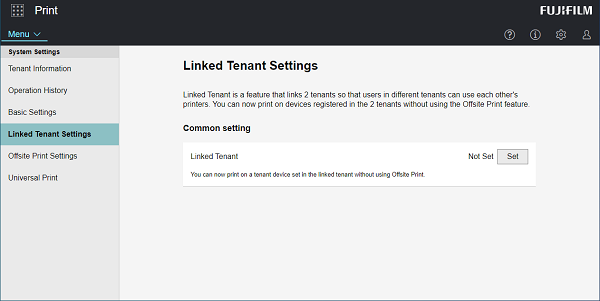
[Linked Tenant]
Click [Settings] to display the [Linked Tenant] screen.
[Method to Print via Linked Tenant Devices]
This is displayed when [Linked Tenant] is set. Configure the method for printing via linked tenant devices.
- To use reference number printing on a device of the linked tenant, configure [Log in to the service or enter your reference number] or [Enter your reference number]. [Reference Number Print] must be set to [On] on the [Properties] Screen for a Device to use for printing in the linked tenant.