Selecting an Accounting Pattern to Perform Accounting
You can recall a registered accounting pattern to perform accounting on device usage data and draw charts and tables.
- The following eight accounting patterns are registered by default.
- Usage charge transition by color mode/function (area chart)
- By user/color mode (bar chart)
- Usage charge transition by device (line chart)
- By accounting label/color mode (pie chart)
- Details by accounting label/user (table)
- N-up usage ratio by accounting label (pie chart)
- 2 sided usage ratio by accounting label (pie chart)
- Details by accounting label (column chart)
- Log in to FUJIFILM IWpro with the account of an administrator.
- For information on logging in, see Logging In in "Getting Started with FUJIFILM IWpro".
- In the launcher menu, click [Admin Menu] > [Device Management].
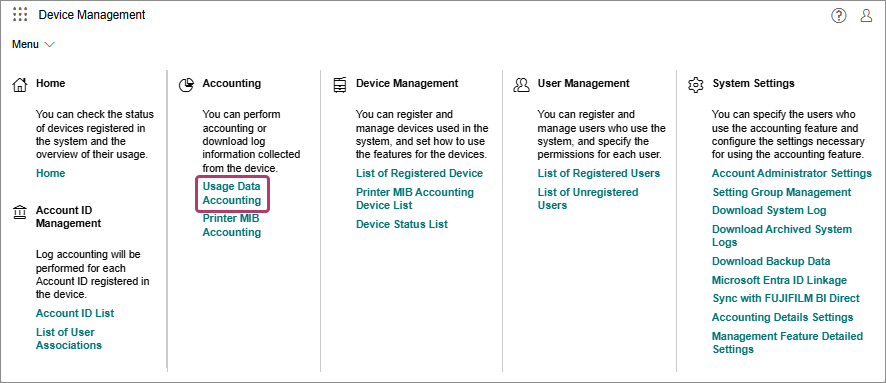
- In the [Device Management] menu, click [Usage Data Accounting] in [Accounting].
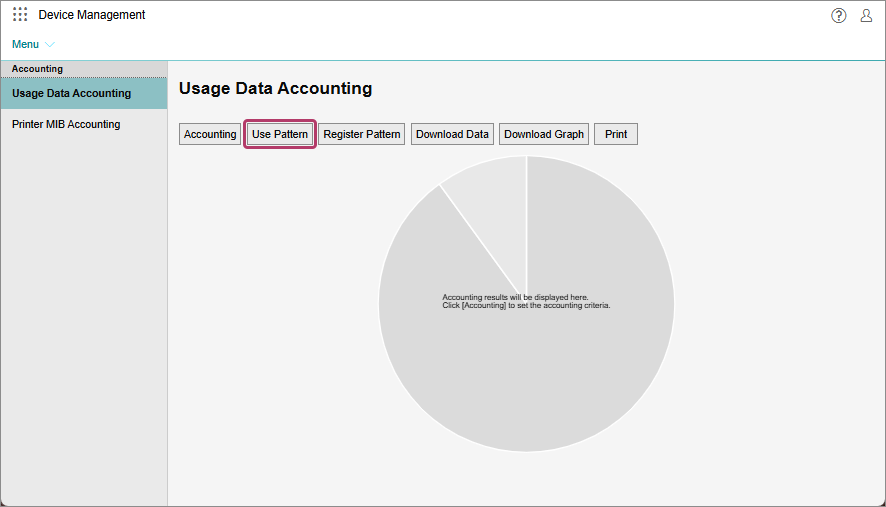
- On the [Usage Data Accounting] screen, click [Use Pattern].
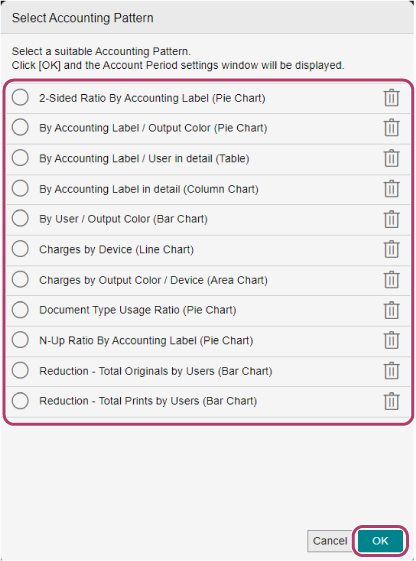
- On the [Select Accounting Pattern] screen, select the accounting pattern to execute, and click [OK].
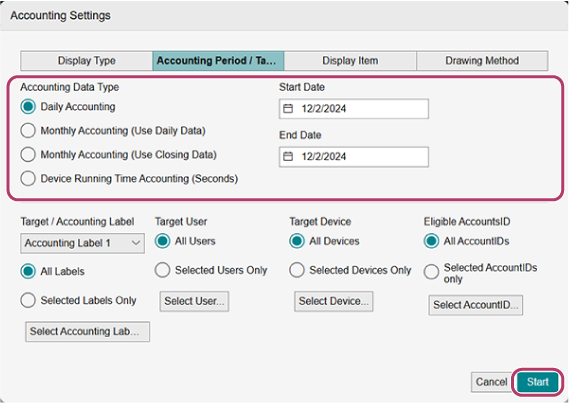
- On the [Accounting Period / Target] screen, configure [Accounting Data Type], then click [Start].