Registering Accounting Patterns
You can register settings such as the accounting target, display items, and drawing method as an accounting pattern. Registering an accounting pattern enables you to recall it when required to easily perform accounting on device usage data. However, the accounting period must be specified when the accounting pattern is executed.
You can register up to 40 accounting patterns.
- Log in to FUJIFILM IWpro with the account of an administrator.
- For information on logging in, see Logging In in "Getting Started with FUJIFILM IWpro".
- In the launcher menu, click [Admin Menu] > [Device Management].
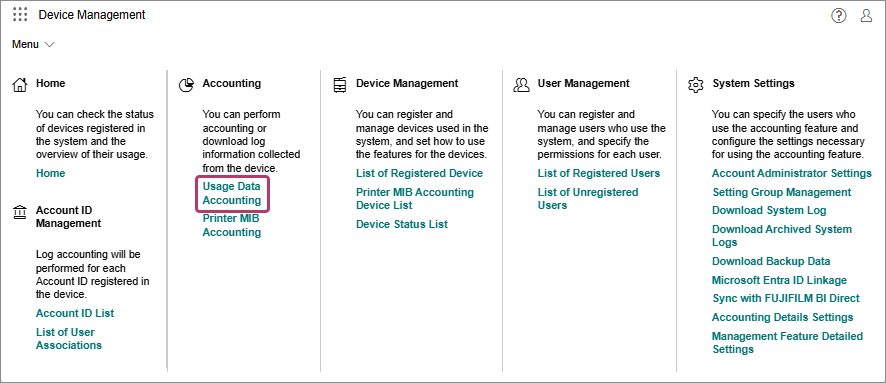
- In the [Device Management] menu, click [Usage Data Accounting] in [Accounting].
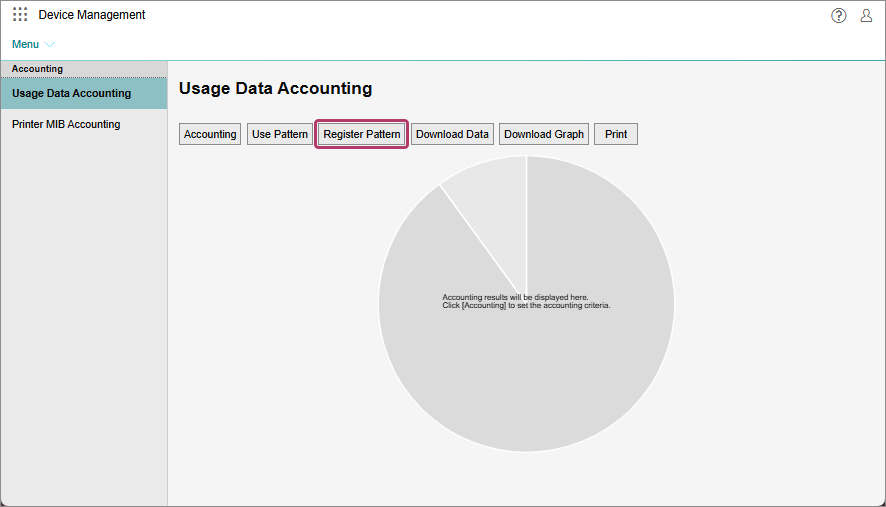
- On the [Usage Data Accounting] screen, click [Register Pattern].
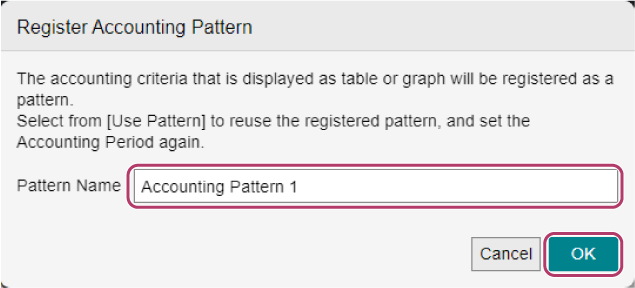
- On the [Register Accounting Pattern] screen, enter the name of the accounting pattern in [Pattern Name], and click [OK].
- You can register up to 300 targets (users, accounting labels, and devices) for accounting. If you specify 301 or more accounting targets when specifying the targets individually, a warning message prompting you to select [All] is displayed.