[Rule Branch Settings] Screen
This screen is displayed by clicking [Settings] for [Branch] on the [Rule List] screen.
It enables you to configure the method for sorting by the form type detected based on the title and keyword information included in the form.
- Forms must be on the first page, because the information on the first page is detected as a form. For example, If the first page is a fax cover sheet and the second page is a form, operation will not be performed correctly.
- For a Japanese environment, you can select seven custom forms in addition to the five preset forms, for a total of 12 forms.
- For a non-Japanese environment, you can select four custom forms in addition to the four preset forms, for a total of 8 forms.
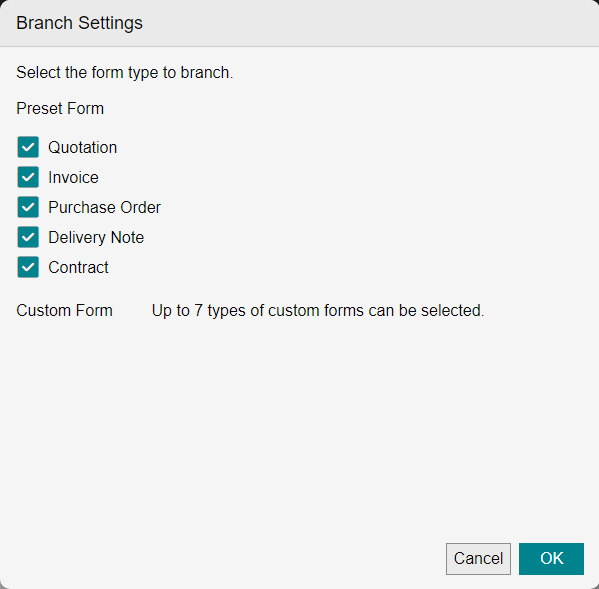
[Branch by Form Type]
Select the form to use for deciding whether to branch.
Custom forms configured on the [Form Type Setting] screen in advance are displayed.
- If a custom form and the same type of preset form are both selected, branching is performed using the custom form.
- You cannot select two preset forms of the same type at the same time.
[Branch destination for forms that do not match the above]
Select the branch destination of a form not selected in [Branch by Form Type].
For example, if both the [Quotation] and [Invoice] check boxes are selected and [Others] is selected for [Branch destination for forms that do not match the above], the form branches to [Quotation], [Invoice] and [Others] in the rule chart.