[Operation Settings] Screen
This screen is displayed by clicking [Operation Settings] on the options screen.
It enables you to configure the operation for sending files.
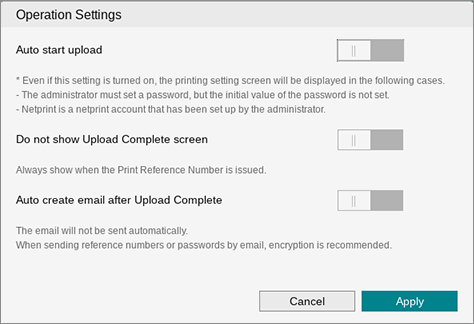
[Auto start upload]
Enable this setting to attempt automatic file sending.
- The send process does not automatically start in the following cases.
- When [Password required when issuing print reference number] is enabled on the [Basic Settings] screen by the administrator but the default password has not been configured.
- When [netprint Auto Send] is enabled by the administrator but a netprint account has not been registered.
[Do not show Upload Complete screen]
Enable this to not display the screen indicating that the send process is complete.
[Auto create email after Upload Complete]
Enable this to attempt launching the e-mail message when the send process is complete. This does not function when the send process fails.
[Apply]
Applies the settings.