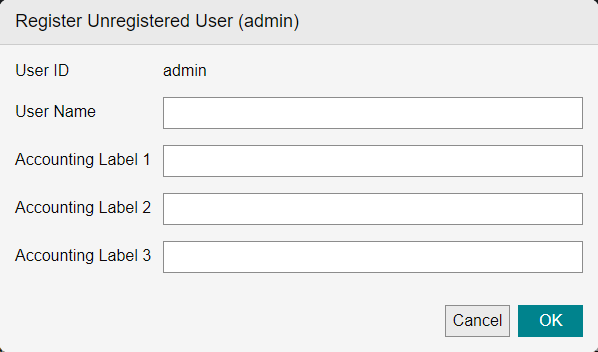
[Register Unregistered User] Screen
This screen is displayed by clicking [Register] with only one user selected on the [List of Unregistered Users] screen.
It enables you to set the user name and accounting label of the selected user and register it to Device Management.
- By clicking [Register] with multiple users selected on the [List of Unregistered Users] screen, you can register [Accounting Label 1 - 3] for those users. The same value as [User ID] is set in [User Name], so change the user name on the [Properties] screen for a user after registration.
[Name]
Enter the user name to display in Device Management.
You can enter 32 double-byte characters or 64 single-byte characters.
- When reflecting user information to a device, the available characters depends on the device model and the settings. For details, see the manual of the device.
[Accounting Label 1 - 3]
Enter the strings to use for the accounting labels. For example, enter the department or branch office name, or whether the label is for personal use.
You can enter 25 double-byte characters or 50 single-byte characters.
However, you cannot specify a string starting with an asterisk.
[OK]
Registers the user to Device Management with the entered information.