Configuring the Printer MIB Accounting Method
This section describes the accounting method for devices from other manufacturers compatible with Printer MIB that have been registered as child devices.
The conditions required for Printer MIB collection are as follows.
- Parent device conditions: For the latest information on the parent devices compatible with Printer MIB, see Compatible Models (Multifunction Printers) in "Getting Started with FUJIFILM IWpro".
- Child device conditions: Compatible with Printer MIB (RFC1213, RFC1514, RFC1759, and RFC3805)
- Child device registration: Use Internet Services to register the IP address of the child device to the parent device.
- Number of child devices: A maximum of 20 child devices can be set for one parent device. (A maximum of 100 child devices can be registered for one tenant. Both values include the parent device.)
- Communication between parent device and child device: A network environment that supports SNMP communication is required. SNMP communication is a bidirectional UDP with port unspecified.
- Of the collected counter information, monthly counters are saved for three years and monthly accounting data is saved for five years. Daily counters and daily accounting data are saved for two months. Information from devices that are unregistered during that period is retained for the same period.
- Log in to FUJIFILM IWpro with the account of an administrator.
- For information on logging in, see Logging In in "Getting Started with FUJIFILM IWpro".
- In the launcher menu, click [Admin Menu] > [Device Management].
- In the [Device Management] menu, click [Printer MIB Accounting] in [Accounting].
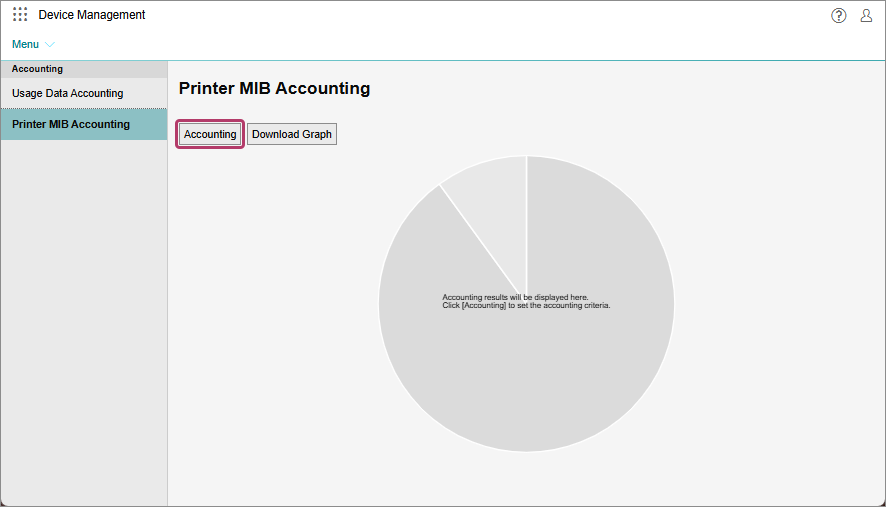
- On the [Printer MIB Accounting] screen, click [Accounting].
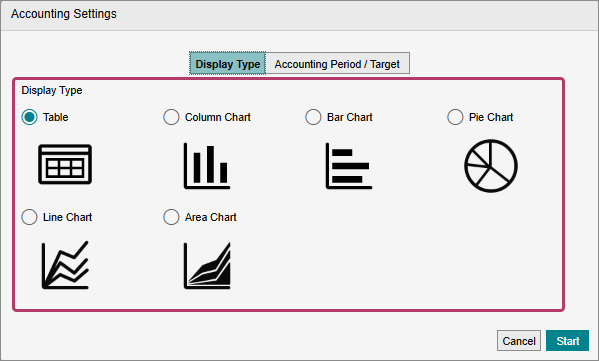
- On the [Display Type] screen, specify the format for displaying the accounting results.
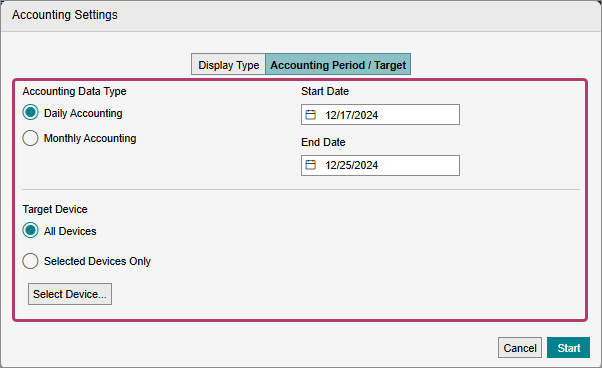
- On the [Accounting Period / Target] screen displayed by clicking [Accounting Period / Target], specify the accounting period and accounting target.
 If you clicked [Select Device] in [Target Device]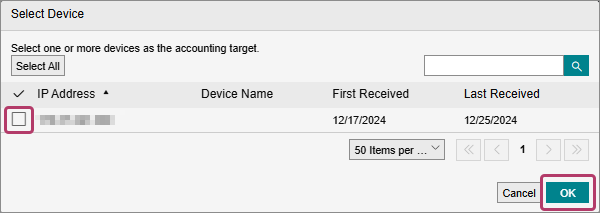
- A list of the Printer MIB compatible devices for management in the tenant is displayed.
- Select the check boxes of the target devices for accounting, and click [OK].
- When the settings are complete, click [Start].