Specifying a Rule to Upload Documents
To specify a rule to upload documents, the rule must be created in advance. For details, see Creating/Editing Rules in "Rule Settings".
- In the preferences in [Admin Menu] > [Rule Settings] in the launcher menu, you can configure the default scan parameter values for each rule.
- Tap [FUJIFILM IWpro Capture] on the home screen of the device.
- Log in.
- For information on logging in, see Logging In in "Getting Started with FUJIFILM IWpro".
- On the rule selection screen, select the rule to use for scanning.
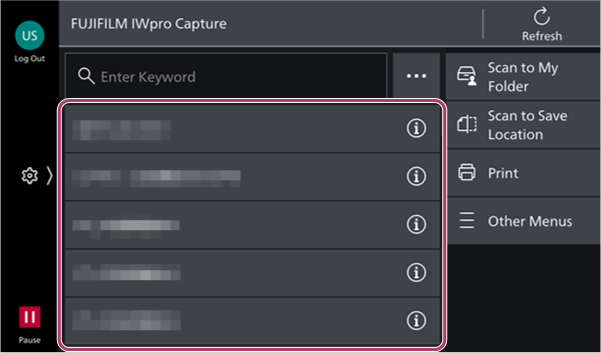
- Tap [
 ] to check the detailed information of a rule.
- Tap [
- On the scan settings screen, change the settings of each item as required.
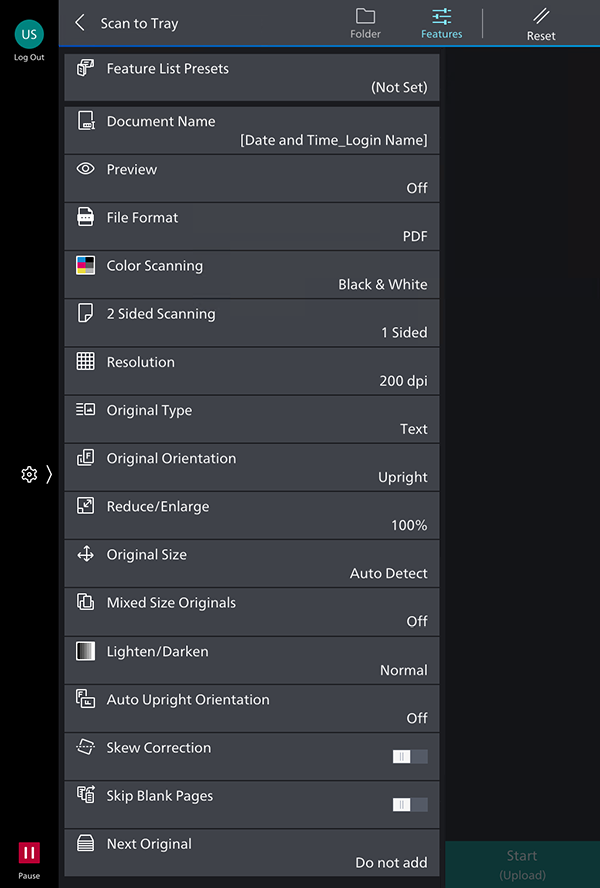
- Tap [Start].