Retrying Error Jobs
- Log in to FUJIFILM IWpro.
- For information on logging in, see Logging In in "Getting Started with FUJIFILM IWpro".
- In the launcher menu, click [Import Document].
- Perform the following operations.When Retrying the Selected Job
- On the [Import Document] screen, click [
 ] for the error job to retry.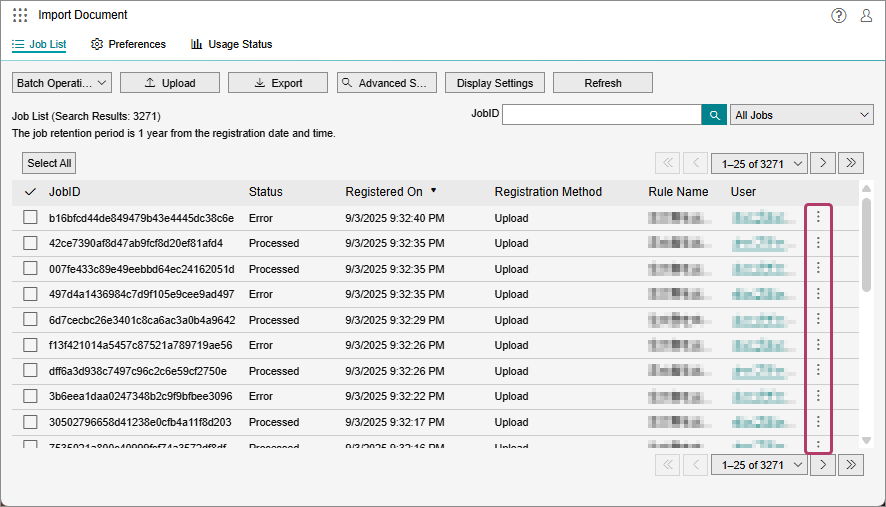
- Click [Rerun].
When Retrying Multiple Jobs- On the [Import Document] screen, select the check boxes of the error jobs to retry. and click [Batch Operation].
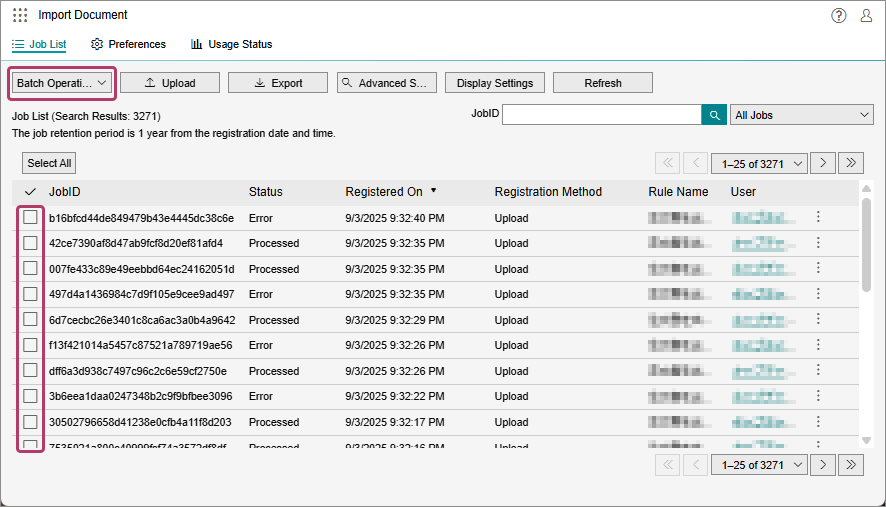
- You can also select jobs that completed without an error, but such jobs cannot be retried.
- In the displayed menu, click [Rerun].
- Click [Yes].
- On the [Import Document] screen, click [