Checking the Status of Importing Documents
When a file has finished uploading, it is registered to FUJIFILM IWpro as a job and displayed on the [Import Document] screen. You can check the details of, download, or retry jobs with an error. You can also check the process results of a rule.
- A system administrator, operation administrator, service administrator, or rule administrator can check the jobs of all users in a tenant.
- Log in to FUJIFILM IWpro.
- For information on logging in, see Logging In in "Getting Started with FUJIFILM IWpro".
- In the launcher menu, click [Import Document].
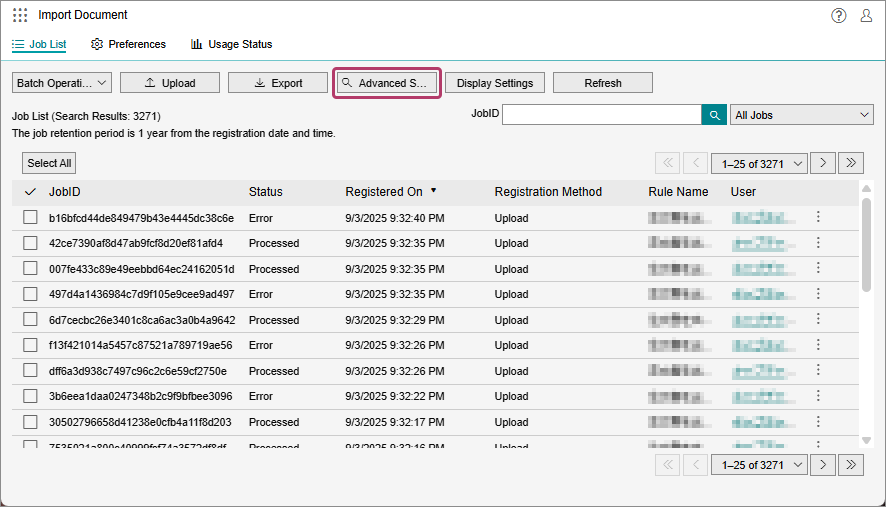
- On the [Import Document] screen, perform the following operations.When Performing an Advanced Search
- Click [Advanced Search].
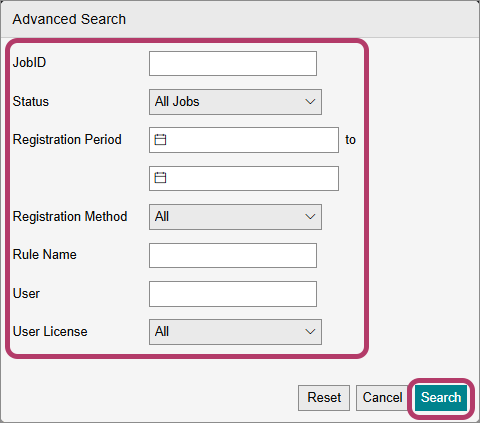
- On the [Advanced Search] screen, configure the search conditions, and click [Search].
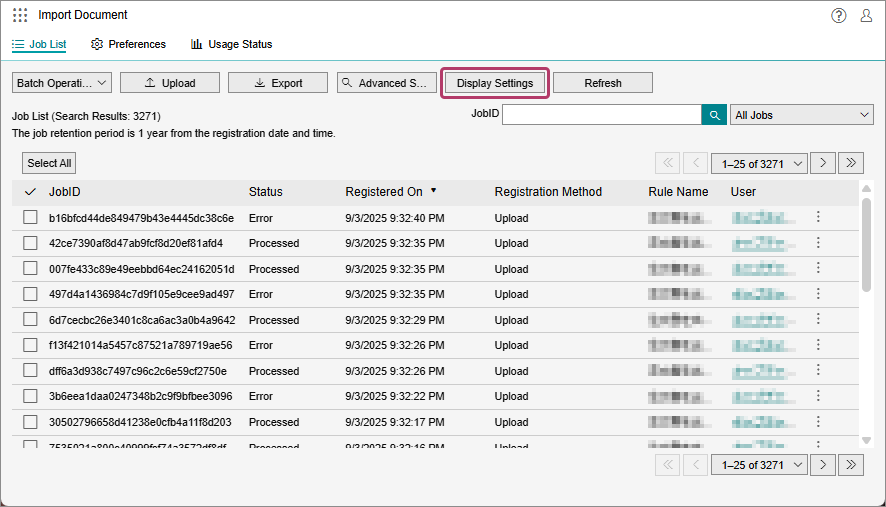
When Changing the Items Displayed in the List- Click [Display Settings].
- On the [Display Settings] screen, change the items to display, and click [OK].
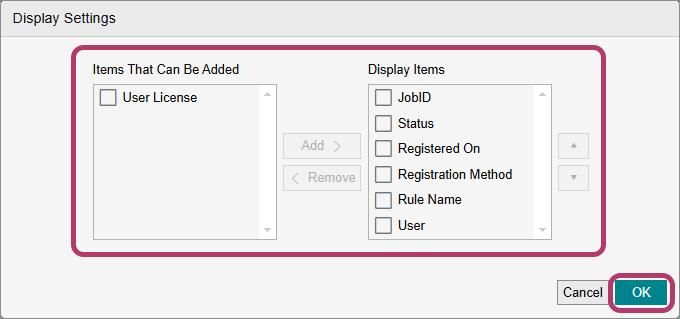
- To hide an item, select the check box for the item to hide in [Display Items], and click [Remove].
- To redisplay an item, select the check box for the item to redisplay in [Items That Can Be Added], and click [Add].
When Searching by Job ID- Enter the ID of the job in [JobID], and click [
 ].
].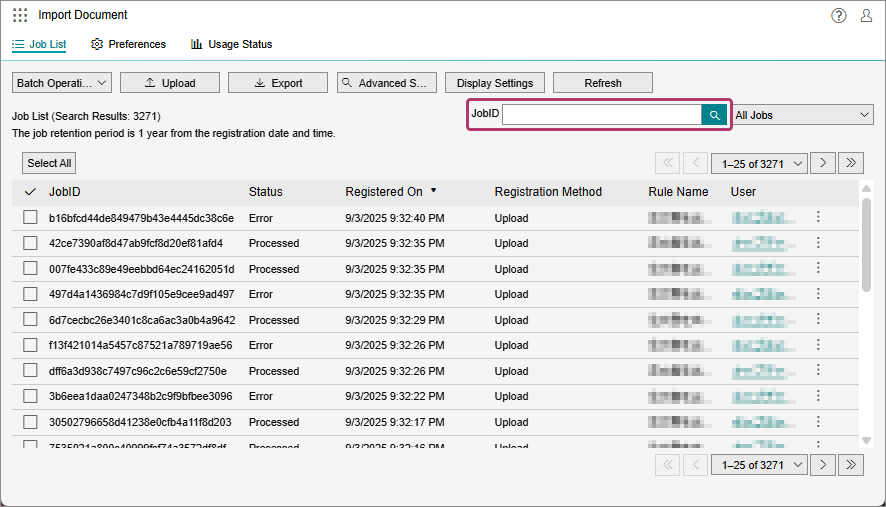
- Only jobs that are an exact match with the ID are displayed.
When Filtering Jobs- Select a status from the drop-down list.
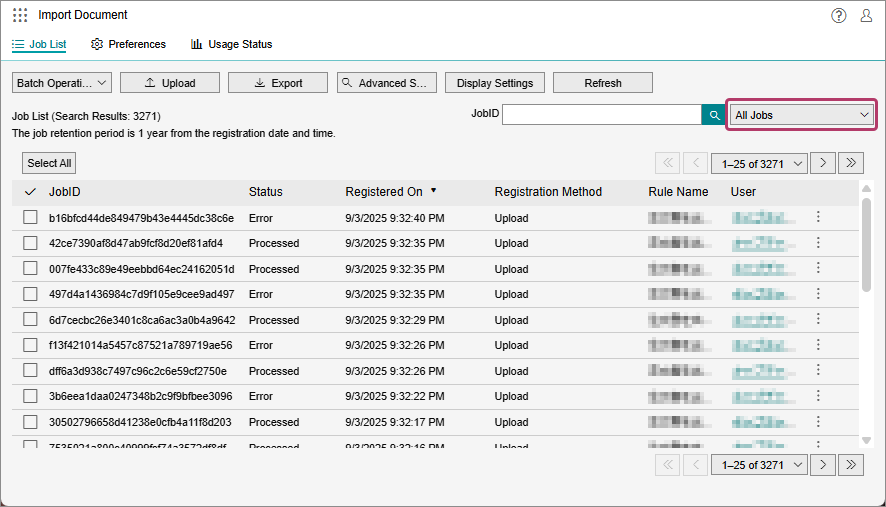
- You can filter jobs by the job status, such as [All Jobs] or [Waiting to process].
When Checking the Detailed Information of a Job- Click [
 ] for the job to check the detailed information of.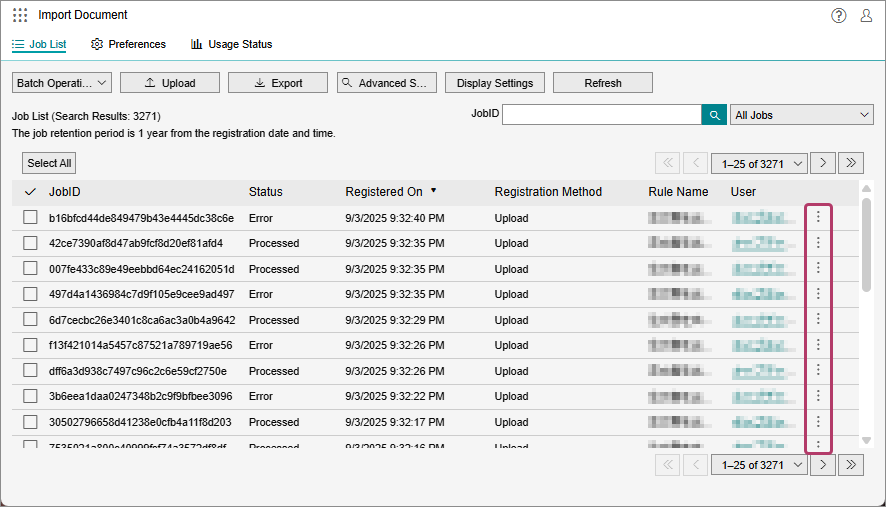
- In the displayed menu, click [Details].
- Check the information, and click [Close].
- On the [Details] screen for a job, you can check information such as the job ID, status, and registration date/time. If the status of the job is "Error", you can check information on the error. The part of the rule where the error occurred is also displayed.
- Click [Advanced Search].