Configuring Favorite Rules
You can configure up to 20 favorite rules. The configured favorite rules are displayed at the top of the list on the rule selection screen.
- Tap [FUJIFILM IWpro Capture] on the home screen of the device.
- Log in.
- For information on logging in, see Logging In in "Getting Started with FUJIFILM IWpro".
- Tap [
 ] > [Admin Menu].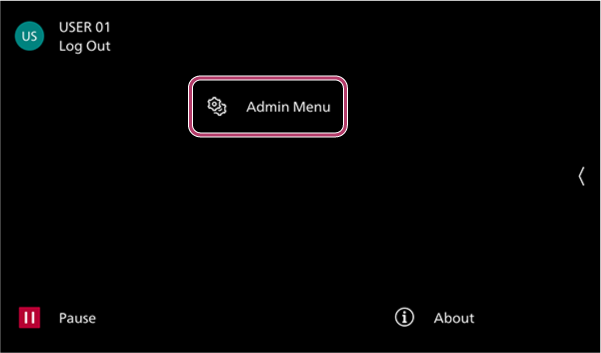
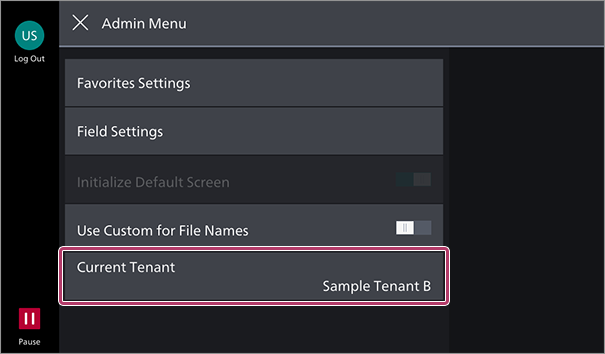
- On the [Admin Menu] screen, tap [Favorites Settings].
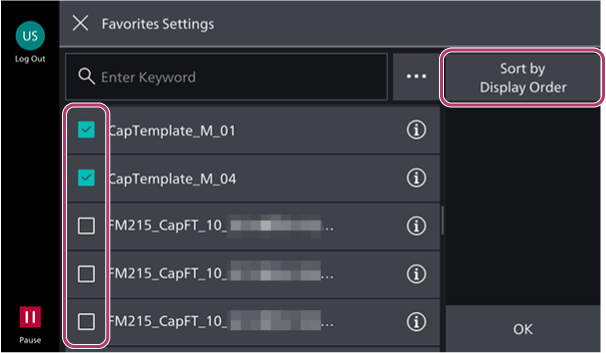
- On the [Favorites Settings] screen, select the check box of the rule to register to favorites, and tap [Sort by Display Order].
- On the [Sort by Display Order] screen, press and hold an item in the list to reorder, then change the order of the list.
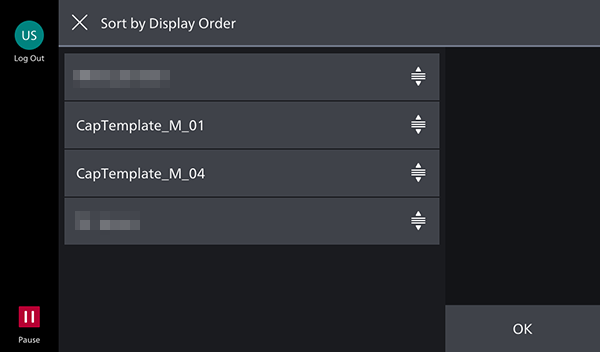
- Tap [OK].