[Network Settings] Screen
This screen is displayed by clicking [Network Settings] on the options screen.
Configure it when using a proxy server that requires authentication when uploading files.
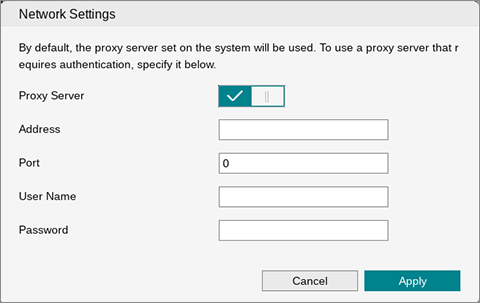
[Proxy Server]
Enable this to configure the various items for using the configured proxy server information.
[Address]
Enter the host name of the proxy server. This item is required when specifying a proxy server.
[Port]
Specifies the port number of the proxy server. This item is required when specifying a proxy server.
[User Name]
Specifies the user name for proxy authentication.
[Password]
Specifies the password for proxy authentication.
[Apply]
Applies the settings.