3.2 Setting the Users and Administrators
Set the users and administrators for the created “Contract Management” business item.
Administrator
This is the user who creates or modifies the business item definitions of the “Contract Management” business item.
User
This is the user who uses the “Contract Management” business item on the [Process] screen.
1.
On the [Business Item List] screen, click [Contract Management].

The [Manage Business Item] screen appears.
Refer
For information on how to display the [Business Item List] screen, refer to steps 1 and 2 in “3.1 Creating a Business Item”.
2.
Click the [User/Administrator] tab and click [Add] under [Permitted Users/Groups].
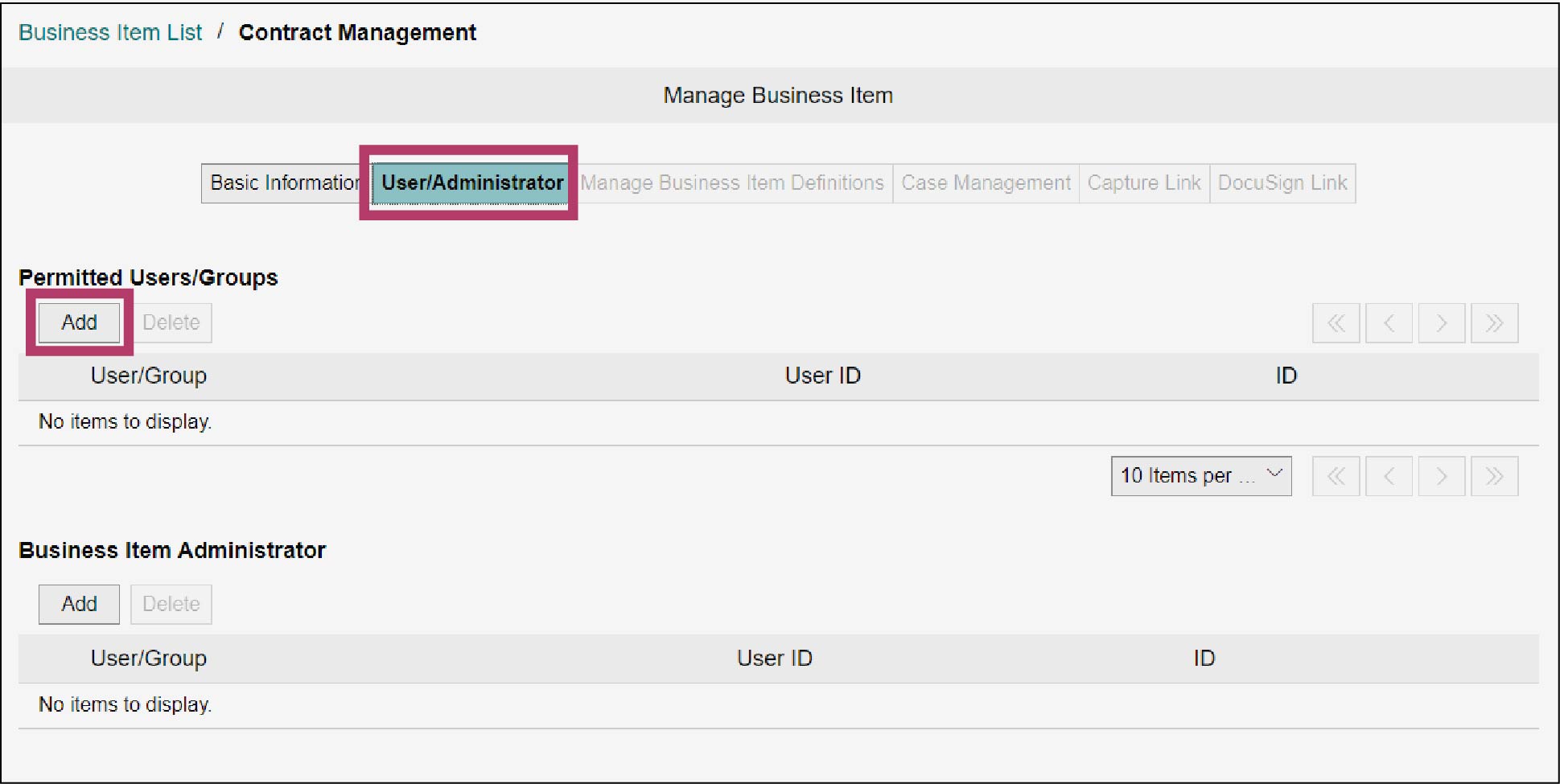
The [Address Book] screen appears.
3.
Set the search conditions as necessary, and click [Search].
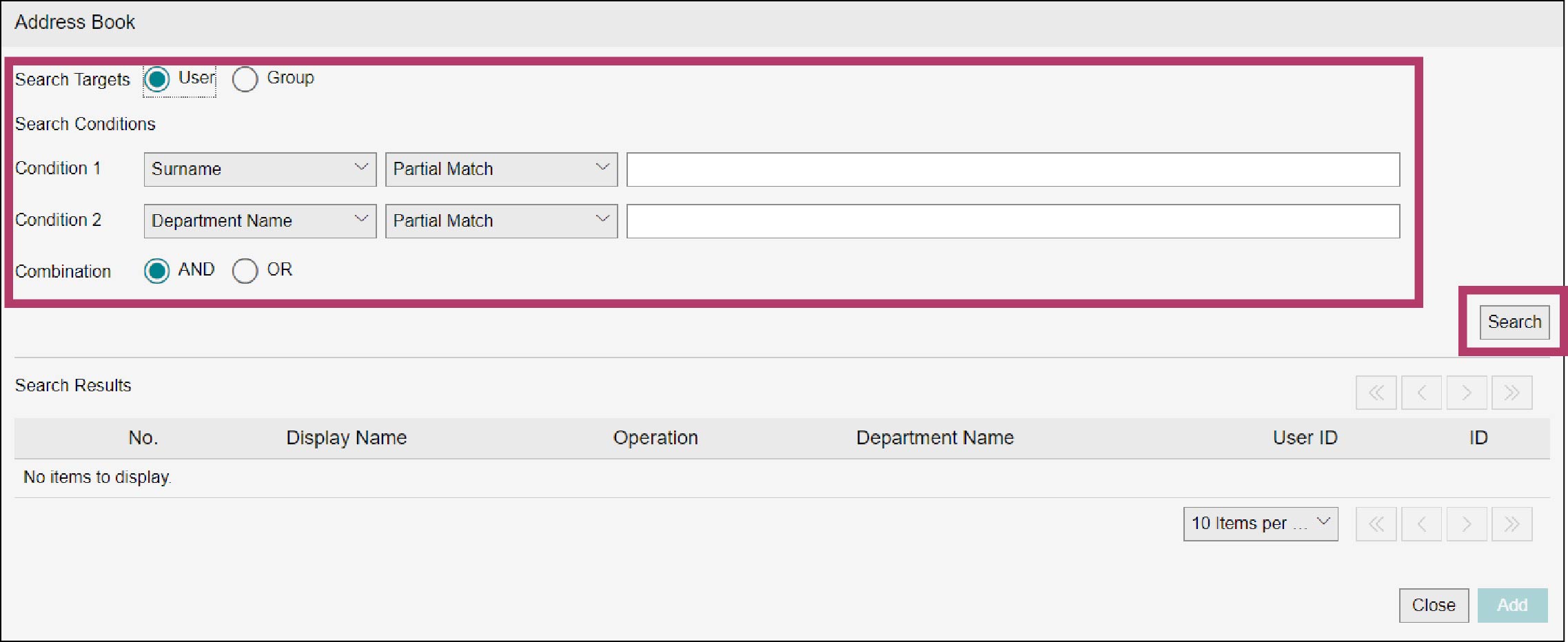
A list of users or groups that meet the criteria appears.
4.
Select the checkboxes of users or groups who use the business item, and click [Add].
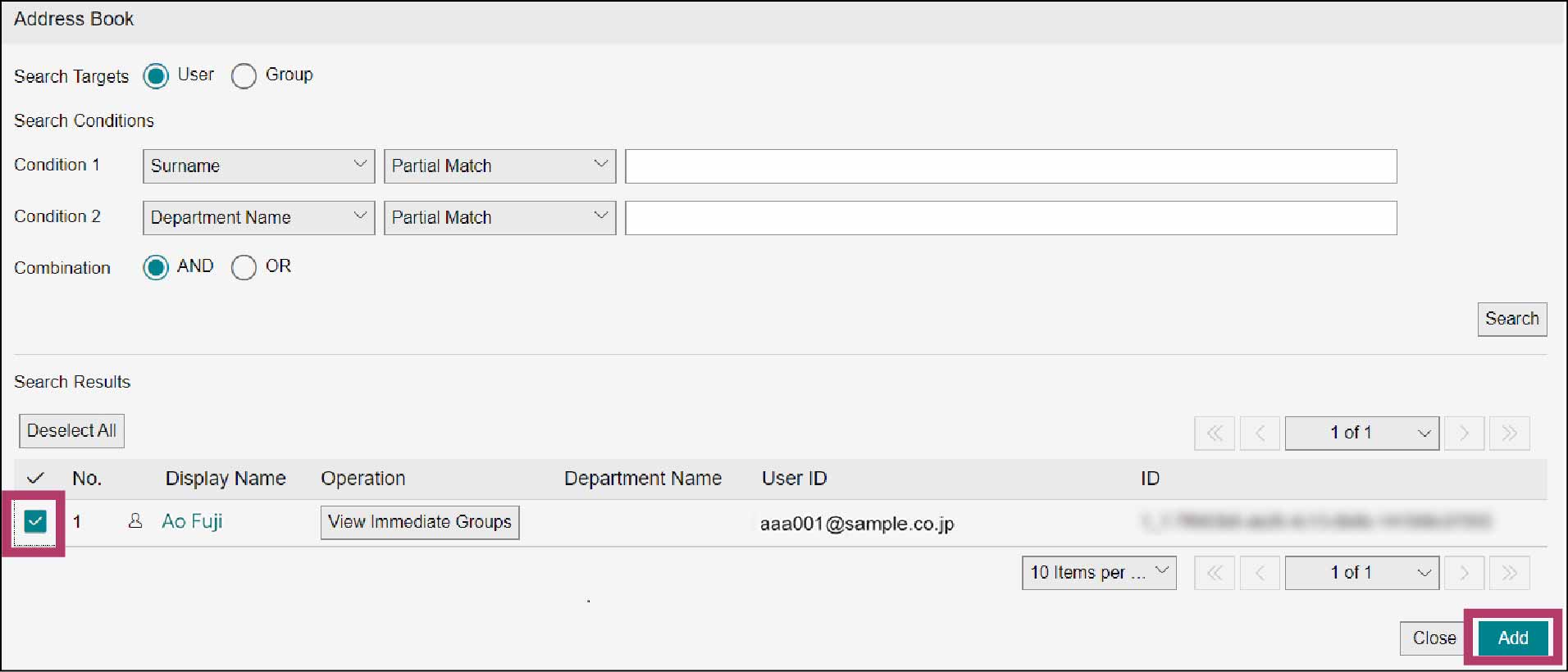
The [Add Results] screen appears.
5.
Click [Close].
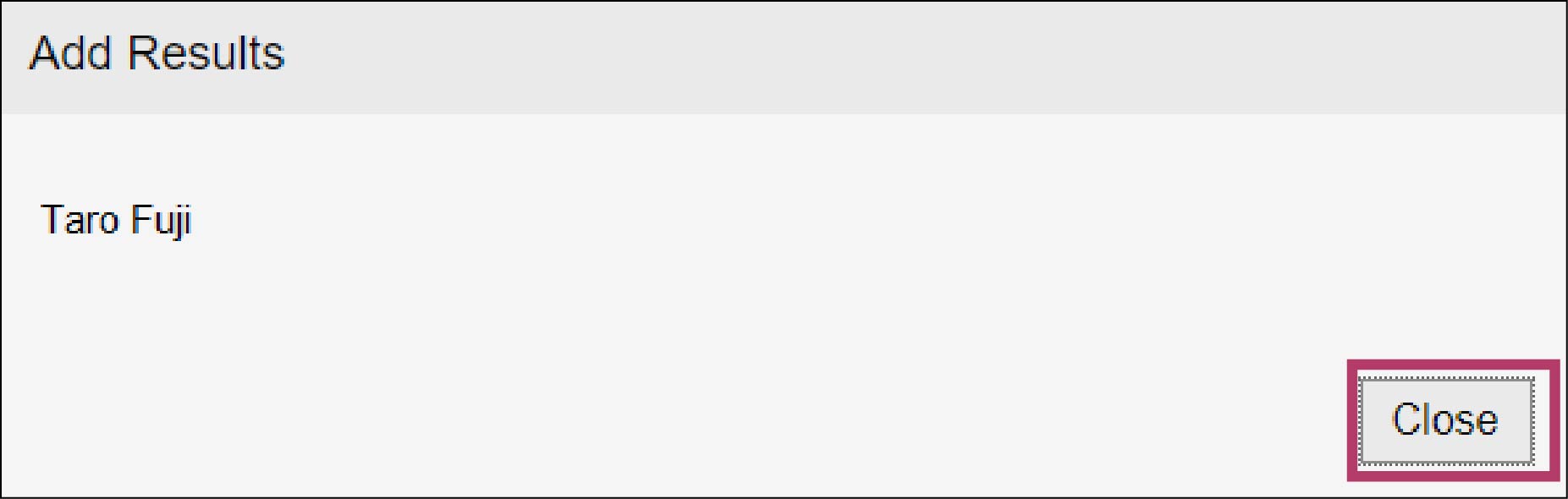
The selected users or groups are added to the [Permitted Users/Groups] list.
6.
Click [Close].
7.
Click [Add] under [Business Item Administrator].
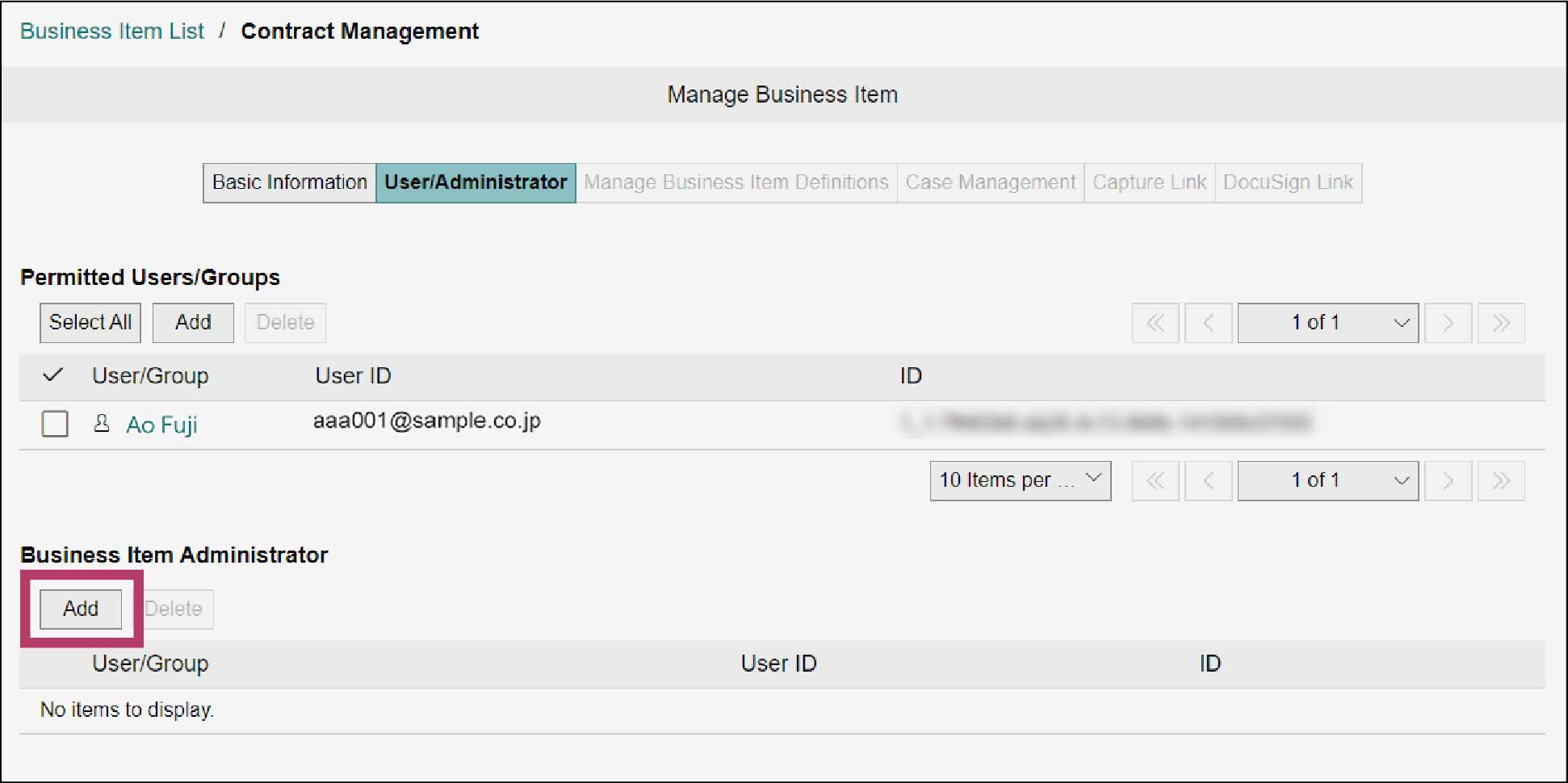
The [Address Book] screen appears.
8.
Set the search conditions as necessary, and click [Search].
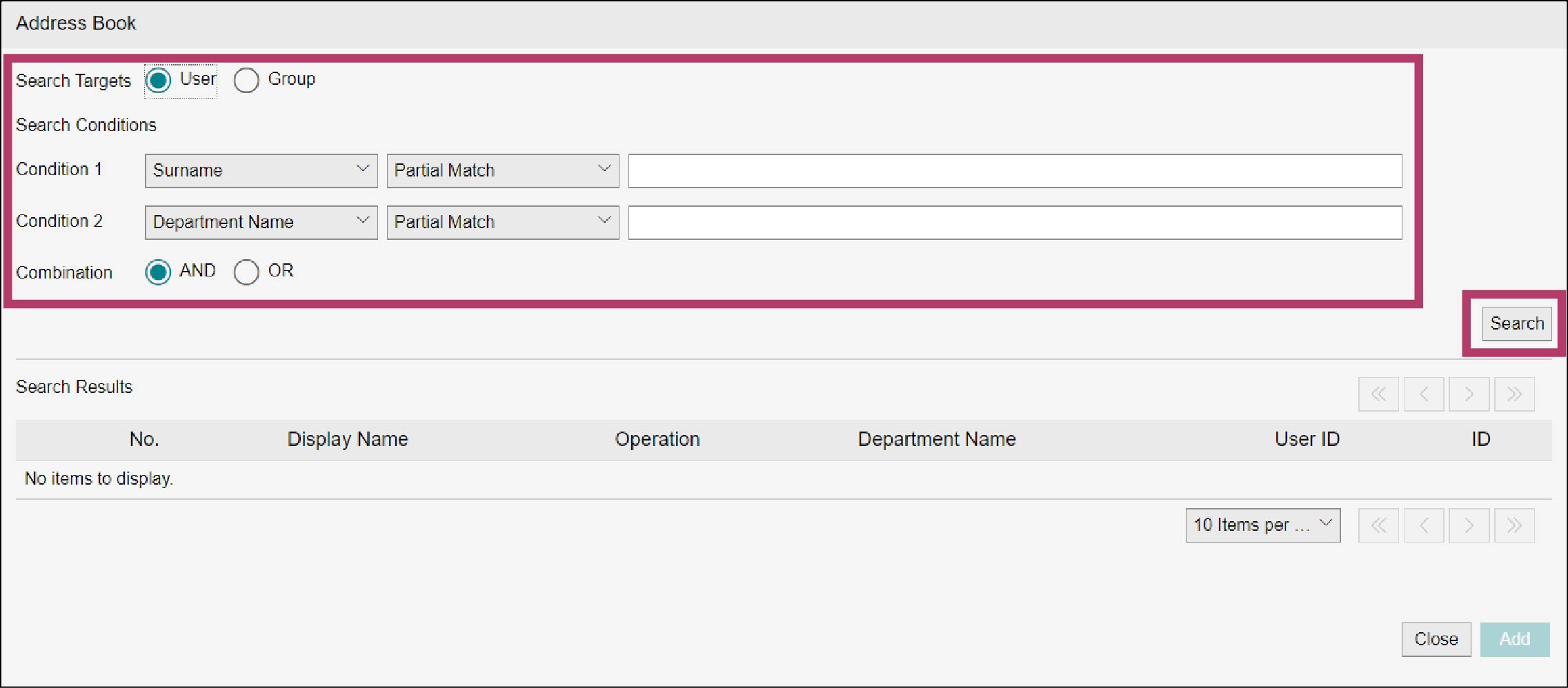
A list of users or groups that meet the criteria appears.
9.
Select the checkboxes of the users or groups you want to set as business item administrators, and click [Add].
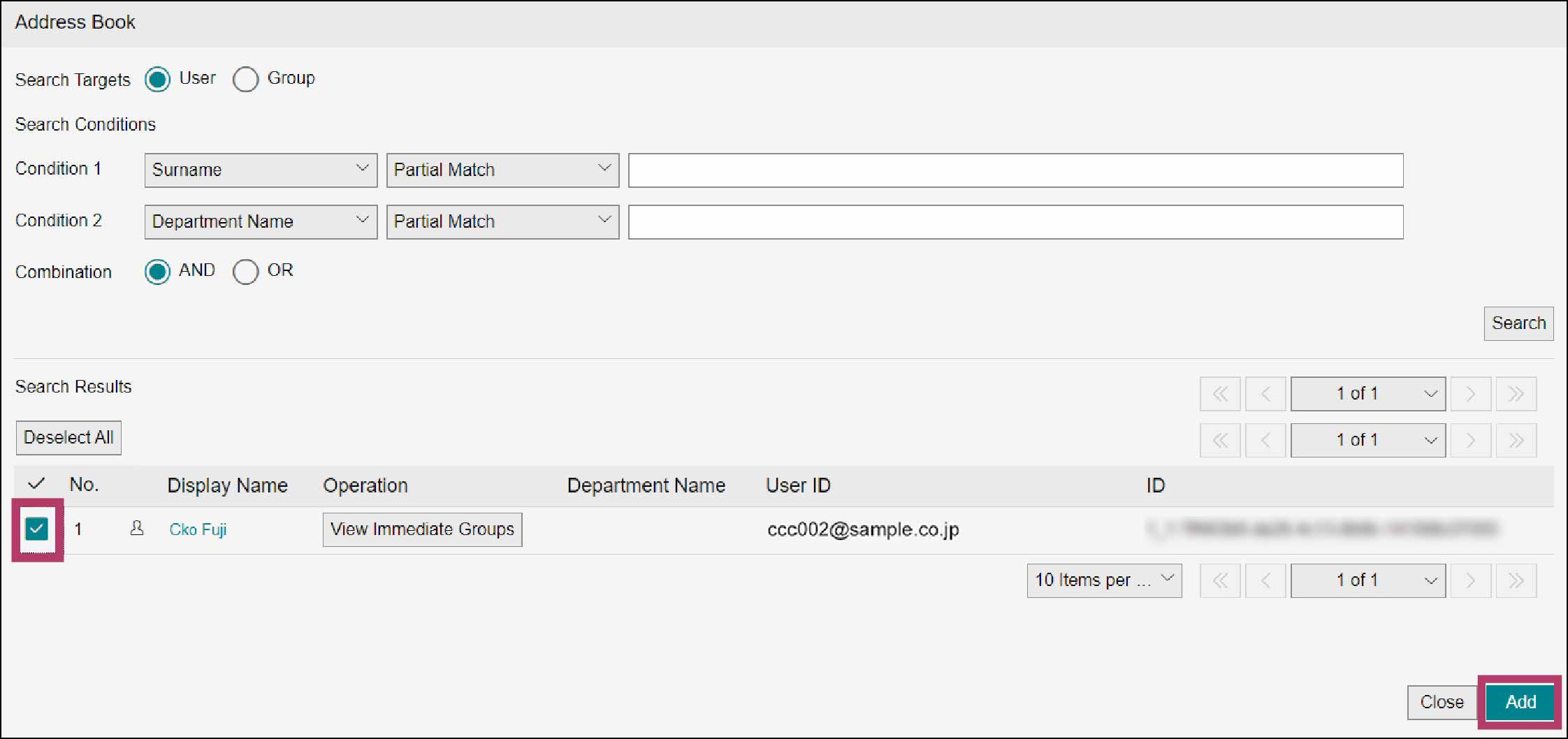
The [Add Results] screen appears.
10.
Click [Close].
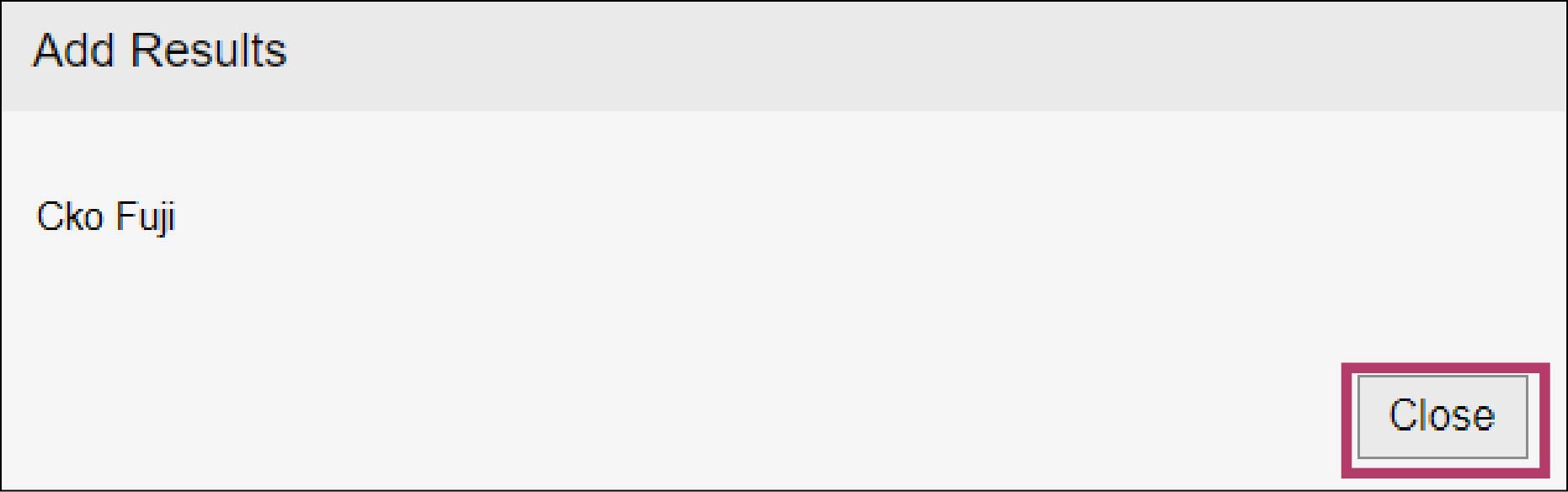
The selected users or groups are added to the [Business Item Administrator] list.
11.
Click [Close].