3.1 Creating a Business Item
1.
Click  in the upper left corner of the screen and click [File Management] in the Admin menu.
in the upper left corner of the screen and click [File Management] in the Admin menu.2.
From the menu, go to [Process], and click [Business Item Operation].
The [Business Item List] screen appears.
3.
Click [Create New].
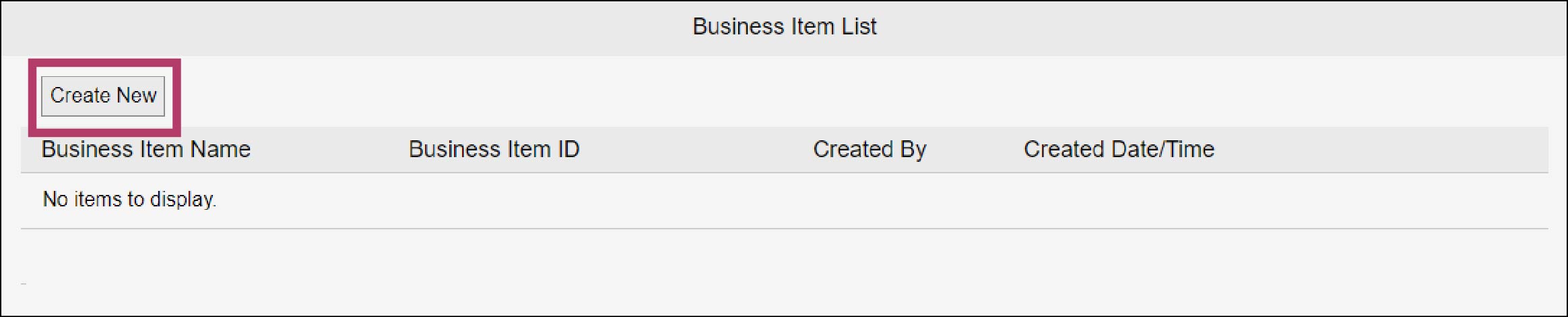
The [Create New Business Item] screen appears.
4.
Enter “Contract Management” in the [Business Item Name] field and click [Create].
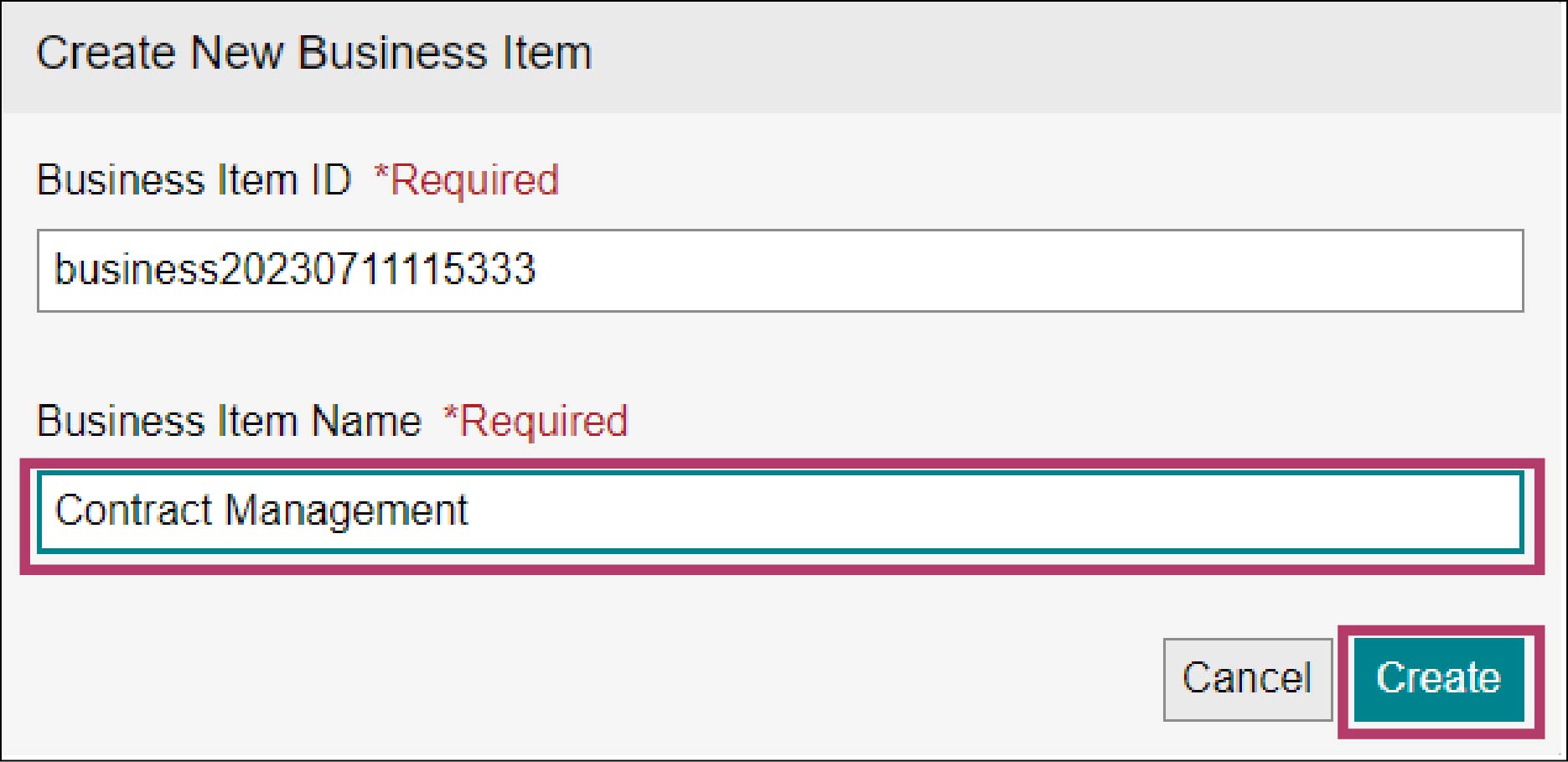
The “Contract Management” business item is created.
Note
- By default, the system assigns “business{yyyyMMddHHmmss}” as [Business Item ID] and [Business Item Name].
- You can modify the [Business Item ID] setting as necessary. To change the [Business Item ID] setting, enter up to 255 single-byte alphanumeric characters.