Registering Account IDs
Register categorization codes (account IDs) for performing project-based accounting on the usage status of functions such as the print, copy, and scan functions.
- Log in to FUJIFILM IWpro with the account of an administrator.
- For information on logging in, see Logging In in "Getting Started with FUJIFILM IWpro".
- In the launcher menu, click [Admin Menu] > [Device Management].
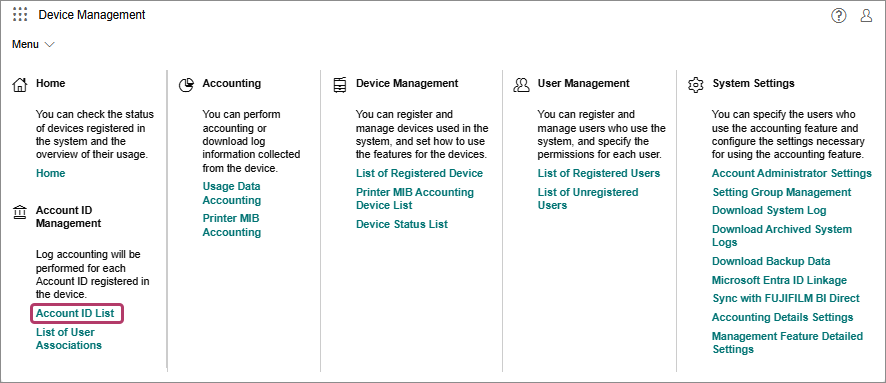
- In the [Device Management] menu, click [Account ID List] in [Account ID Management].
- On the [Account ID List] screen, click [Add] and register the account ID.
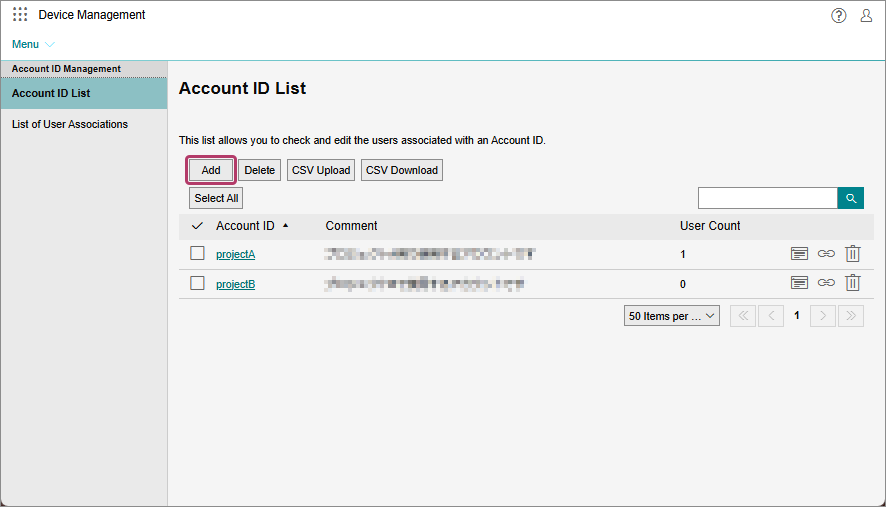
- To register a batch of account IDs, click [CSV Upload].
- To delete a registered account ID, click [Delete].
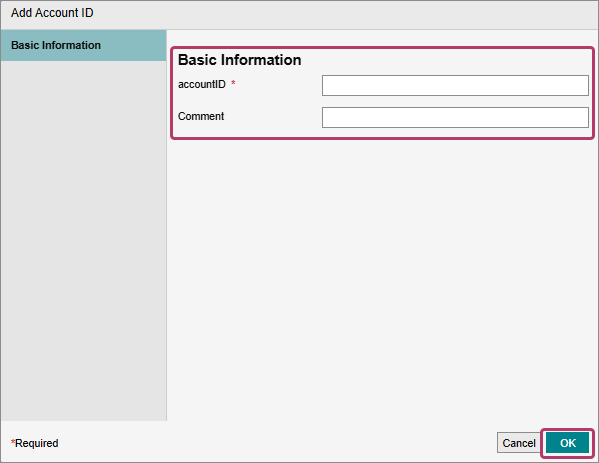
- On the [Add Account ID] screen, enter the basic information, then click [OK].