Checking the Device Status, Toner Remaining, and Paper Remaining
- Log in to FUJIFILM IWpro with the account of an administrator.
- For information on logging in, see Logging In in "Getting Started with FUJIFILM IWpro".
- In the launcher menu, click [Admin Menu] > [Device Management].
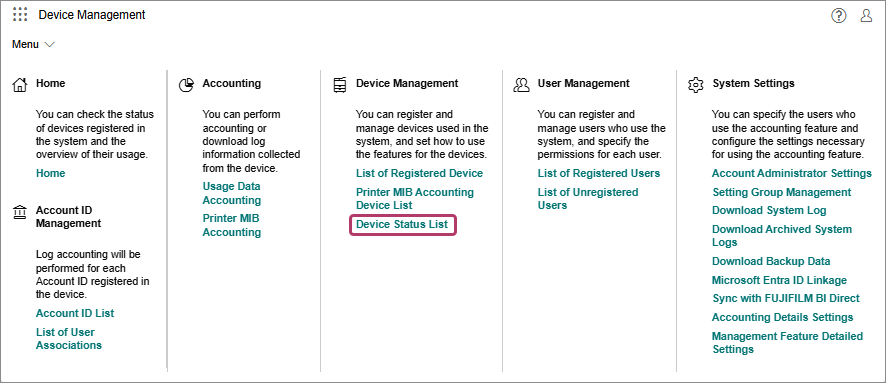
- In the [Device Management] menu, click [Device Status List] in [Device Management].
- On the [Device Status List] screen, click [
 ] and select [Device Status], [Remaining Toner], or [Remaining Paper] from the displayed list.
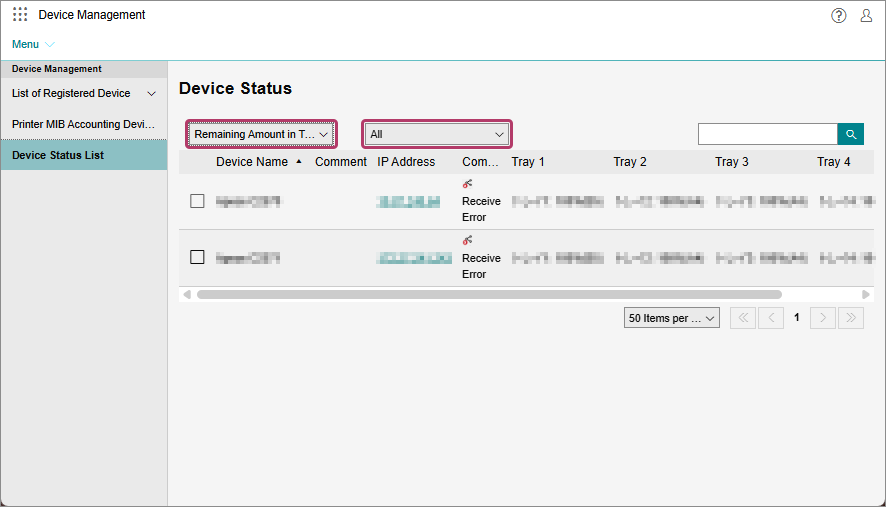 Checking the Device StatusYou can filter the displayed information by error type.Checking the Toner Remaining or Paper RemainingYou can filter the displayed information by percentage remaining.