Scanning Screen
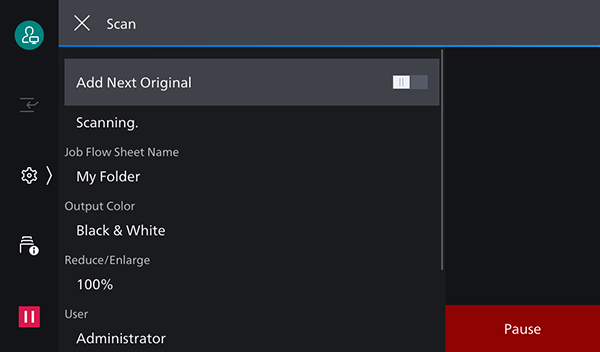
This screen is displayed by tapping [Start] on the scan settings screen.
It enables you to check the settings of the document that is scanning or cancel the scanning process.
[ ]
]
Displays the scan settings screen while continuing to execute the scan job.
[ ]
]
Displays the job information.
[Add Next Original]
Enable this to continue scanning originals.
Scan Status
Displays the status of scanning, such as [Loading.], as well as [Reduce/Enlarge], [User], and [Start Date & Time].
[Pause]
Stops the scan process and displays the scanning (stopped) screen.