[Export] Screen
This screen is displayed by clicking [Export] on the [Import Document] screen of FUJIFILM IWpro. It enables you to export information for the specified period.
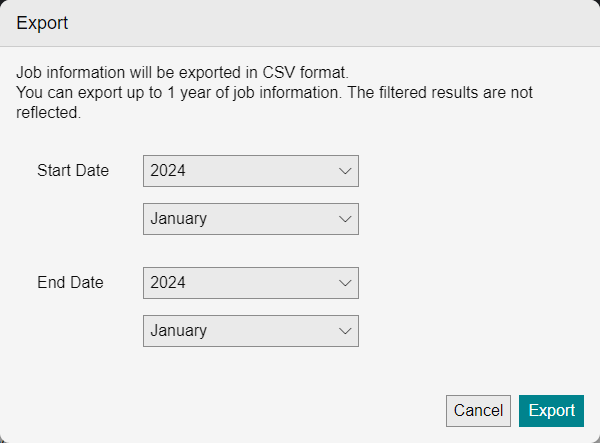
[Export Target]
Select the information to export.[Start Date]
Select the start year and month for the period to export.
[End Date]
Select the end year and month for the period to export.
[Export]
Exports information for the specified period in the CSV format.
- You can export up to one year of information.
- The results of filtering on the [Import Document] screen are not reflected.
- Information is retained for one year.
- Date and time information uses UTC (Coordinated Universal Time).
- Jobs printed with FUJIFILM IWpro Capture are also included.