Deleting FUJIFILM IWpro Settings from a Device (Using a Computer)
You can delete the FUJIFILM IWpro plug-in installed in a device.
- Double-click "FUJIFILMIWproDeviceSetup.exe" to start FUJIFILM IWpro Device Setup.
- Select the [Proceed without login (device maintenance tasks only)] check box.
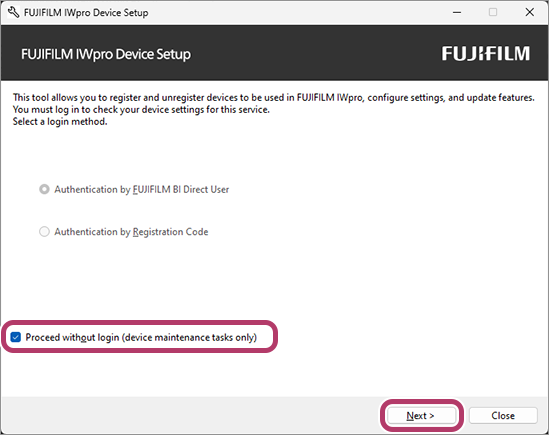
- Click [Next].
- Select [Reset Device Authentication/Accounting Mode] .
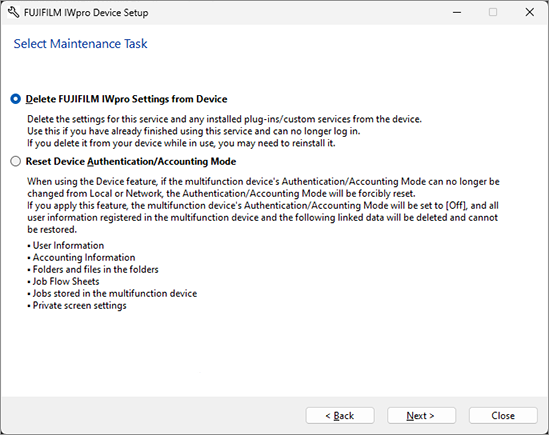
- Click [Next].
- Enter the IP address/host name of the device and click [Add].
- If the administrator information entry screen is displayed, follow the instructions on the screen.
- To enter multiple devices, see "Screen for Adding Multiple Devices".
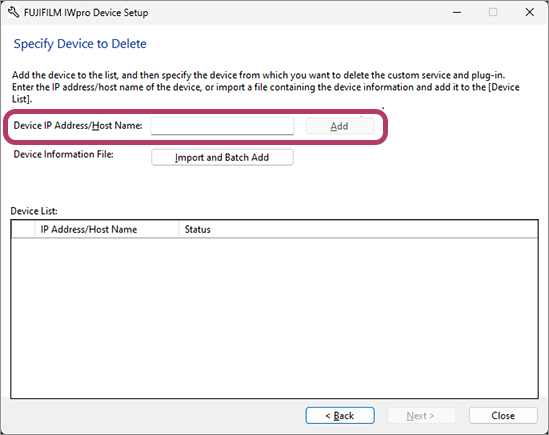
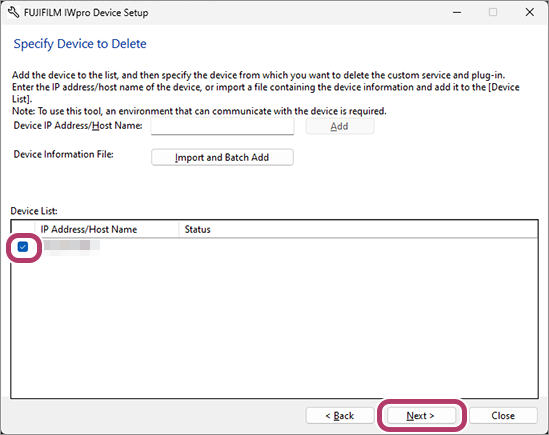
Confirm that the device is added to the device list and the status column is blank.- If the device cannot execute this function, details are displayed in the status column.
- Confirm that the check box of the target device is selected, then click [Next].
- Check the process, then click [Delete].
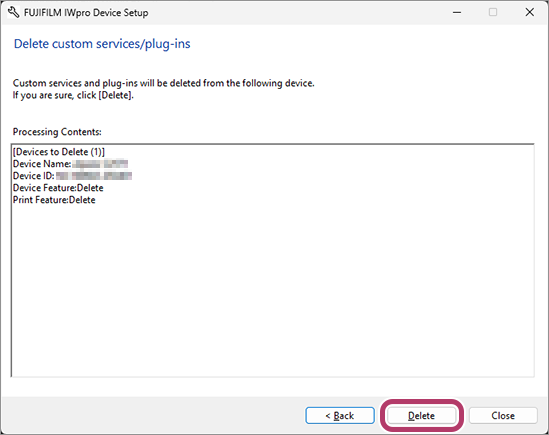
- Click [Close].FUJIFILM IWpro Device Setup closes.