Method to Update DocuWorks Tray 2 to the Latest Version

February 2023 
FUJIFILM Business Innovation Corp.

DocuWorks Tray 2 is an optional software for DocuWorks.
To use it, you need to purchase a separate license and install it.
Note:Customers who have a contract for DocuWorks Subscription or DocuWorks Subscription Suite can use DocuWorks Tray 2 as a standard feature.

Updates to the latest version are available for download from the membership portal site "FUJIFILM BI Direct". We recommend that you apply the latest update for stable use.

This section describes the operating procedure from obtaining updates to installing them.

Note:If your serial number is numeric only, you have a Volume License Edition.
The Volume License Edition of the installer will only be displayed if the person who manages your serial number (system administrator) is logged in.
If you are using DocuWorks Tray 2 (Volume License Edition) and need an installer, please contact your system administrator.

  1. Check the version of DocuWorks Tray 2 in use
  2. For DocuWorks Tray 2, the installation files required for the update differ depending on the version in use.
    Please refer to the page below to check the detailed version of DocuWorks Tray 2 currently in use (e.g. 2.1.2/2.2.0) and the license type (e.g. Licensed Edition).
    Method to Check Version of DocuWorks Tray 2 In Use

  3. Download the installation file for the version in use
  4. Download the installation file according to the version confirmed in Step 1.
    Detailed VersionLicense TypeUpdate Method
    2.0.0 to 2.1.2Licensed Edition
    Subscription
    1. DocuWorks Tray 2 Trial Edition / Licensed Edition / Subscription
    2.2.0 to 2.3.0Licensed Edition
    Subscription
    Subscription Suite
    Volume License Edition
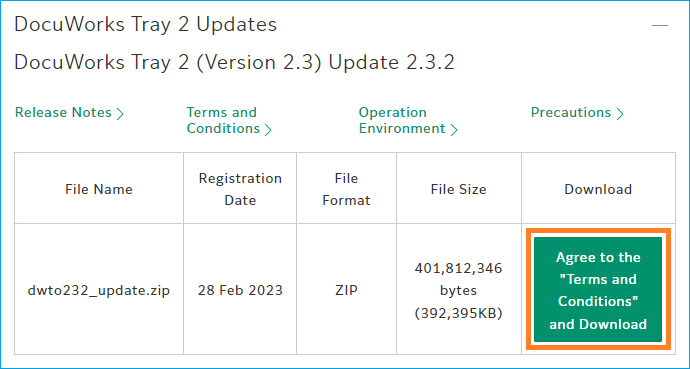
    2. DocuWorks Tray 2 Update
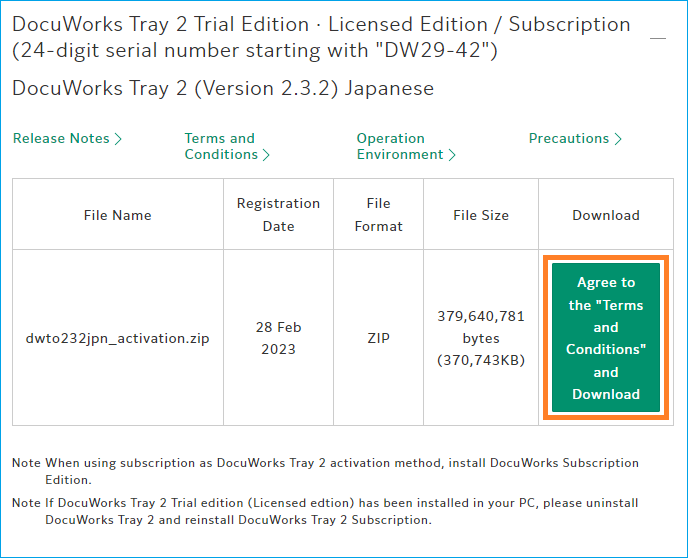
    1. DocuWorks Tray 2 Trial Edition / Licensed Edition / Subscription
    2. Access the following site, and click [Agree to the "Terms and Conditions" and Download].

      DocuWorks Tray 2 Trial Edition / Licensed Edition Download(English)
      DocuWorks Tray 2 Trial Edition / Licensed Edition Download(Simplified Chinese)
      DocuWorks Tray 2 Trial Edition / Licensed Edition Download(Traditional Chinese)
      DocuWorks Tray 2 Trial Edition / Licensed Edition Download(Korean)
      DocuWorks Tray 2 Trial Edition / Licensed Edition Download(Thai)
      DocuWorks Tray 2 Trial Edition / Licensed Edition Download(Vietnamese)
    3. DocuWorks Tray 2 Update
    4. Access the following site, and click [Agree to the "Terms and Conditions" and Download].

      DocuWorks Tray 2 Update Download(English)
      DocuWorks Tray 2 Update Download(Simplified Chinese)
      DocuWorks Tray 2 Update Download(Traditional Chinese)
      DocuWorks Tray 2 Update Download(Korean)
      DocuWorks Tray 2 Update Download(Thai)
      DocuWorks Tray 2 Update Download(Vietnamese)
  5. Close all DocuWorks-related applications
  6. Close all DocuWorks-related applications such as DocuWorks Desk, DocuWorks Viewer, and DocuWorks Tray 2 in advance.

    Note:Method to Exit DocuWorks Tray 2
    At the bottom right of the taskbar on your computer, click [∧] (Show hidden icons) > right-click on the Tray Management icon > click [Exit]
  7. Apply the downloaded installer
  8. Right-click on the downloaded installation file > select [Extract All] or [Unzip], and extract it to any location.
    You will find the unzipped folder in the location you have specified.

    In this section, "1. DocuWorks Tray 2 Trial Edition / Licensed Edition / Subscription" will be used as an example.
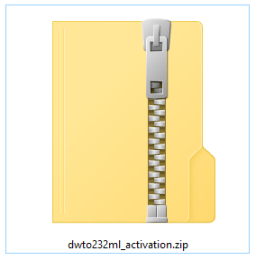
    E.g. Downloaded installation file
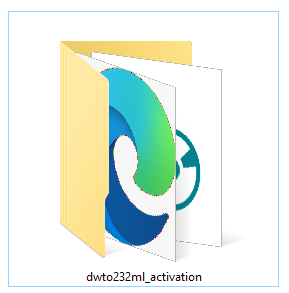
    E.g. Downloaded installation file

    E.g. Unzipped folder

    E.g. Downloaded installation file

    Double-click the unzipped folder to open it, and double-click "setup.exe" in the folder.
    Follow the menu to perform update installation.
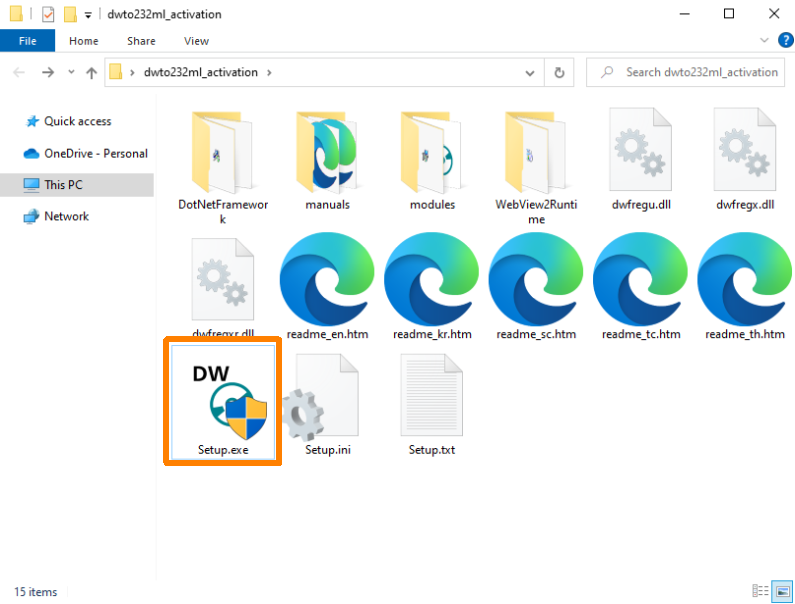
    E.g. Downloaded installation file
  9. Check that the update has been applied
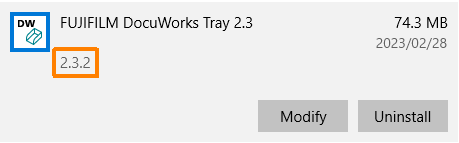
  10. Start DocuWorks Tray 2, and check if it is the updated version.
    1. Right-click the Start button on your PC > select [Apps and Features].
    2. Click [FUJIFILM DocuWorks Tray 2.3].
    3. Make sure you have the updated version
    You can delete the installation file downloaded in Step 2.

Trademarks
Microsoft and Windows are either registered trademarks or trademarks of Microsoft Corporation in the United States and/or other countries.
All other trademarks are the properties of their respective owners.
FUJIFILM and FUJIFILM logo are registered trademarks or trademarks of FUJIFILM Corporation.
DocuWorks is registered trademark or trademark of FUJIFILM Business Innovation Corp.
Contents of this file are subject to change without prior notice.