Creating a Document Shortcut
You can create shortcuts for documents in Desk.
By storing shortcuts of documents from different folders in 1 folder, you can list the thumbnails and print the documents all at once without moving the actual documents. Binders are manipulated in the same manner.
By storing shortcuts of documents from different folders in 1 folder, you can list the thumbnails and print the documents all at once without moving the actual documents. Binders are manipulated in the same manner.
Procedure
1.
Select a document, then select [Create Shortcut] from the [Document] menu.
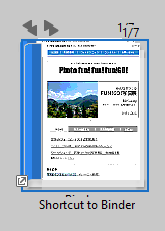
The shortcut is created and cascaded on the selected document.
Note
- To create a shortcut, [Show files other than DocuWorks files] must be selected in [View] under [DocuWorks Desk Options] in the [Preferences] dialog box.
- You cannot create shortcuts for non-DocuWorks files or folders.
- You cannot manipulate the thumbnail of a shortcut if its link target file is deleted. If you try to manipulate it, it will appear shaded.