FUJIFILM IWpro Workspace Screen Components
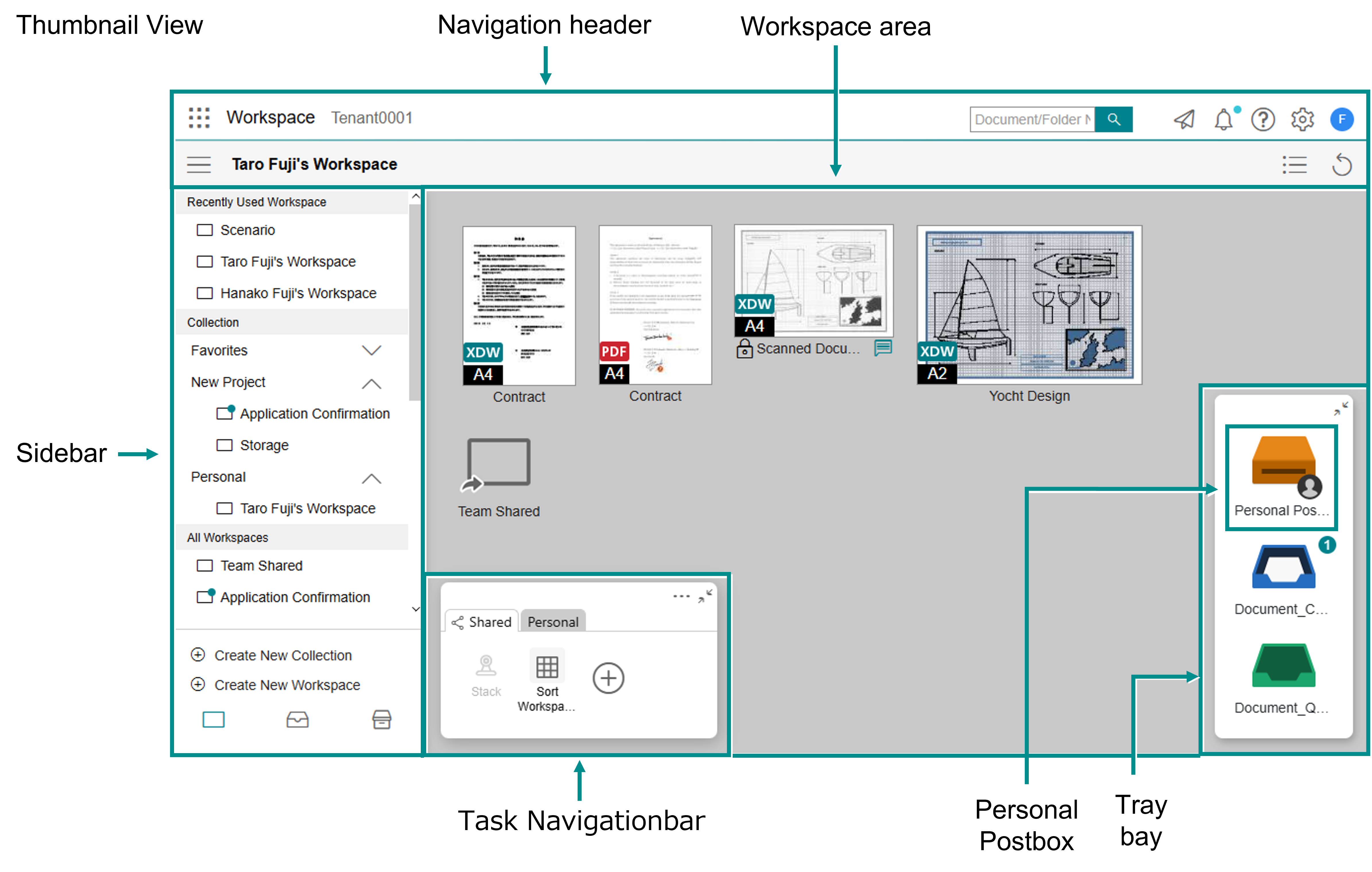
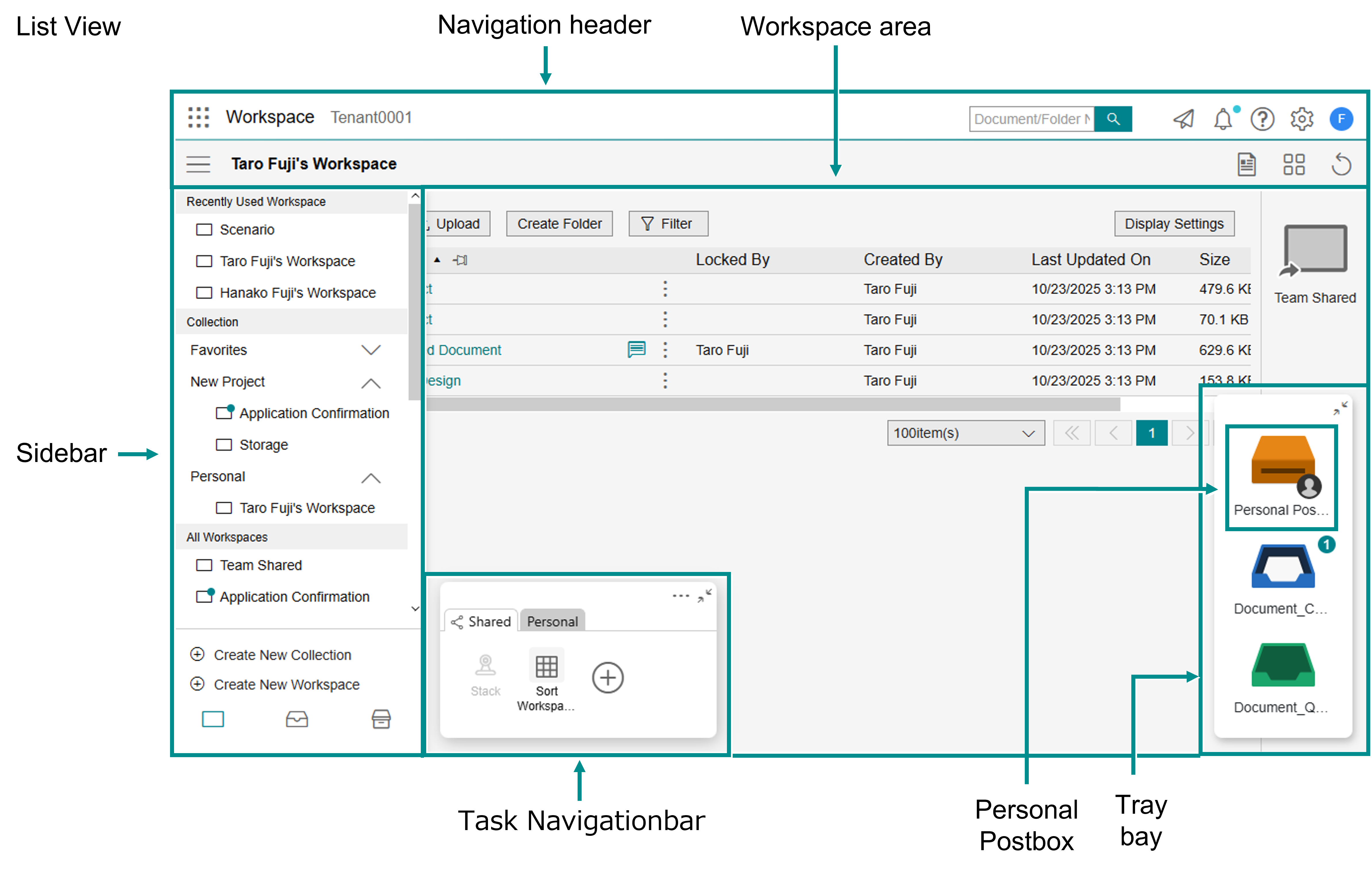
The FUJIFILM IWpro Workspace main screen consists of a navigation header, sidebar, and workspace area.
Navigation Header Components
The navigation header consists of the following icons:
 [App Launcher Menu] icon
 Tenant name
 Keyword search field
 [Document Sent History] icon
 [Notifications] icon
 [Help] icon
 [Personal Settings] icon
 [User] icon
 [Menu] icon
 Workspace name
 [Thumbnail View] icon
 [List View] icon
 [Refresh] icon
Note
- About the icon and the icon, only the one that is not the current view mode will be displayed.
- Clicking the icon displays information such as release notes, user guide links and contact details.
App Launcher Menu
If you click the icon in the navigation header, the menu for transitioning to each feature screen will be displayed.
icon in the navigation header, the menu for transitioning to each feature screen will be displayed.Sidebar Components
The sidebar consists of a list of workspaces, a list of trays, and a list of archives.
The sidebar is hidden by default right after you log in. Click the icon in the navigation header to make it visible.
It becomes hidden again if you click the icon in the navigation header once more, or just click the gray area in the sidebar.
icon in the navigation header to make it visible.It becomes hidden again if you click the
icon in the navigation header once more, or just click the gray area in the sidebar.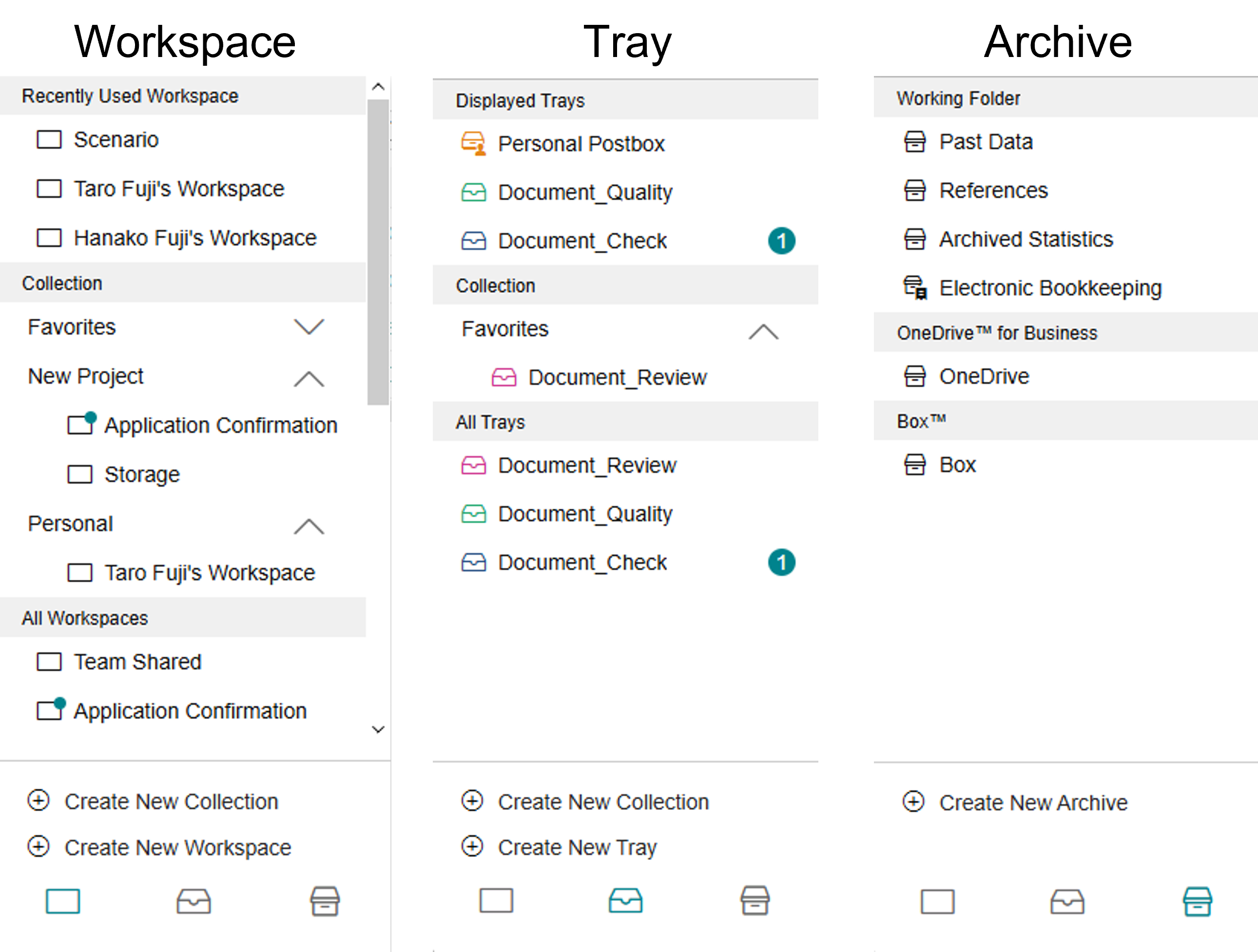
Clicking the following icons switches between the views:
 [Workspace] icon
 [Tray] icon
 [Archive] icon