To be Performed by General Users
Users need to configure the settings for connecting to a cloud service in FUJIFILM BI Direct in order to use the cloud service in FUJIFILM IWpro Scan Delivery and FUJIFILM IWpro Fax Delivery.
Configuring Cloud Service Connection Settings
- Log in to FUJIFILM BI Direct.
- If a screen prompting you to agree to the terms of use or privacy policy for FUJIFILM IWpro is displayed, check the displayed information and click [Accept and Proceed].
- When first using FUJIFILM BI Direct, FUJIFILM BI Direct registration is necessary. Register as shown on the screen.
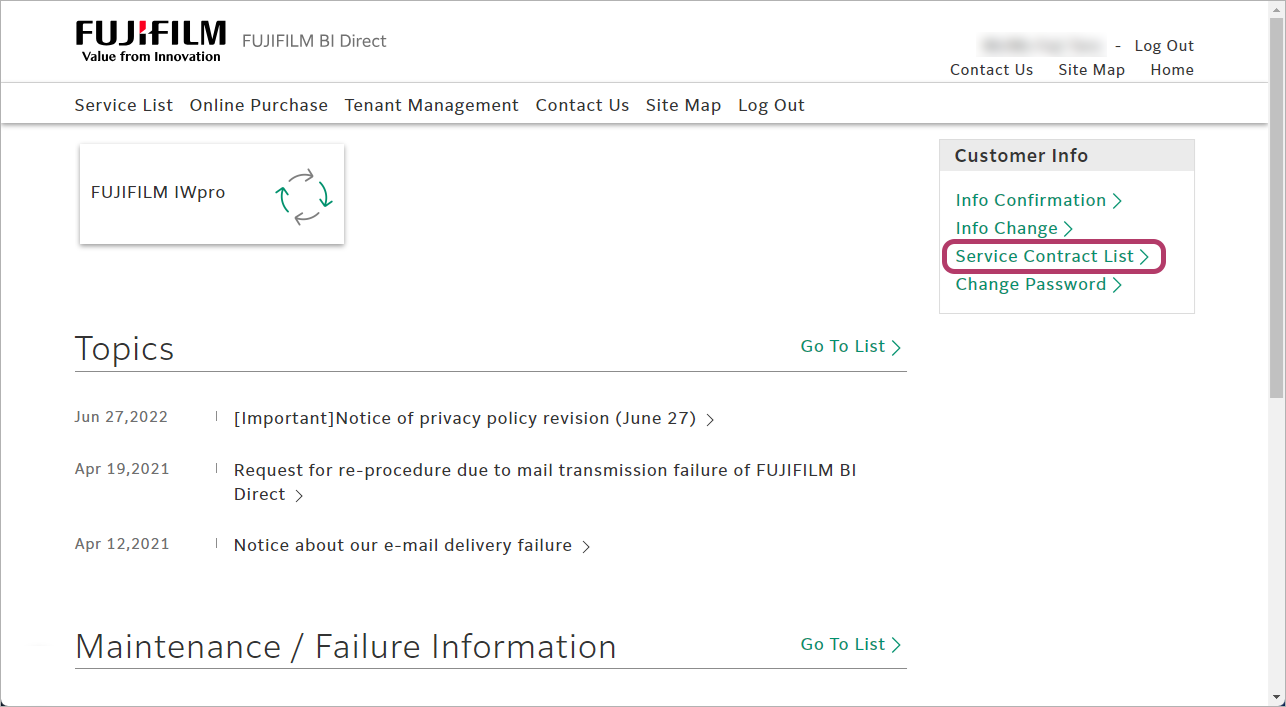
- From [Customer Info], click [Service Contract List].
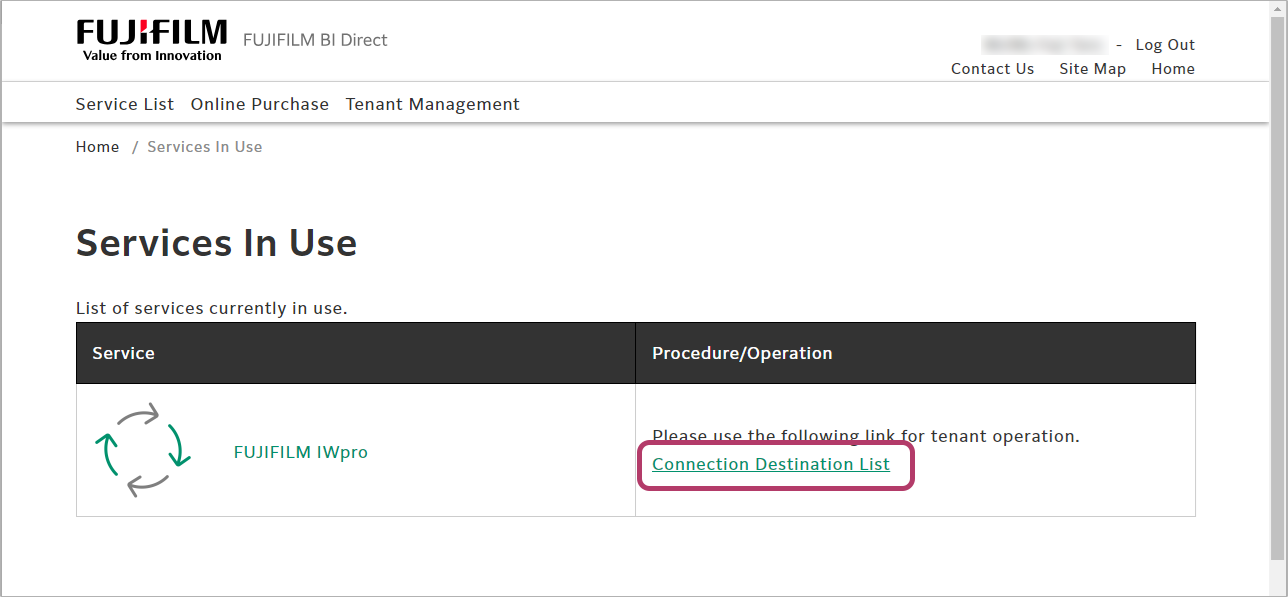
- Click [Connection Destination List].
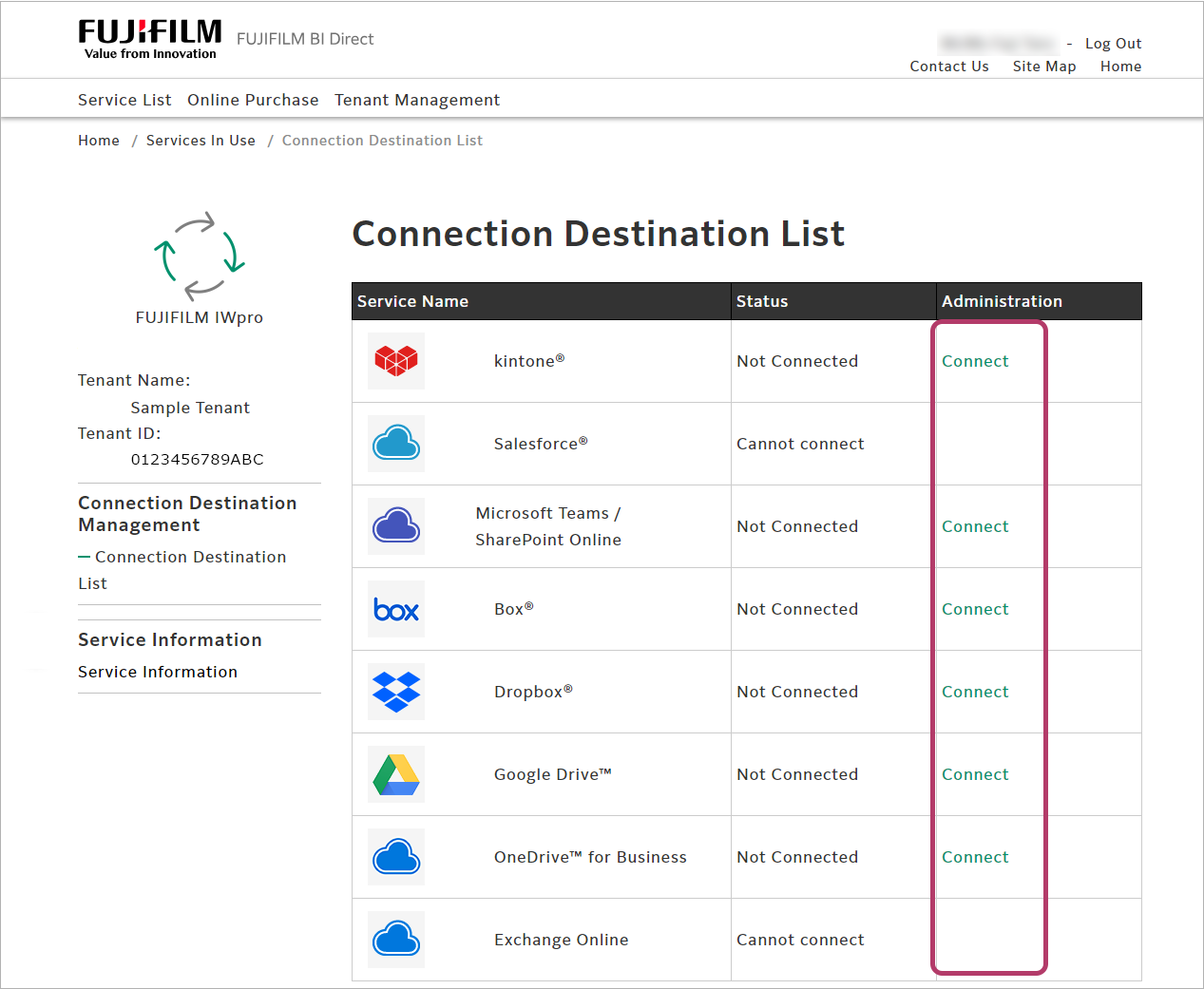
- Click [Connect] for the cloud service to use.
- If user access permissions (consent) to applications are restricted due to Microsoft Entra ID settings, connection may fail. In such cases, please request your organization's Microsoft Entra ID administrator to grant access permissions (consent) to the following applications.
- When configuring linkage with Microsoft Teams / SharePoint Online
Application Name: FUJIFILM IWpro
Application ID: 16f3deb8-19d1-417c-aa5b-03a7a57dbcbe - When configuring linkage with OneDrive for Business
Application Name: FUJIFILM IWpro
Application ID: b42237fe-384e-4c6f-a929-de4bd4a989a4 - When configuring linkage with Exchange Online
Application Name: FUJIFILM IWpro
Application ID: c245238d-538a-4979-bfc0-7db9fcb3282a
- When configuring linkage with Microsoft Teams / SharePoint Online
- If user access permissions (consent) to applications are restricted due to Microsoft Entra ID settings, connection may fail. In such cases, please request your organization's Microsoft Entra ID administrator to grant access permissions (consent) to the following applications.
- If a screen prompting you to log in to the cloud service is displayed, log in with an account for the cloud service.
- A screen confirming whether you want to allow access from the service is displayed. Perform authentication with the account for the cloud service to use, and allow access.
- Enter the password, and click [Sign in].
- A screen asking whether to remain signed in will be displayed. Click [No] or [Yes] as required.
Consult the user guide for detailed settings methods and application usage examples for FUJIFILM IWpro Scan Delivery and FUJIFILM IWpro Fax Delivery.
- "FUJIFILM IWpro Scan Delivery User Guide"
- "FUJIFILM IWpro Fax Delivery User Guide"