5.4 Setting up Layout Settings
1.
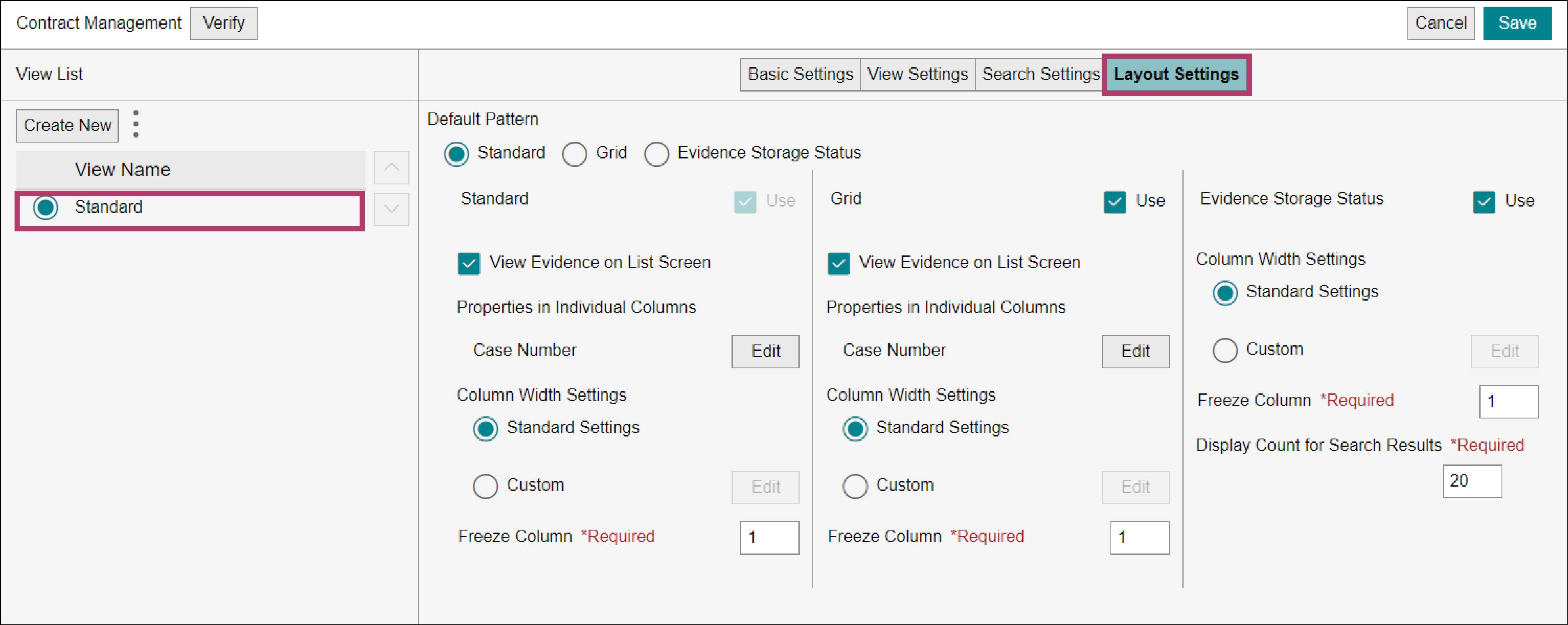
On the view editor screen for the “Contract Management” business item definition, select [Standard] and click the [Layout Settings] tab.
Refer
For information on how to display the view editor screen of the “Contract Management” business item, refer to steps 1 to 3 in “5.1 Creating a View Definition”.
2.
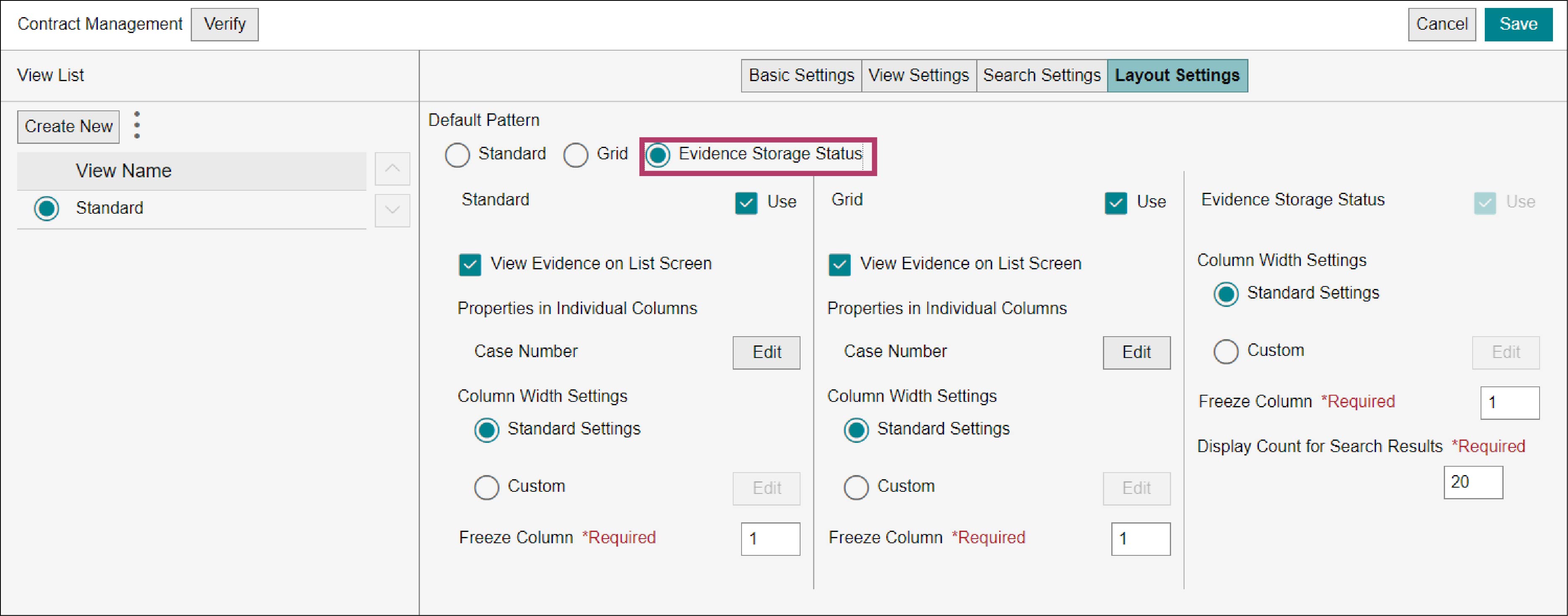
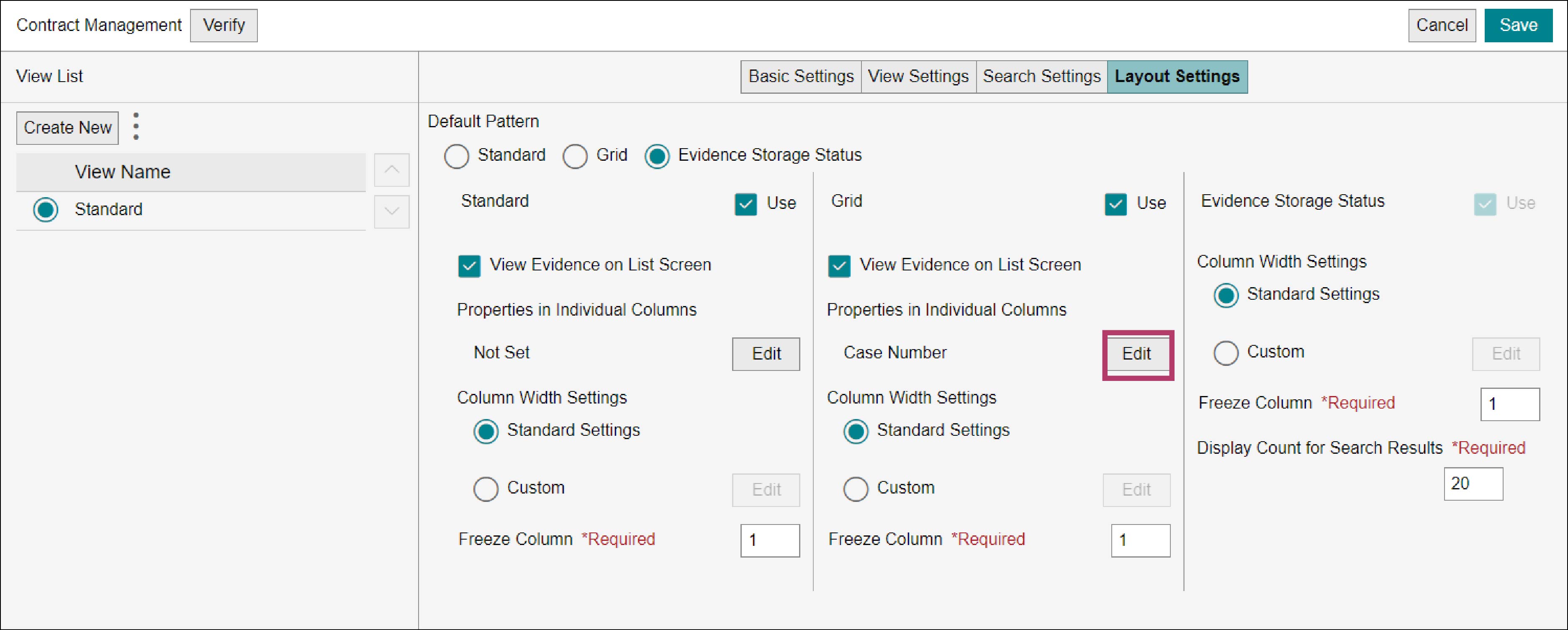
Select [Evidence Storage Status] for [Default Pattern].
3.
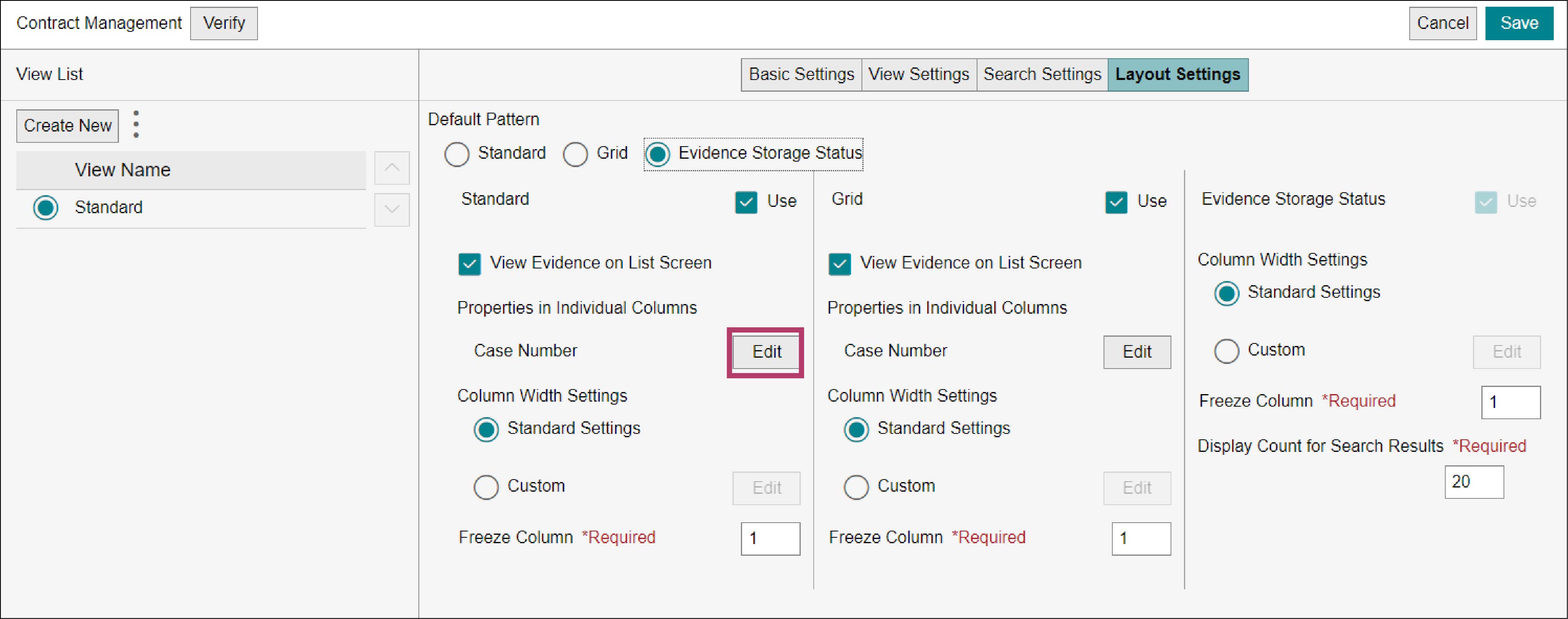
Click [Edit] for [Properties in Individual Columns] under [Standard].
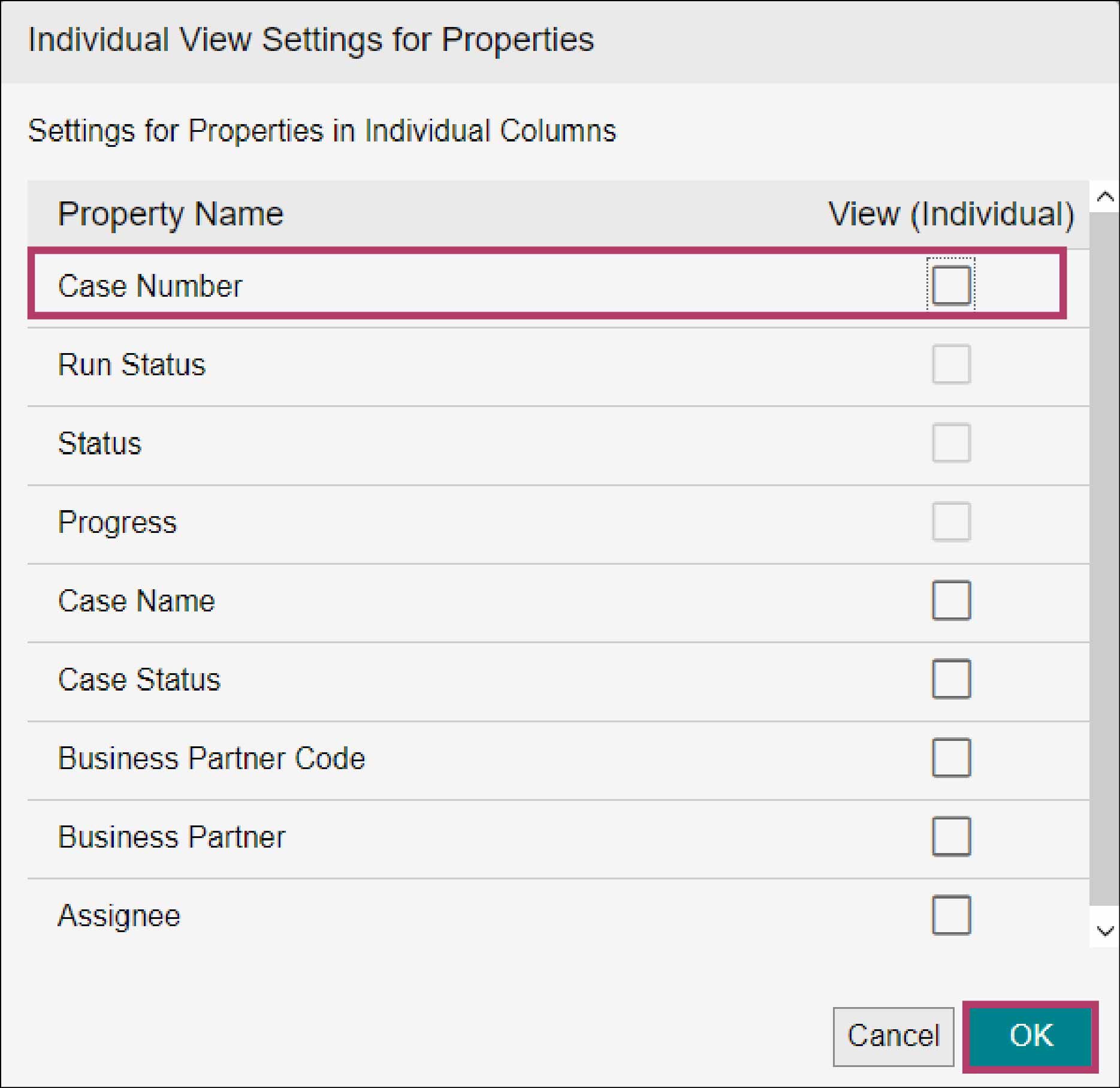
The [Individual View Settings for Properties] screen appears.
4.
Deselect the checkbox of [Case Number] and click [OK].
5.
Click [Edit] for [Properties in Individual Columns] under [Grid].
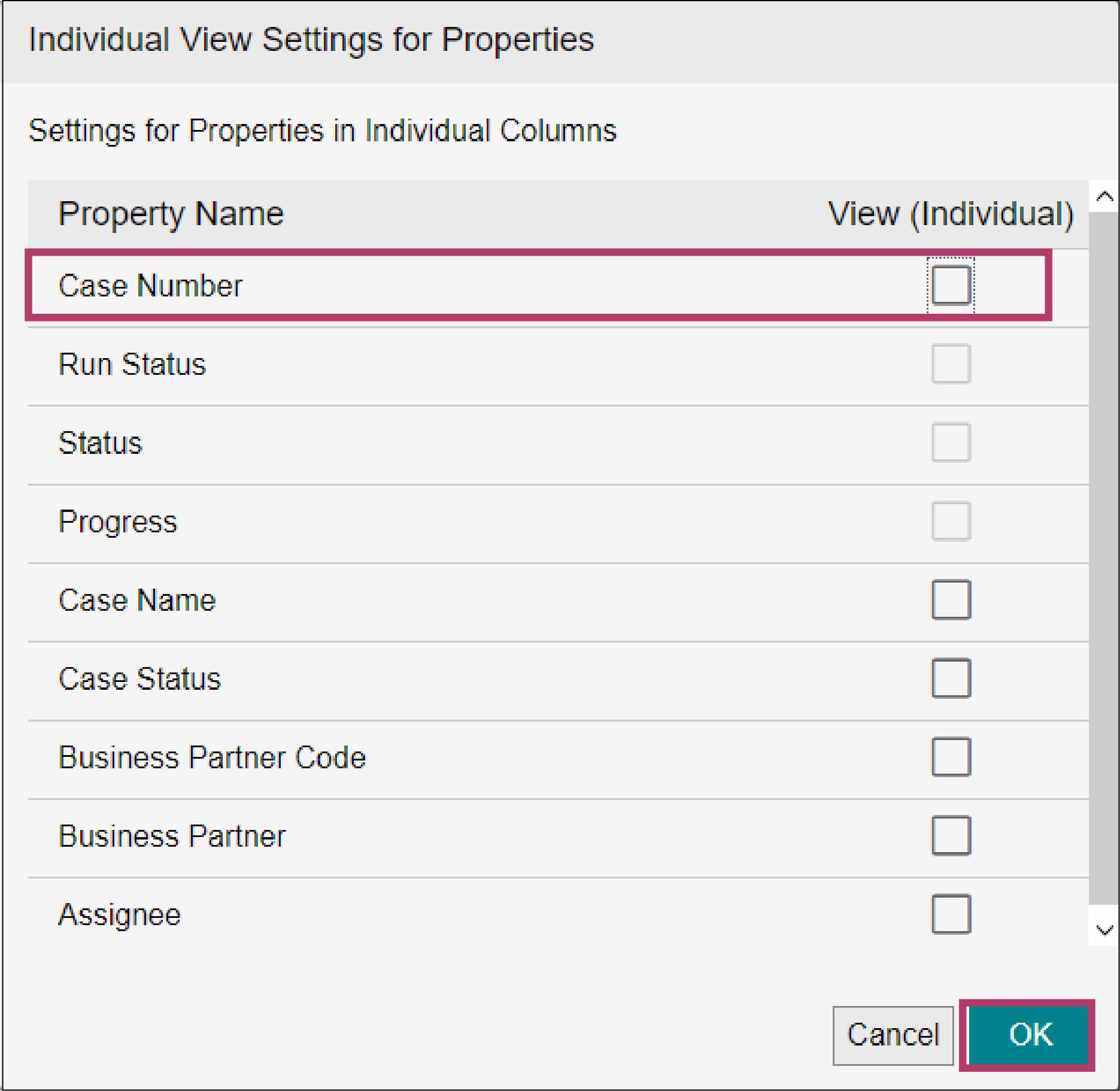
The [Individual View Settings for Properties] screen appears.
6.
Deselect the checkbox of [Case Number] and click [OK].
7.
Click [Save].
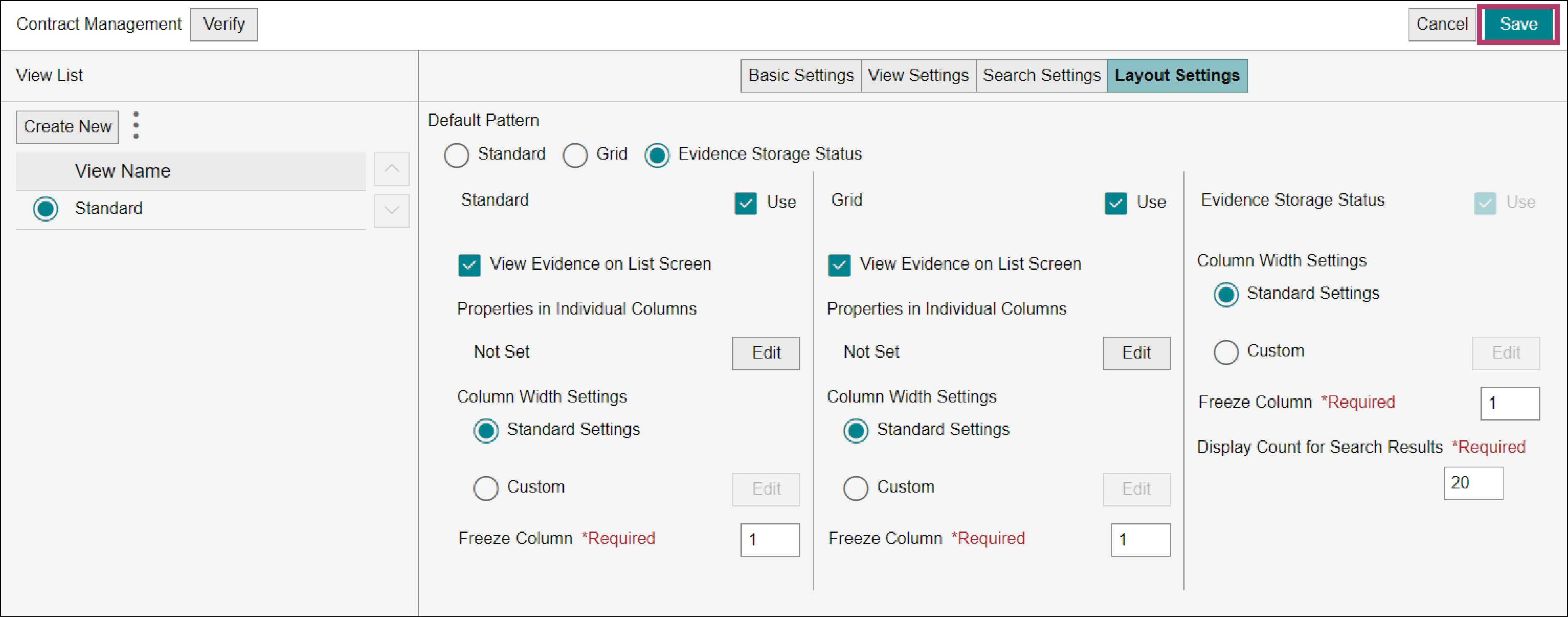
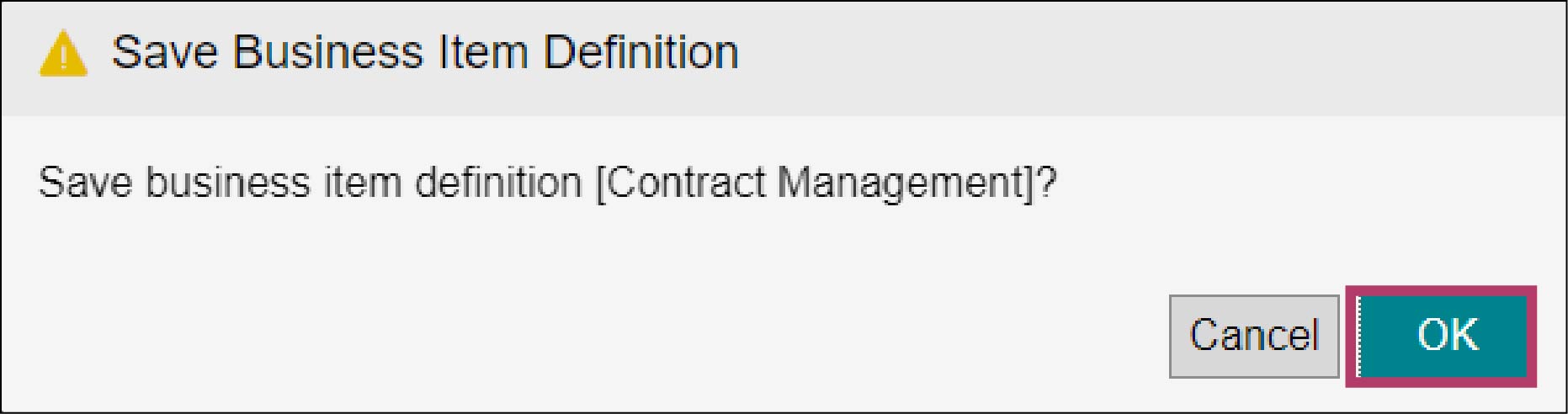
The [Save Business Item Definition] screen appears.
8.
Click [OK].