1.1 FUJIFILM IWpro File Management Process Function
In general, a business item consists of several activities. Documents and data created in the course of each activity are called “evidences”.
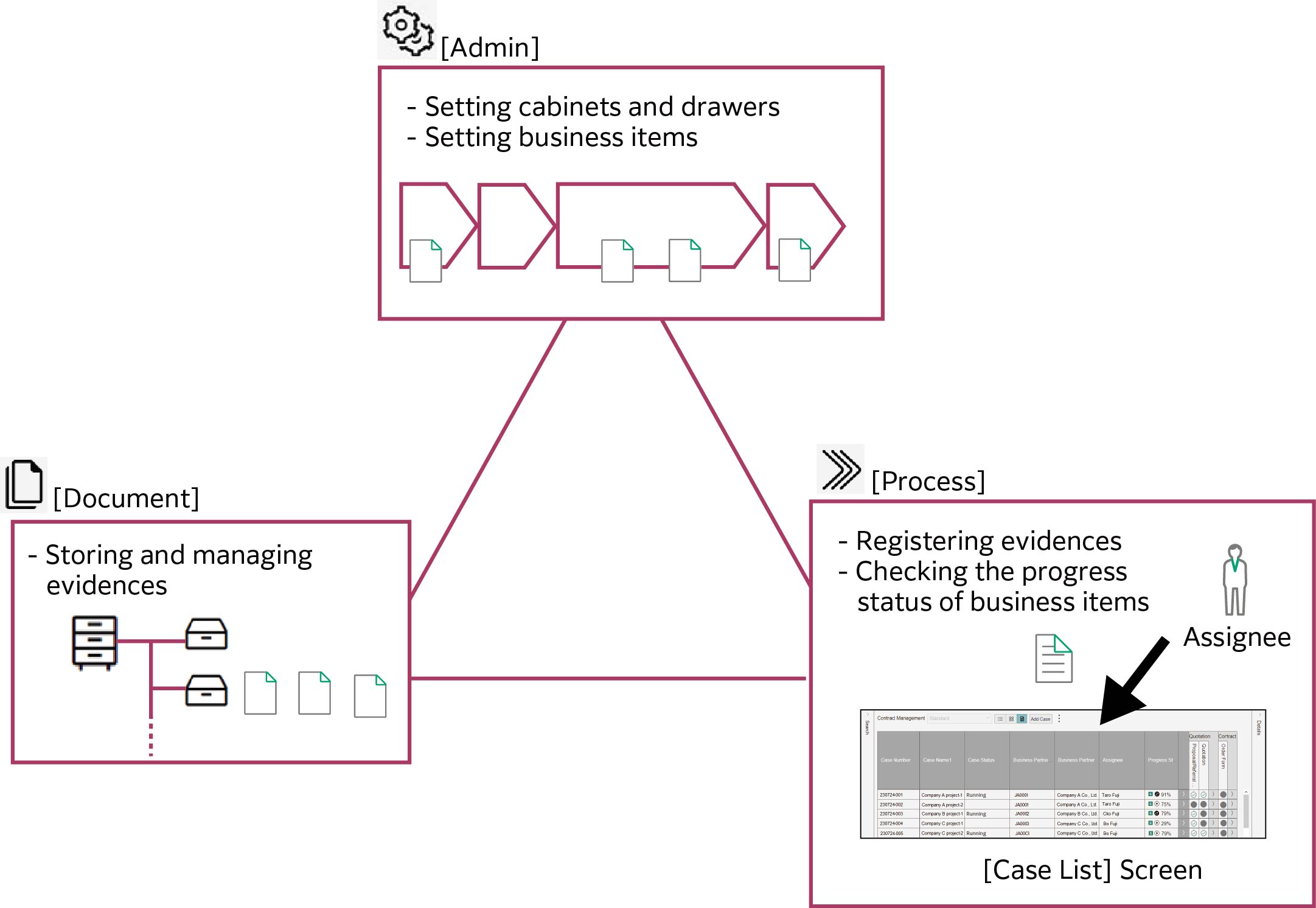
In the FUJIFILM IWpro File Management process function, by defining business processes, evidences such as documents generated in the business processes can be managed in conjunction with the file management functions. In addition, the progress of the business item is automatically determined based on whether or not the evidence has been stored, resulting in a clear visualization of the progress.
The assignee of each activity registers the evidence created as a result of the activity on the [Case List] screen of [Process] in FUJIFILM IWpro File Management. The evidences that the assignee has registered are stored in the FUJIFILM IWpro File Management [Documents], and the progress of the business item is automatically updated based on the storage status of the evidences.
Furthermore, on the [Case List] screen, you can search for specific cases and check their progress.
Note
In FUJIFILM IWpro File Management, you can register scanned paper documents as evidence, in addition to registering evidences from the [Case List] screen of [Process].