Process
Business Item Definition and Case
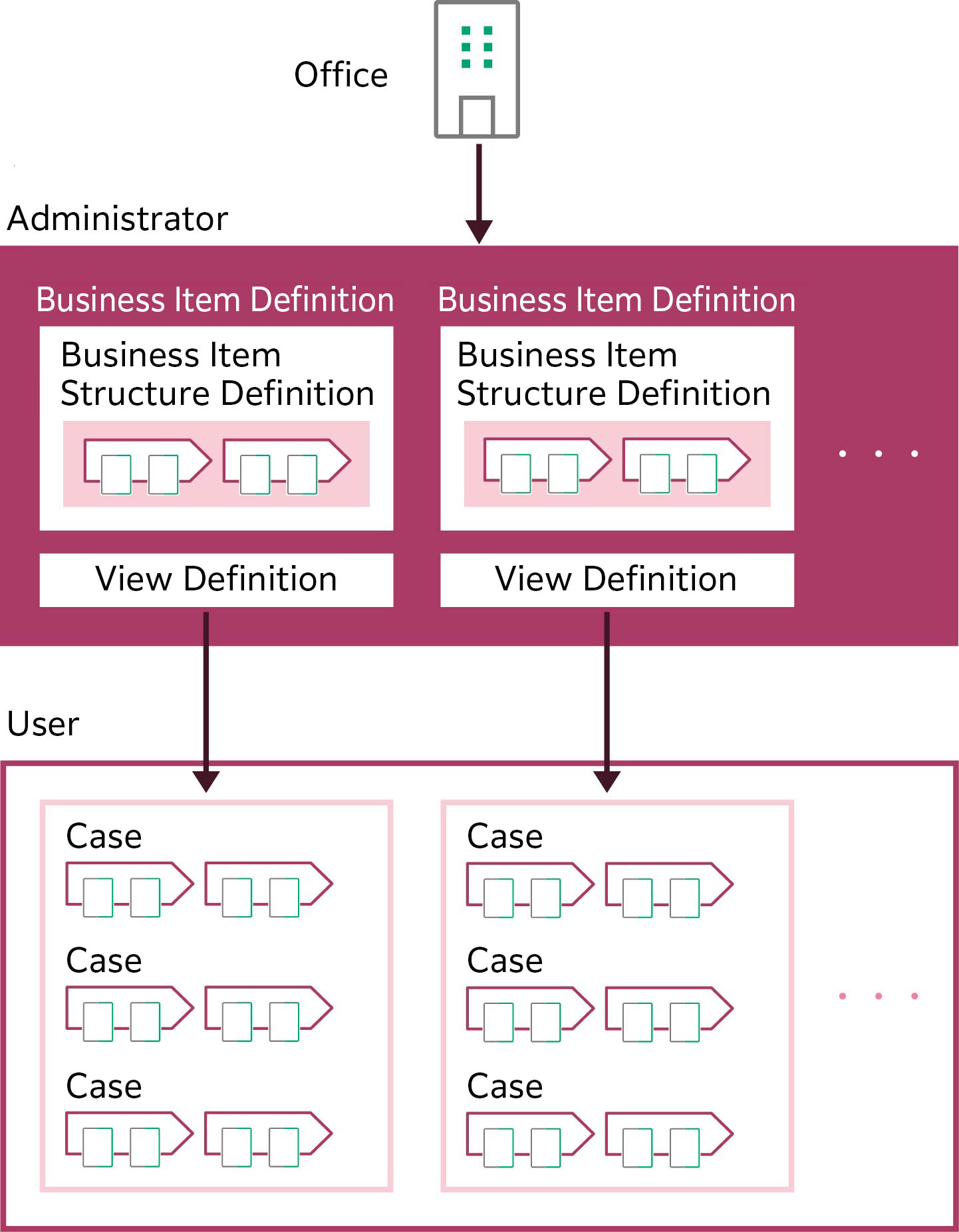
Business item in the process function is an embodiment, structuring activities performed and deliverables acquired in the actual business.
The administrator creates a business item definition for each business item. For the business item definition, define items including the business item structure definition visualizing the activity flow and the rules for judging the business item progress status. Also, define a view definition that specifies contents of [Case List] screen displayed for each user. With the view definition, define items such as the viewable information range, executable operation types, and view use permissions. For each business item, you can set multiple view definitions.
Users create cases based on the business item definition set by the administrator, and manage the progress of actual activity based on the evidence registration status of each case.
Important
"Capture" and "Rules" described on this page refer to the features in the old product Smart Workstream Data Entry option. These are provided in File Management as compatibility features available only to customers who have purchased the old product.
Progress Management
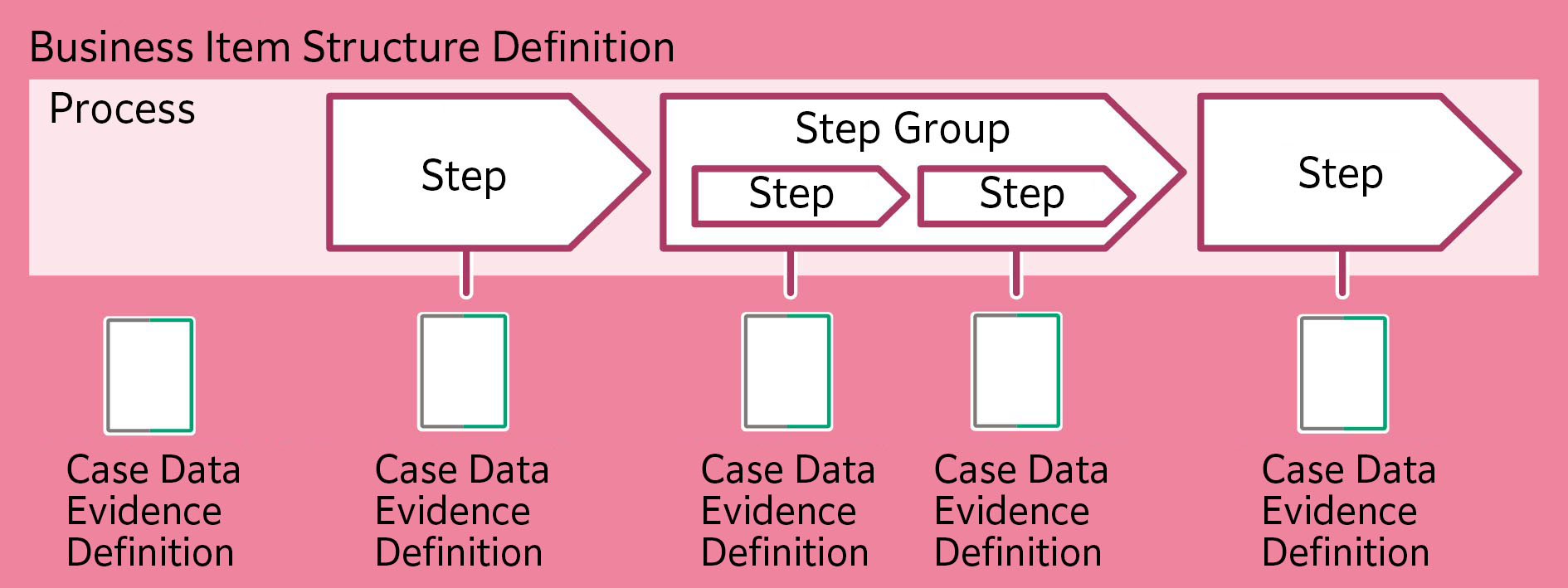
A business item structure definition consists of a step definition that represents activity processes and a step group definition that consolidates multiple steps. Define the evidence required for step definition or step group definition as a document evidence definition.
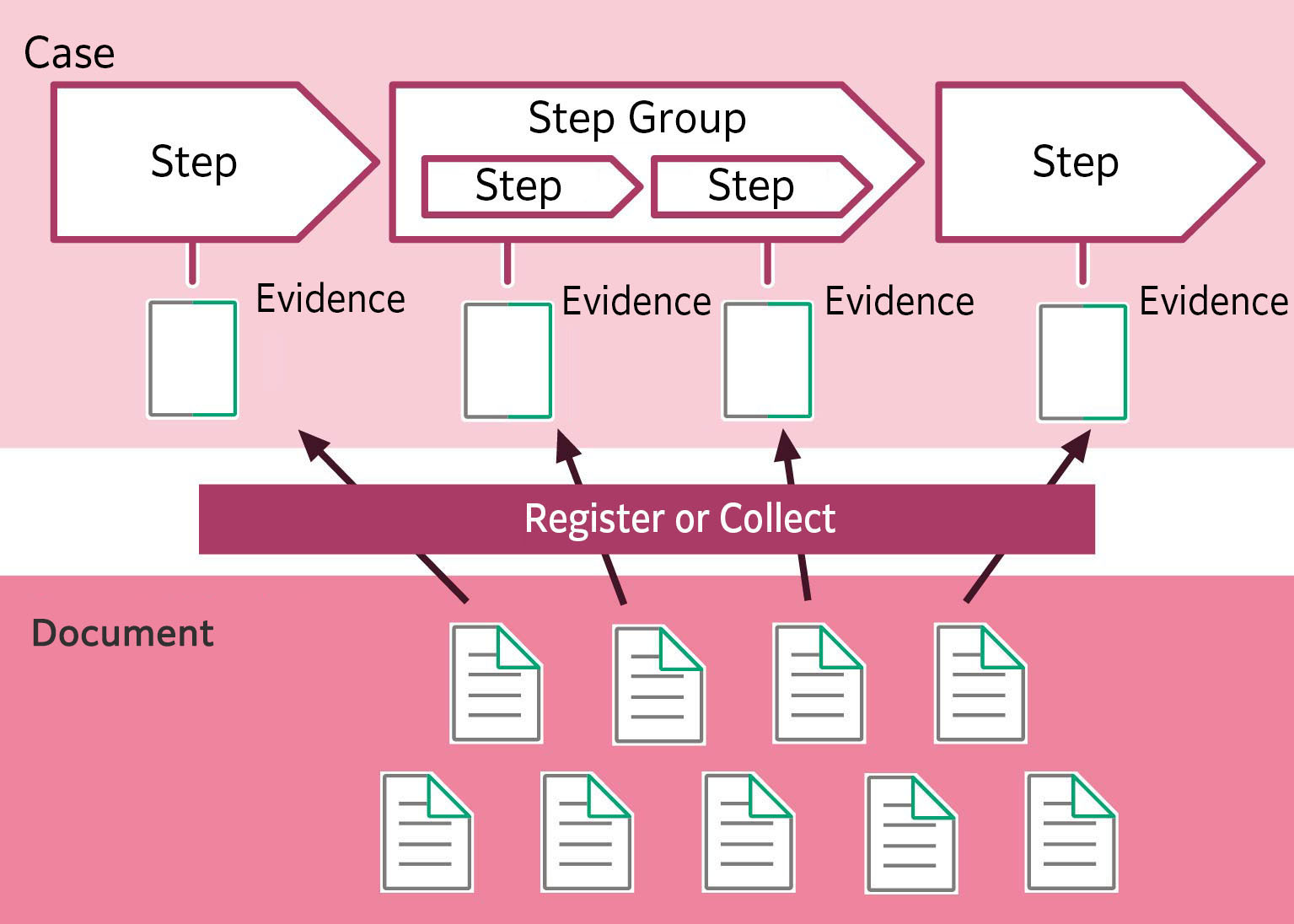
When a user creates a case according to the business item definition, a business process, which is an actual activity, will be created based on the definition of business item structure. When the user registers a document as evidence and when the administrator collects evidence, the progress status is visualized for the management of progress. You can check the case progress status on the [Case List] screen.
Refer
For the [Case List] screen, refer to <User Guide>.