[Plugin Information] Screen
This screen is displayed by clicking the [Plugin Information] tab after starting Internet Services on the device where the plug-in is installed.
- This operation is performed by the system administrator.
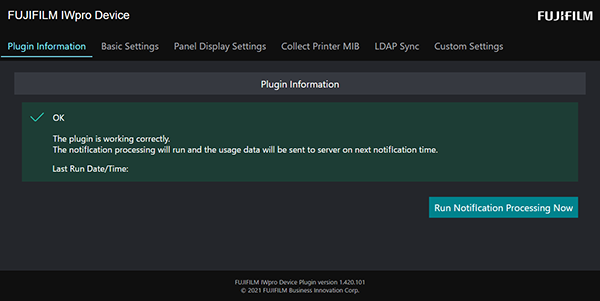
[Plugin Information]
Displays the results of the previous notification process and the date and time that the plug-in was last started.
[Run Notification Processing Now]
Click this to send the log data at that point to Device Management.
Click this when you want to immediately perform accounting on the data for that day and cannot wait until the next notification time.