Unregistering a Device (Using the Control Panel)
You can use FUJIFILM IWpro Setup to remove the FUJIFILM IWpro apps and plug-ins installed to a device. FUJIFILM IWpro will also be unregistered.
- Make sure to use FUJIFILM IWpro Device Setup or FUJIFILM IWpro Setup to unregister a device, instead of removing the device from the screen of FUJIFILM BI Direct.
If you remove a device without using FUJIFILM IWpro Device Setup or FUJIFILM IWpro Setup, it may not be unregistered correctly. - Do not perform other operations on the device until the procedure on this page is complete. Also note the following.
- Do not perform operations such as printing.
- Do not receive faxes.
- Tap [FUJIFILM IWpro Setup] on the home screen of the device.
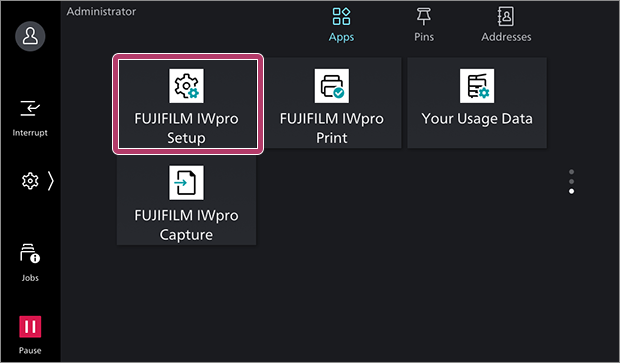
- If the FUJIFILM IWpro Setup app requires an update, a message is displayed and the device restarts. Repeat the procedure from step 1 after the device restarts.
- Enter the System Administrator information, then tap [Next].
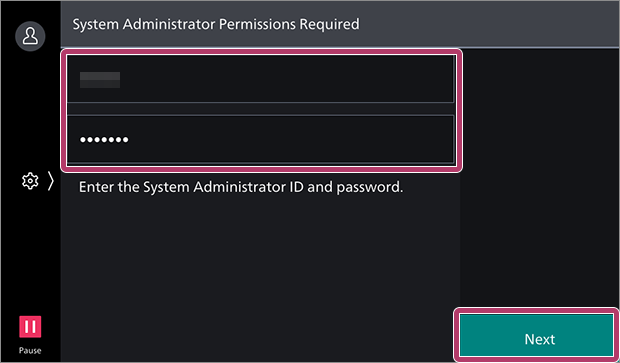
- If a message prompting you to update the app is displayed, update the app and restart the device.
- If you have logged in with the account of the system administrator once, it is not necessary to do so again.
- Select [Device Service Usage Diagnostics and Setup], then tap [Next].
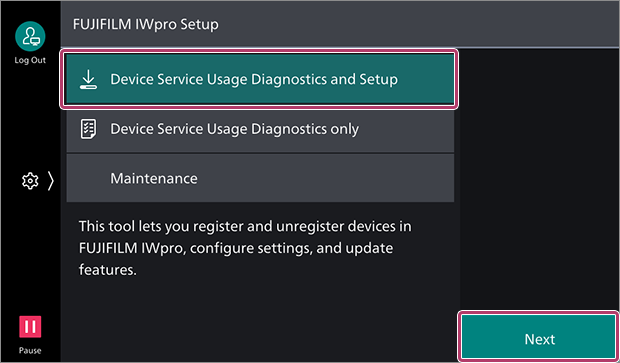
- To check whether a device supports FUJIFILM IWpro without installing functions, select [Device Service Usage Diagnostics only]. In this case, apps and plug-ins are not installed.
- Select whether to use the Device function, then tap [Start Diagnostics].
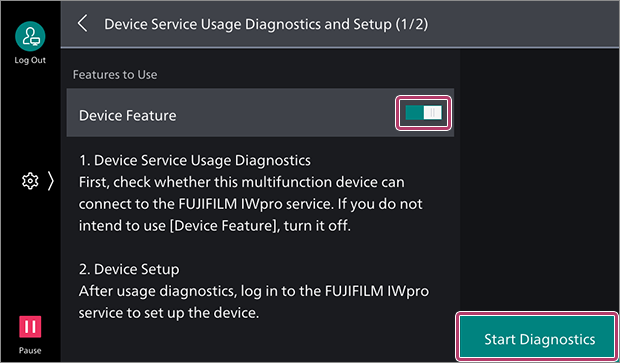 If a message confirming whether you want to change the device settings is displayedFollow the instructions on the screen to change the settings. If the device restarts, repeat the procedure from step 1.If [Diagnostics result: The following settings are required.] is displayedExit FUJIFILM IWpro Setup. Check the manual of the device to configure the device.
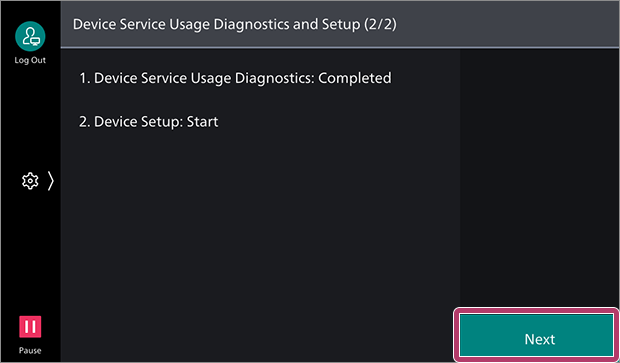
 - Tap [Next].
- Select [Authentication by FUJIFILM BI Direct User], then tap [Next].
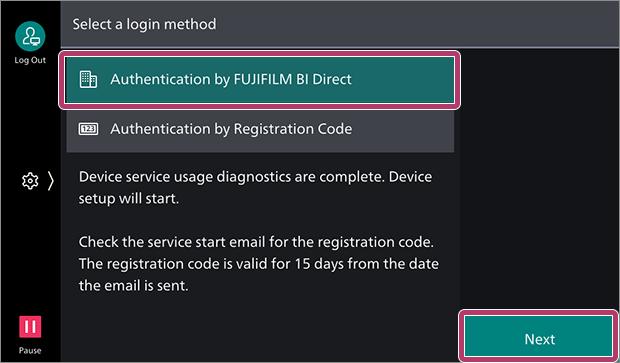
- [Authentication by Registration Code] is also available as a method for registering devices without using the user ID and password of an administrator.
Select [Authentication by Registration Code] and log in by entering the registration code included in the e-mail sent when you made a contract for FUJIFILM IWpro. - There is an expiration date for the registration code.
- [Authentication by Registration Code] is also available as a method for registering devices without using the user ID and password of an administrator.
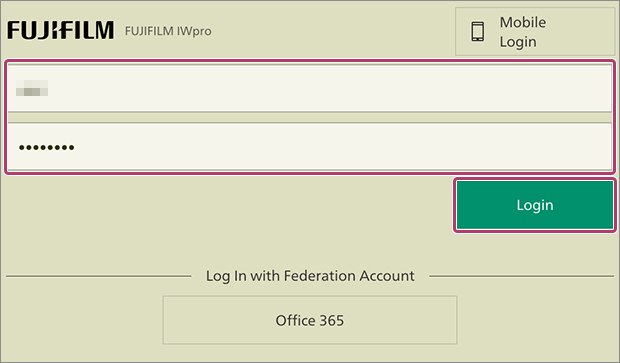
- Enter the user ID and password for FUJIFILM IWpro, then tap [Login].
- Select [Unregister Device], then tap [Next].
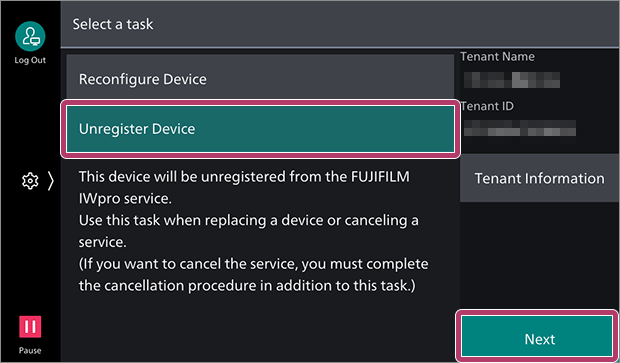
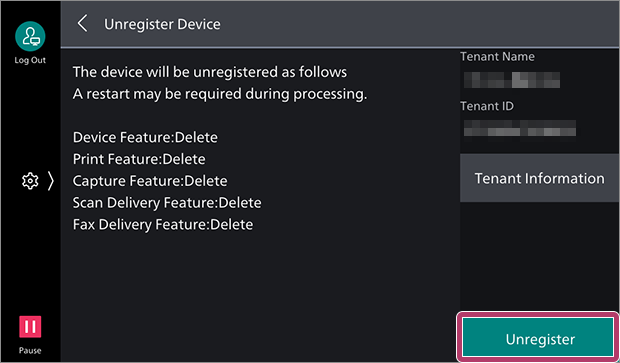
- You can tap [Tenant Information] to check the name and ID of the tenant.
- Confirm the process, then tap [Unregister].
- Tap [Restart Now] as required.
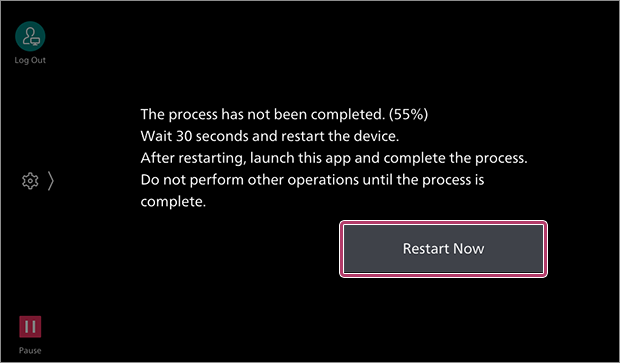
- The device may not need to be restarted, depending on the function being configured.
- Tap [FUJIFILM IWpro Setup] on the home screen of the device.
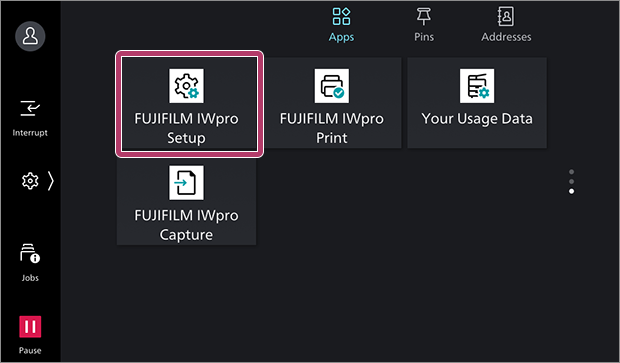 Setting processing resumes.
 - Enter the System Administrator information, then tap [Next].
- If you have logged in with the account of the system administrator once, it is not necessary to do so again.
- Tap [Exit] to exit FUJIFILM IWpro Setup.
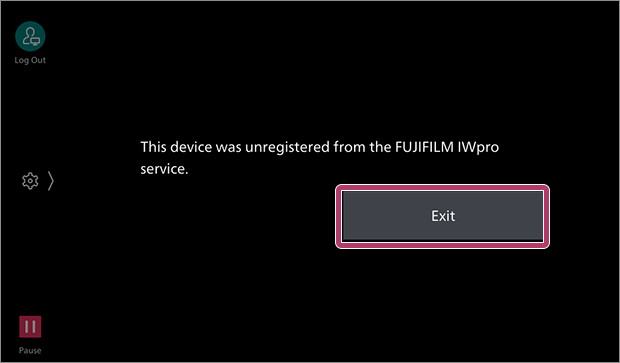
- If a message indicating that the device could not be unregistered is displayed, check the message.