Individual User Connection Settings
Configure the individual user settings for connecting to the cloud service.
Procedures and screens are subject to change without notice.
- Log in to FUJIFILM BI Direct.
- Click [Service Contract List] in [Customer Info].

- Click [Connection Destination List].
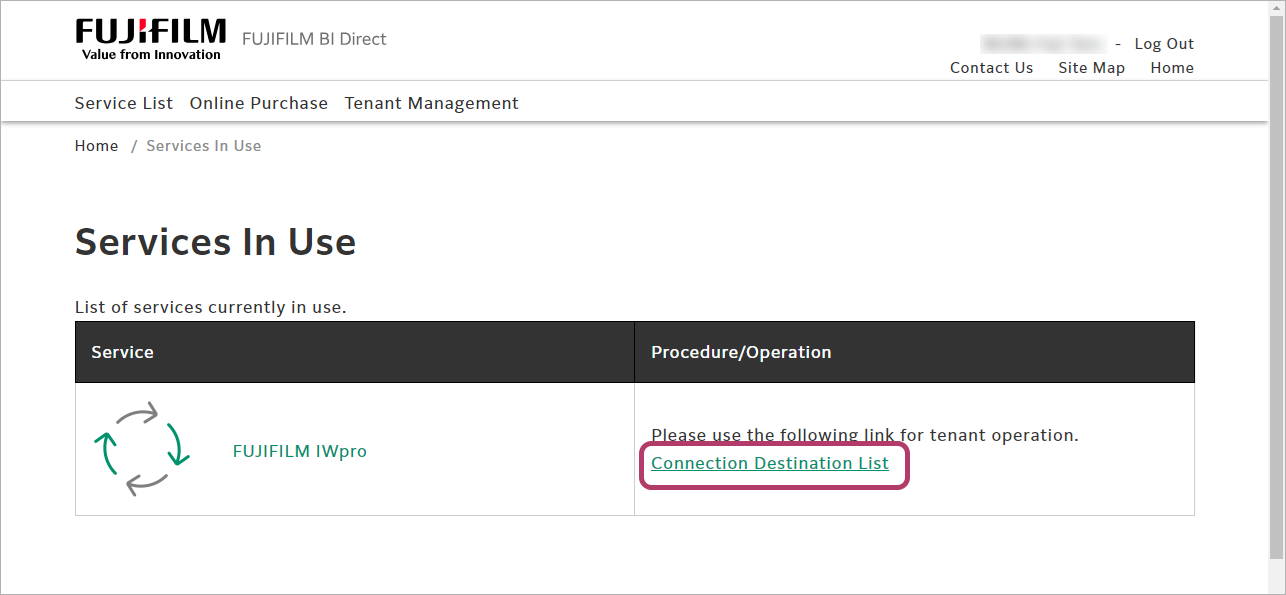
- Click [Connect] for the cloud service to use.
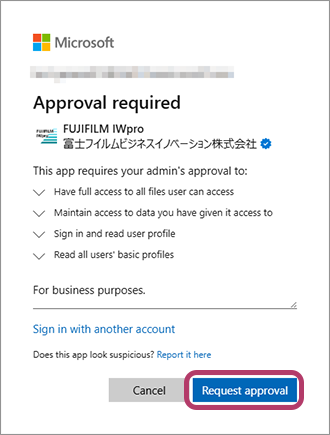
 When a service user of FUJIFILM IWpro connects to Microsoft Teams, SharePoint, OneDrive, or Exchange Online for the first time, approval for access to FUJIFILM IWpro may be requested. When approval is granted, the cloud service can be linked.
The method for granting approval is as follows.- If you have an administrator account for the Microsoft Entra management center
Click [Connect] in the list of connection destinations to sign in with the administrator account. - If you do not have an administrator account for the Microsoft Entra management center
Click [Connect] in the list of connection destinations to request approval from the administrator.
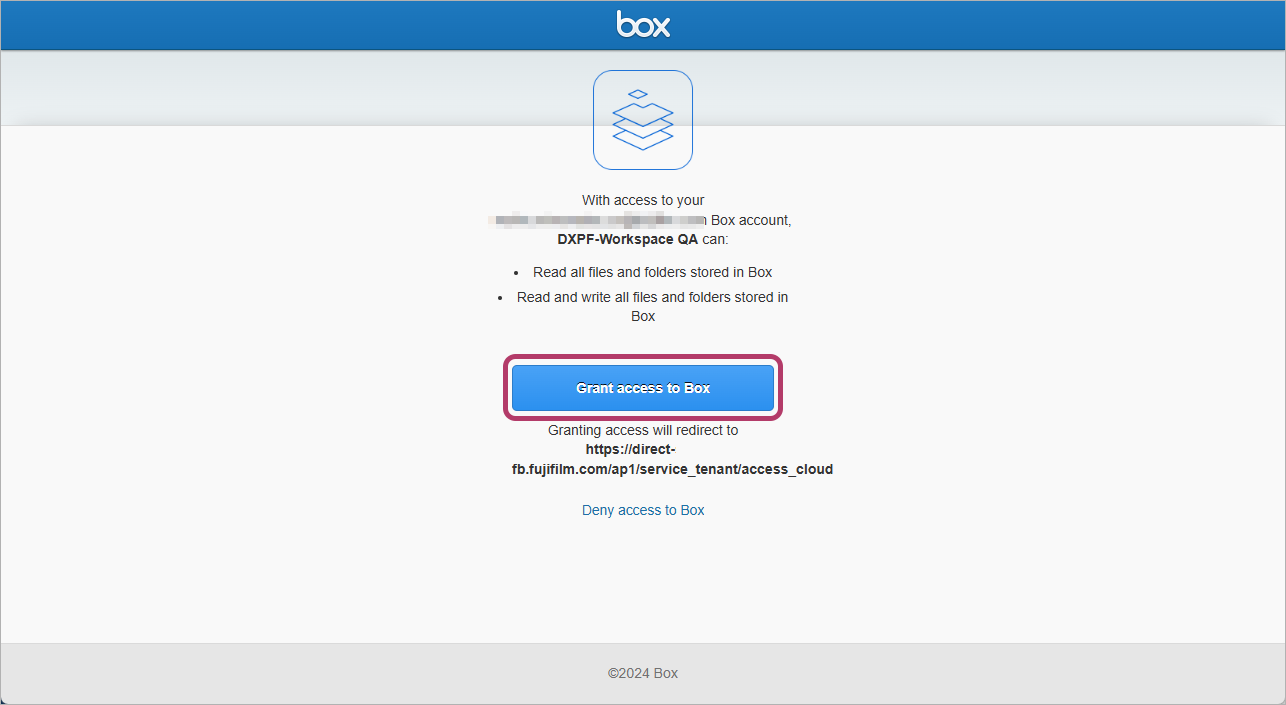
 For Box
- Enter the e-mail address and password for logging in to Box, then click [Authorize].

- Click [Grant access to Box].
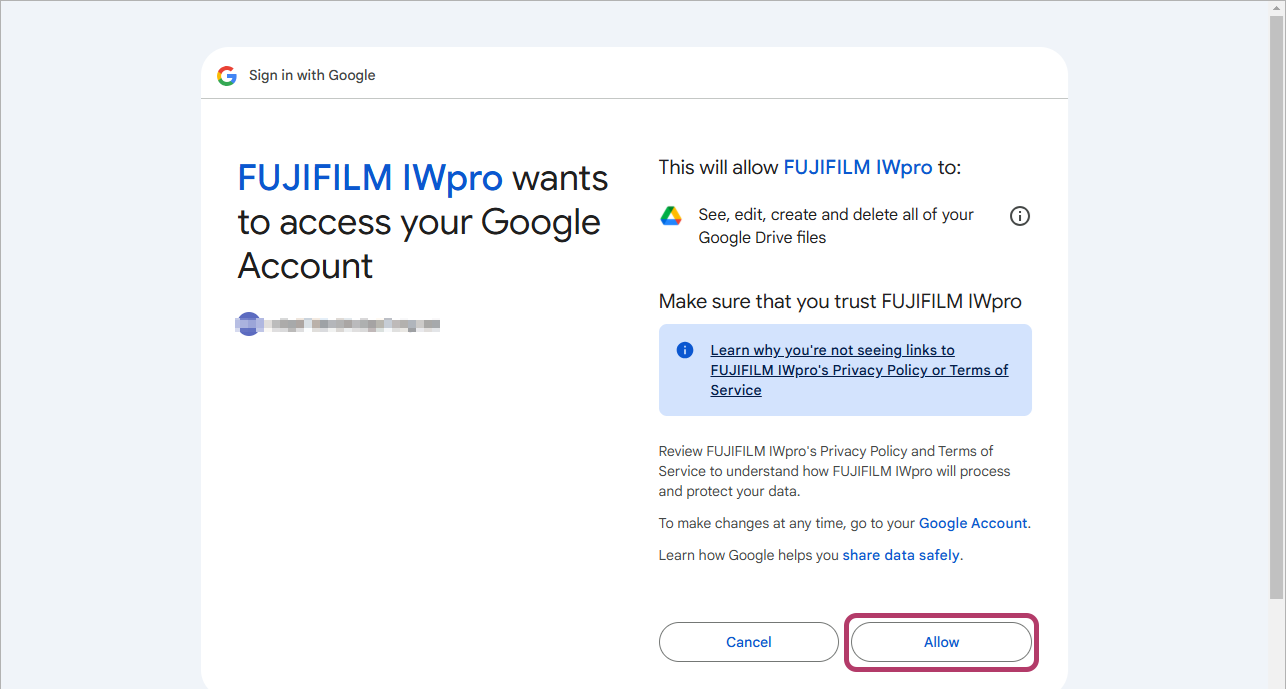
For Google Drive- Select the account for logging in to Google Drive.

- Click [Allow].
When [Connected] is displayed for the status, connection is complete. - If you have an administrator account for the Microsoft Entra management center
- This operation is not required for the cloud service if the service name is not displayed in the connection destination list or the connect button is not displayed.
- If there are check boxes on the screens for logging in to Dropbox, select them. Otherwise the screens may not transition correctly.
- Connection may not be possible if access approval (agreement) for user applications is restricted in the settings of Microsoft Entra ID. If so, ask the Microsoft Entra ID administrator to assign approval (agreement) for the following applications. For information on the procedure, see Approving a Microsoft Cloud Service to Connect to FUJIFILM IWpro.
- When configuring linking with Microsoft Teams or SharePoint Online
Application name: FUJIFILM IWpro
Application ID: 16f3deb8-19d1-417c-aa5b-03a7a57dbcbe - When configuring linking with OneDrive for Business
Application name: FUJIFILM IWpro
Application ID: b42237fe-384e-4c6f-a929-de4bd4a989a4 - When configuring linking with Exchange Online
Application name: FUJIFILM IWpro
Application ID: c245238d-538a-4979-bfc0-7db9fcb3282a
- When configuring linking with Microsoft Teams or SharePoint Online