Assigning Licenses to Devices (Using a Computer)
To perform collection and accounting of the device usage data (job logs) with the device management function, it is necessary to assign a license to the device.
- This procedure is for customers with a contract for the FUJIFILM IWpro Multifunction Device Management license. It is not required for customers that are not using the device management function.
- Log in to FUJIFILM BI Direct.
- Click [Tenant Management].
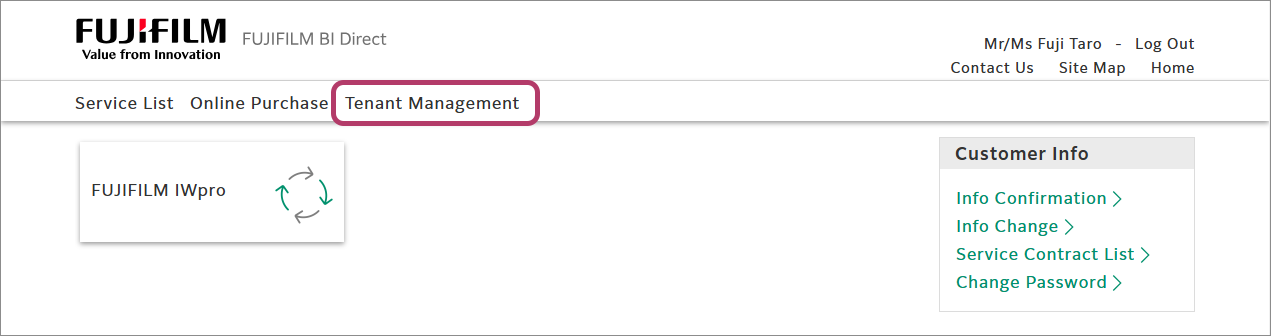
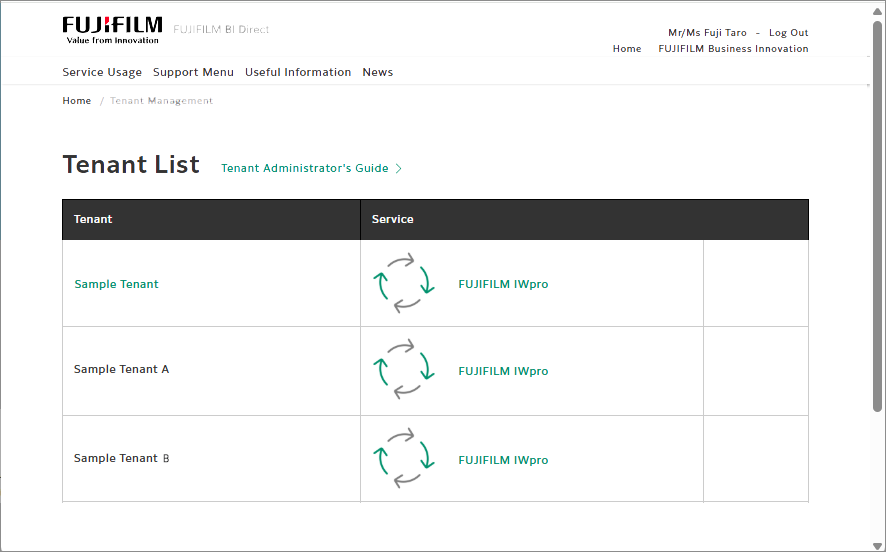
- Click [FUJIFILM IWpro] in the list of tenants.
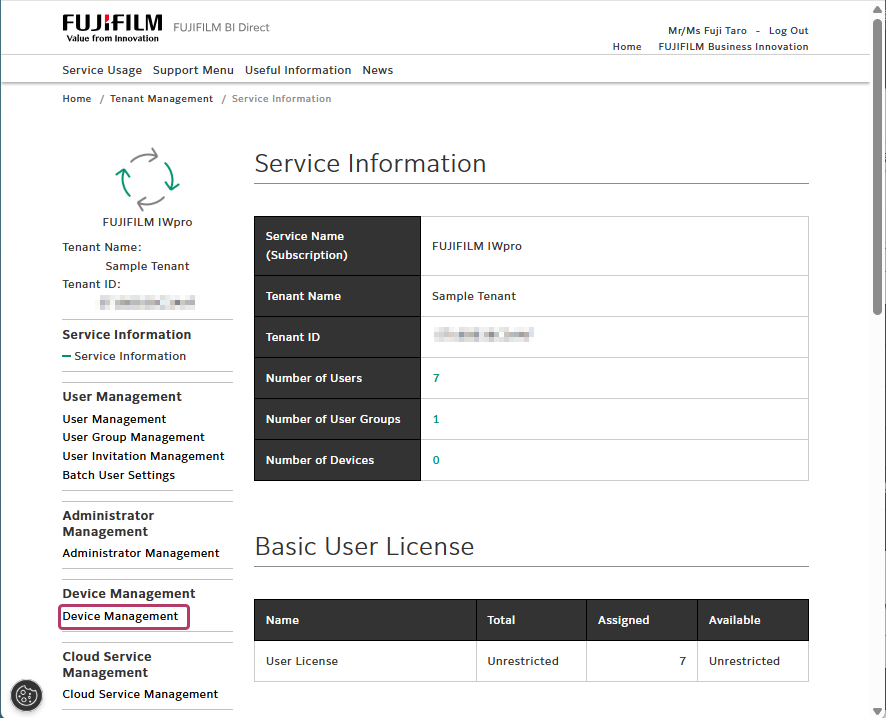
- Click [Device Management] in the menu.
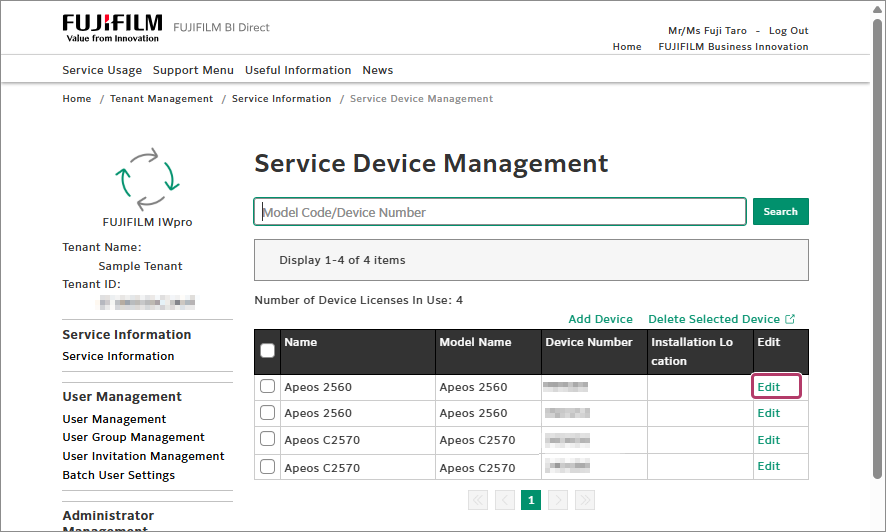
- Click [Edit] for the target device.
- Deselect the check box for the [FUJIFILM IWpro Multifunction Device Management] license, and click [Update].
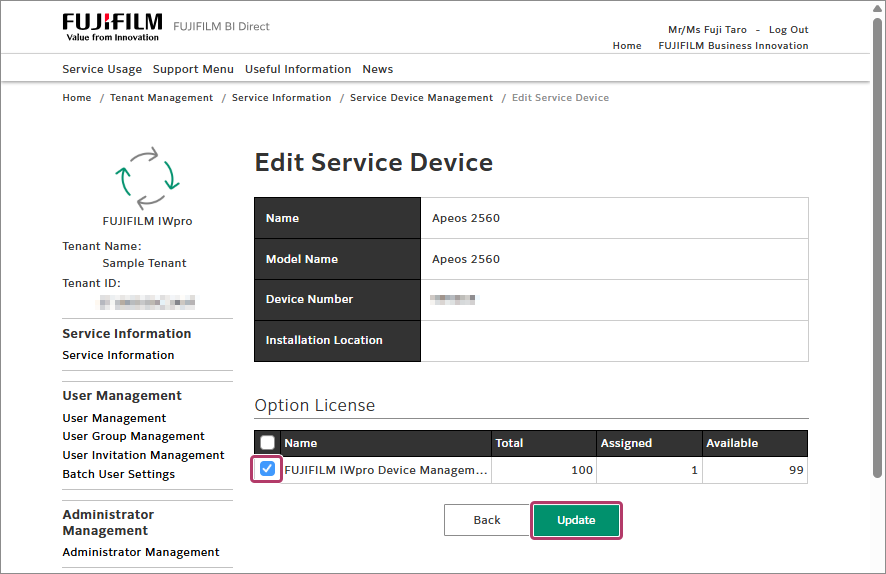
- Log in to FUJIFILM IWpro with the account of an administrator.
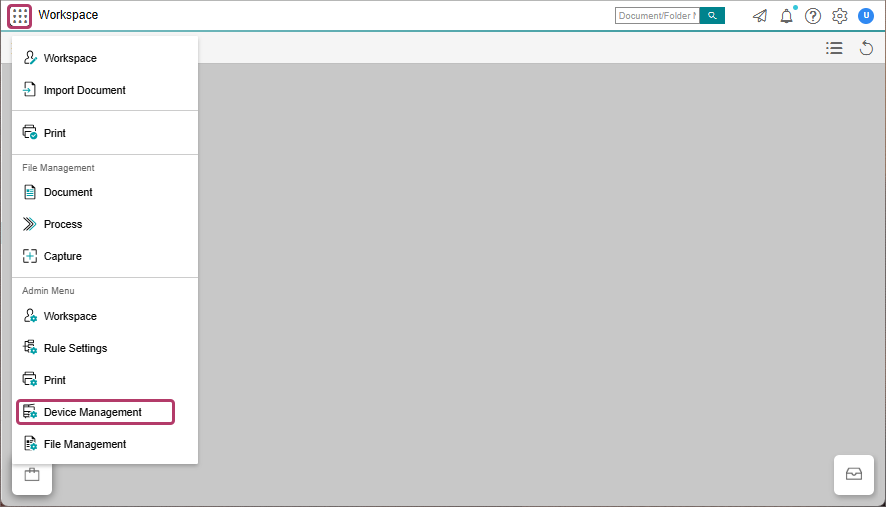
- In the launcher menu, click [Admin Menu] > [Device Management].
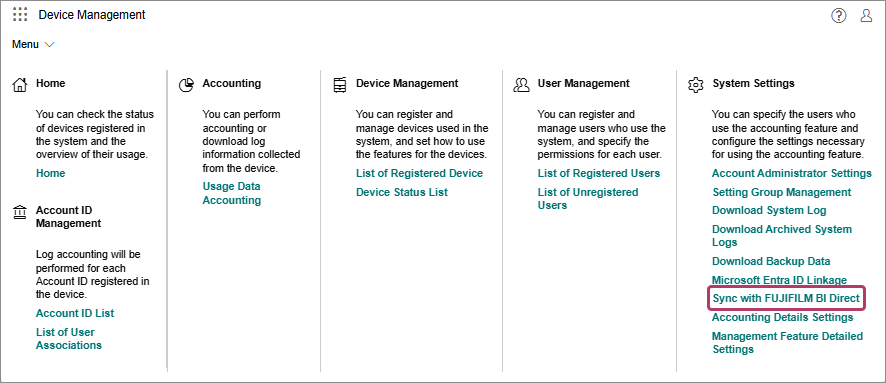
- Place the mouse cursor over [Menu], then click [Sync with FUJIFILM BI Direct].
- Click [Manual Sync].
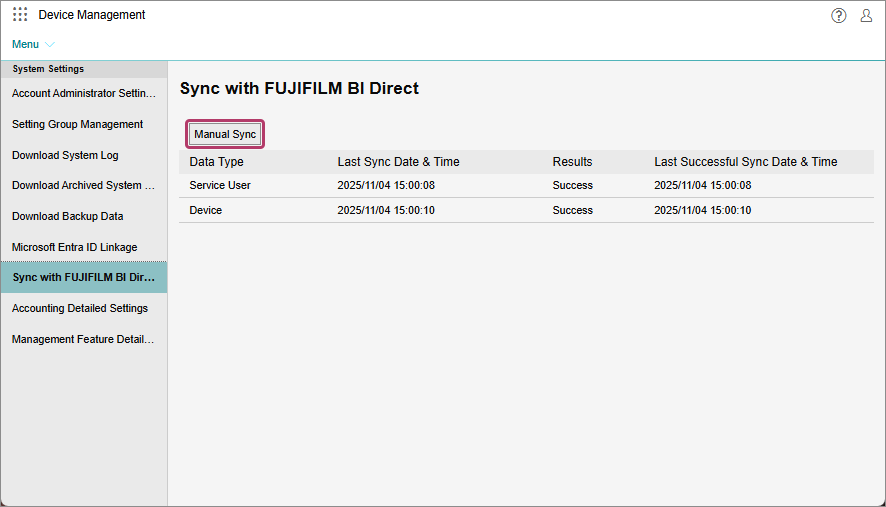
- On the displayed screen, click [OK].