About Link Annotations
You can jump to a different page of the same document, another document, a Web page, another link annotation, or a mail application by pasting a link annotation on a document page.
Type of link targets
The following types of link targets can be specified for link annotations:
- A page within the document
- A page in the different document
- A different link annotation
- A web page URL
- E-mail address
- An application file from other than DocuWorks
View formats of link annotations
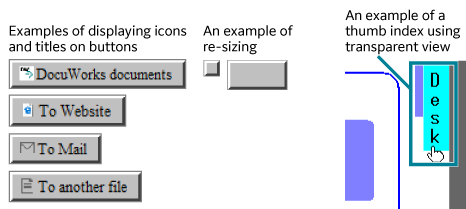
A link annotation appears as a rectangular button.
On a button, you can display an icon or text indicating the type of a link target. Also, you can also create a transparent link annotation that uses a text or a figure on the page.
On a button, you can display an icon or text indicating the type of a link target. Also, you can also create a transparent link annotation that uses a text or a figure on the page.